page 26
Industrial Power Corruptor Manual Rev 1.00
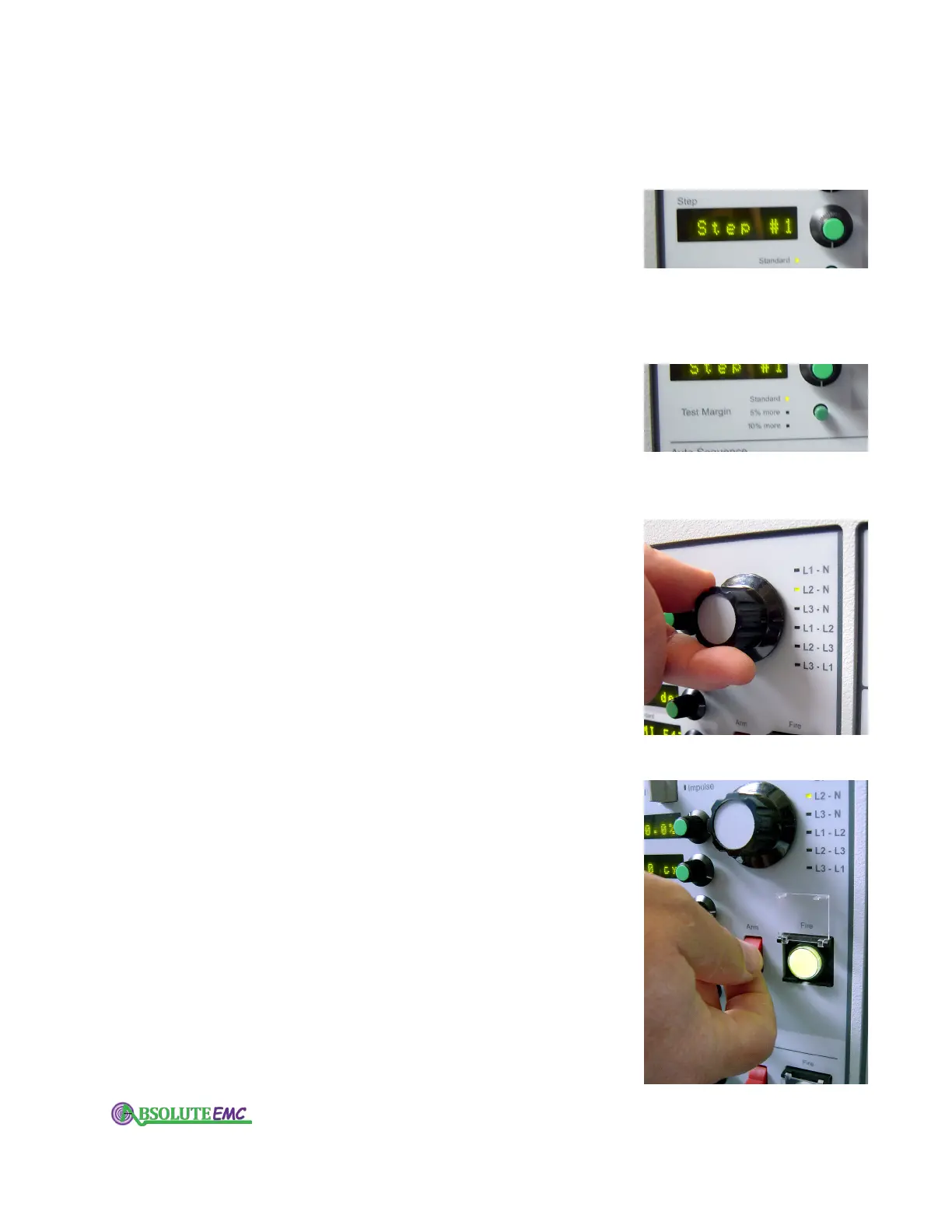
3.2.9 Step dial / display
When you select a multiple-step standard recipe on the
Power S
tandard display, this dial permits you to choose which
of the steps you want to perform. This allows you to step through
a multi-step test, or go back to earlier steps if desired. If the
standard selected has only one step, then Step #1 will be the
only one you can select. If Auto Sequence operation is selected,
then this display will automatically proceed to the next step
after completion of each test.
3.2.10 Test Margin button
This button is associated with the Power Standard and Step
displays only
. Select "Standard" for testing according to the
standard you have chosen. Select "5% more" if you want to
quickly test at 5% longer and 5% deeper than the standard.
Select "10% more" if you want to quickly test at 10% longer
and 10% deeper than the standard.
3.2.11 Phase dial / display
This allows you make a phase selection for the event. You
can choose for a single-phase test (L1-N), a 3-phase delta test
(L1-L2, L2-L3, L3-L1), or a 3-phase wye test (L1-L2, L2-L3,
L3-L1, L1-N, L2-N, L3-N).
The LEDs adjacent the phase
combination will light up when selected.
3.2.12 Arm and Fire switches - single sequence
Use the upper set of Arm and Fire switches to initiate all
single sequence events (a single sequence event is one in which
you to manually select each test or step).
When you toggle the Arm switch to Arm, your IPC will
conduct quick internal checks, and if all is ok, allow you to
press the Fire switch to start the event (if all is not ok, an error
message will be displayed).
If you toggle the Arm switch to Stop after arming it, it will
immediately prevent or stop the event.
absolute-emc.com
Phone:703-774-7505
info@absolute-emc.com


 To Next Page