page 36
Industrial Power Corruptor Manual Rev 1.00
3.5.4.3 Setting up your testing session
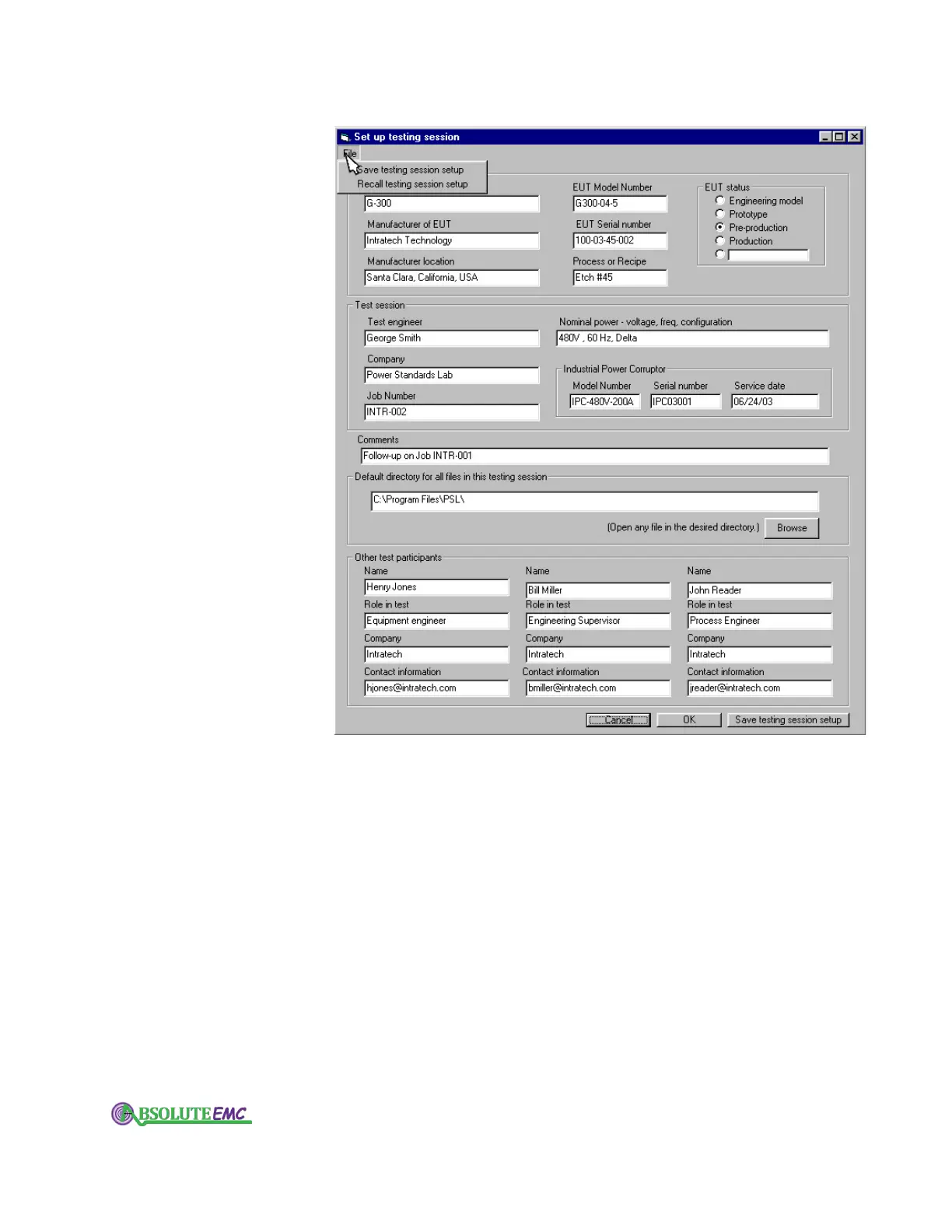
Use the "Setup" pull-down menu to record all the information
about your testing session.
You can record information about the "Equipment Under
T
est", the engineers who are involved in the testing, the nominal
voltages and frequencies, and more. You can also set up a default
directory, or folder, to store all the data from this test session.
After you complete the setup, we recommend that you save
it in a file. Use the "File" pull down menu on the setup form.
For an example of how to set up your testing session, use
the "File" menu to recall the "SampleSetUp".
The data that you enter on the Setup form will be stored
with any waveforms that you record. For example, see "Event
Details" in the ChannelScope section.
absolute-emc.com
Phone:703-774-7505
info@absolute-emc.com


 To Next Page