page 11
Industrial Power Corruptor Manual Rev 1.00
2.2.3 Unpacking your Industrial Power Corruptor
Your IPC is a sensitive and calibrated piece of electronic
test equipment. It is also heavy, which can lead to damage if
not handled with extreme care. Your IPC is shipped to you in a
custom wooden crate with supportive packing.
Do not discard the crate and packing material! Always use
the crate, every time your IPC is shipped. If not transported in
this manner
, your IPC has no protection from vibration or shock.
To remove your IPC from the crate, orientate the crate with
the lid (with securing bolts) facing up.
Unscrew the wing nuts holding the lid in place.
Remove the lid, and then remove any accessories in the
smaller side compartments.
The compartment may be covered
by a lid with a finger hole.
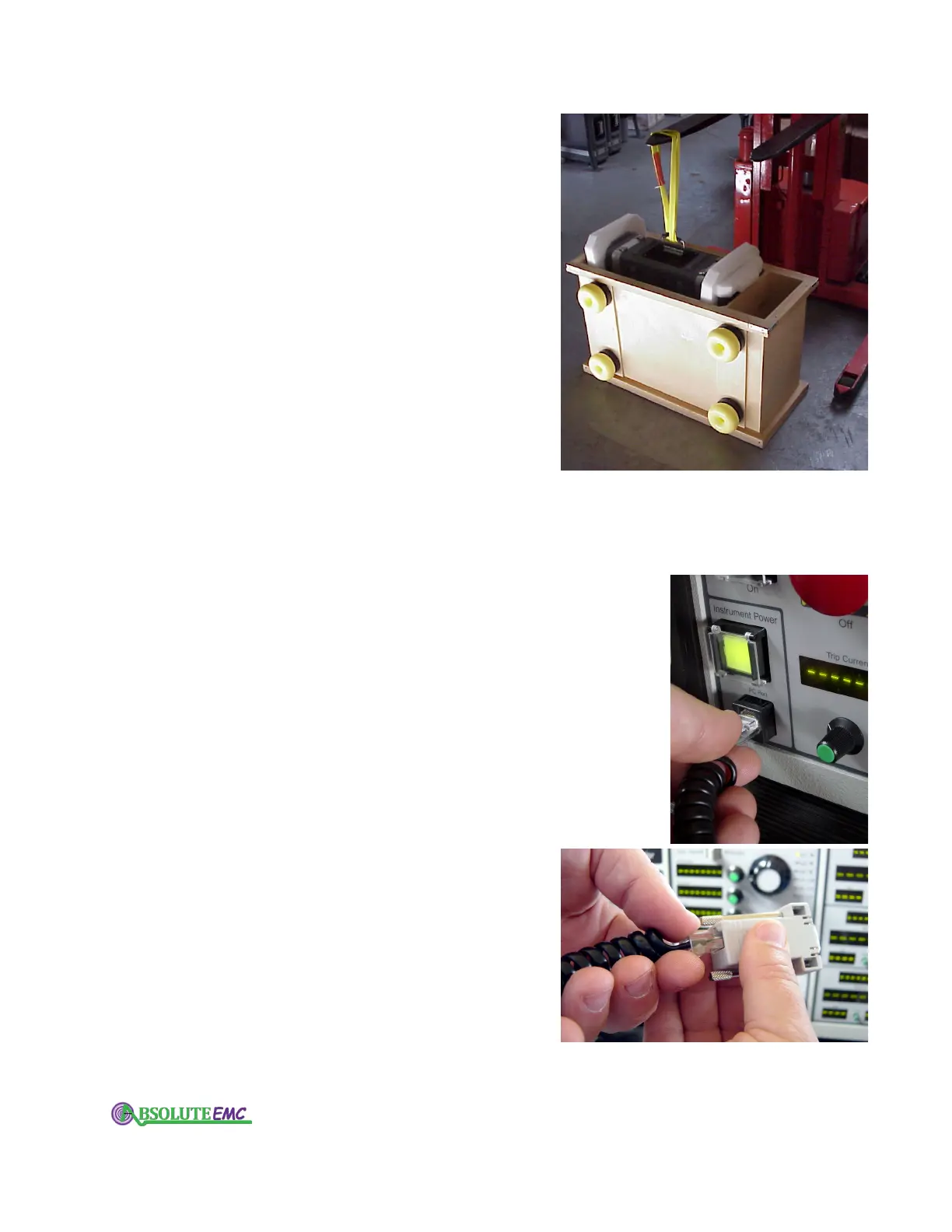
A lifting strap is provided. Loop this through the upper
handle, and lift the IPC from the crate using a forklift or similar
lifting device. Or orient the crate so that you can gently slide
your IPC from the crate onto a flat surface.
If your IPC is to be hand-carried, ensure that two people
lift the unit using the handles on the side of the case.
2.2.4 Connecting instrument power
Plug the AC power cord (provided with your IPC) into the
AC inlet, labeled "Instrument power", on the back of your IPC.
Plug the other end into a 100 - 240V
ac power source. Turn on
your IPC with the front panel "Instrument Power" switch.
2.2.5 Connecting to your computer
To operate your IPC you must first connect it to a computer
running the IPC software.
If you have not yet loaded the IPC software (contained on
the CD provided with your IPC), read and follow the instructions
in the software section of this manual.
Find the RJ-45 jack, labelled “PC Port”, on the lower left
of the front panel of your IPC.
Use the cable and adapter provided with your IPC to connect
your IPC to the DB-9 serial port on your computer.
If your computer has a USB port, and no 9-pin serial
connection, you will need a USB-Serial adapter
. We recommend
using a Belkin model F5U103.
Your IPC weighs 130 lbs. (60kg). You can remove it
fr
om its crate with a forklift, or you can set the crate
on its yellow feet and gently slide your IPC out
horizontally.
Connect one end of the coms cable to the IPC PC Port
on your IPC’
s front panel, near the power switch.
Connect the other end to the serial port on your
computer using the 9-pin adaptor supplied. If your
computer lacks a serial port, use a USB-to-serial
adaptor (use Belkin model F5U103).
absolute-emc.com
Phone:703-774-7505
info@absolute-emc.com


 To Next Page