page 27
Industrial Power Corruptor Manual Rev 1.00
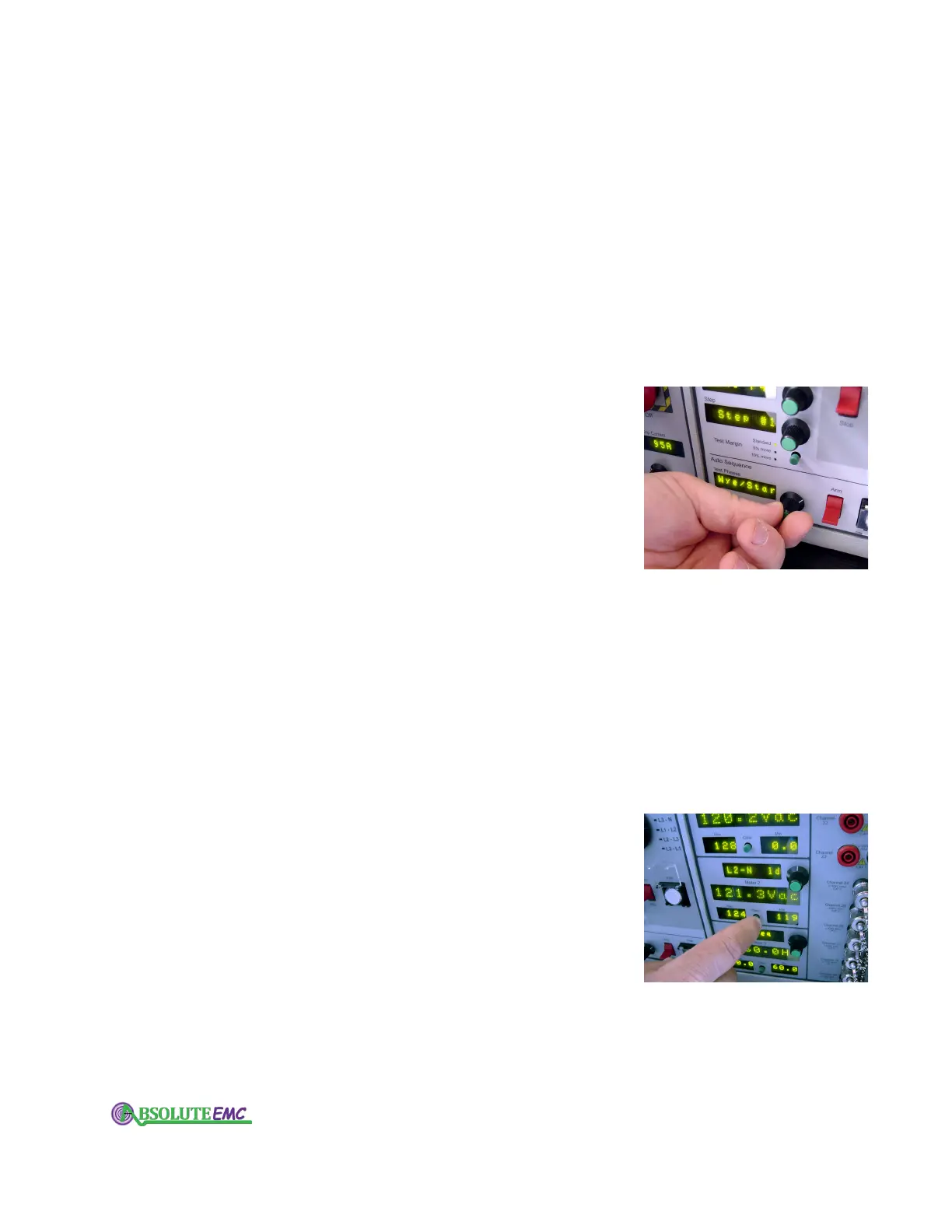
3.2.13 Test Phases dial / display
This is part of the Auto Sequence function. Auto sequence
automatically advances you to the next step and/or phase on a
multi-step test. For safety reasons, you still have to "arm" and
"fire" each individual event (using the
Auto Sequence (lower)
set of arm and fire switches).
Using the Test Phases dial and display, you can select a
single phase, 2-phase, 3-phase delta, or 3-phase wye-star recipe.
If, for example, you select a SEMI-F47 recipe on the Power
S
tandard display, with 3-phase delta auto sequence testing (on
the Test Phases display), the first test will be Step #1 on L1-L2.
You then toggle the Auto Sequence arm switch and depress the
fire switch next to it. After the event has ended, the Step display
will advance to Step #2. When you have completed all the steps
on this pair of phases, the L2-L3 phase selection LED (next to
the large knob) will light up. You will continue this sequence
until all the steps have been conducted on all the phases.
3.2.14 Arm / Stop and Fire switches - Auto sequence
These lower set of switches are part of the Auto Sequence
function.
Auto sequence automatically advances you to the next
step and/or phase on a multi-step recipe. For safety reasons,
you still have to "arm" and "fire" each individual event using
these Arm and Fire switches.
If you toggle the Arm switch to Arm, your IPC will conduct
quick internal checks, and if all is ok, allow you to press the
Fire switch to start the event (if all is not ok, an error message
will be displayed). If you toggle the Arm switch to Stop after
arming it, it will immediately prevent or stop the event.
3.2.15 Meters
There are three sets of Meter displays on the front panel,
labeled Meter
, 1, Meter 2, and Meter 3.
Each set consists of the following:
" A meter selection display and dial. Use the knob to select
which input you wish to assign to this display. Each of set of
displays can be also be set to "off" .
" A value display. This display shows the value of that input
with its appropriate units.
" A maximum and minimum display, with an associated
Clear button.
This displays stores the max and min values for
the channel. Although the meter displays are only updated once
per second, the min/max values are updated every cycle (every
20 milliseconds at 50 Hz, 16.67 milliseconds at 60 Hz). Pushing
the Clear button resets these displays.
absolute-emc.com
Phone:703-774-7505
info@absolute-emc.com


 To Next Page