How to Use the Valve with Portal 5.
If your valve is on a workcell with PVA Portal, use the screens that follow to operate the
valve. Refer to the Portal manual for additional information on how to use the program.
NOTE: The screens may be different based on customer specific configuration.
The screens that relate to the JDX jet valve are in manual mode under “Jetter”. In this
screen, a row of tabs will be shown under the row of manual mode tabs.
Setup Mode 5.1
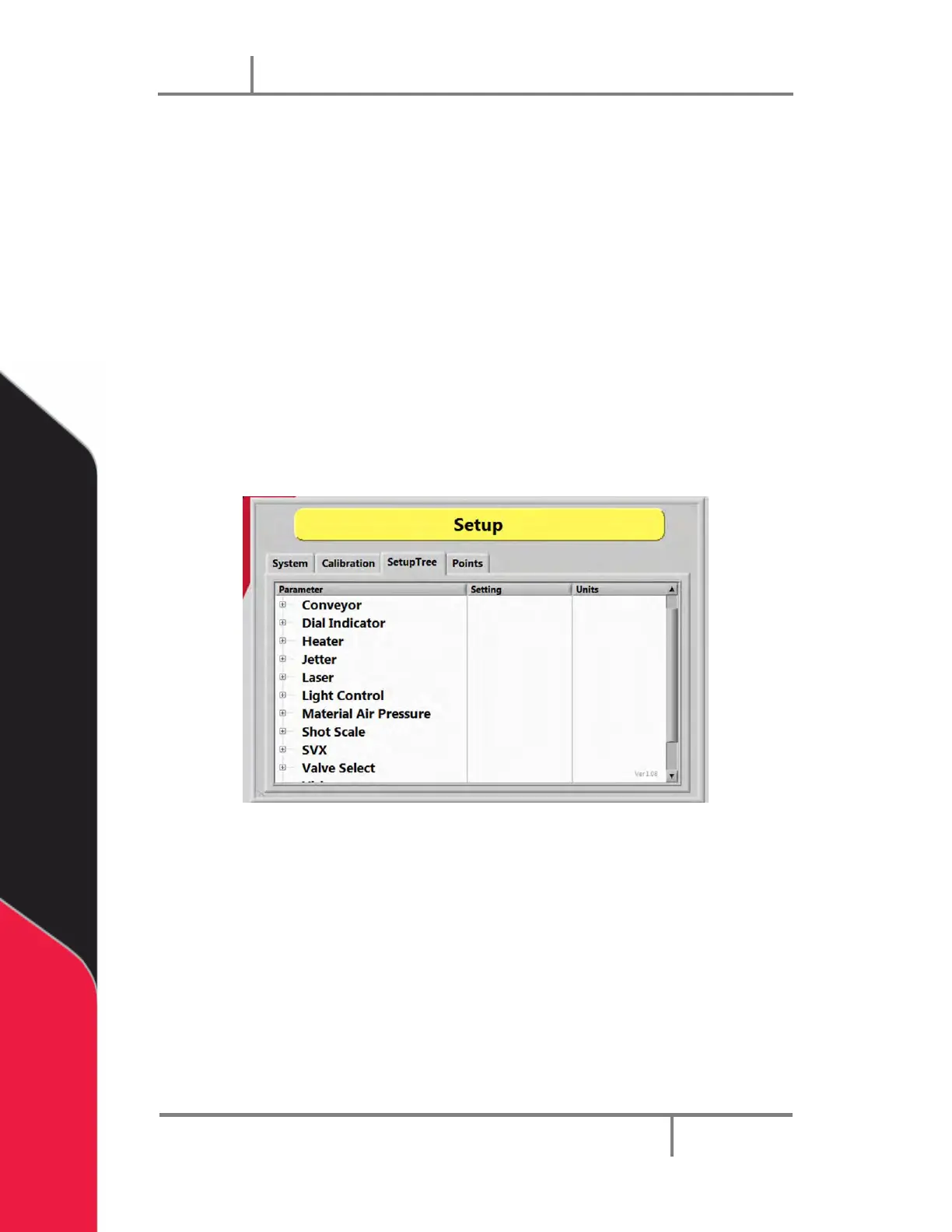
The settings that are used in Auto Cycle can be changed in Setup Mode as shown below.
1. Select Setup Mode.
2. Select the Setup Tree tab.
Figure 26: Setup Tree Tab
3. Select the + symbol next to a Parameter to expand the setup tree as shown in
the examples below.


 To Next Page