To turn ON the heater 6.2.2
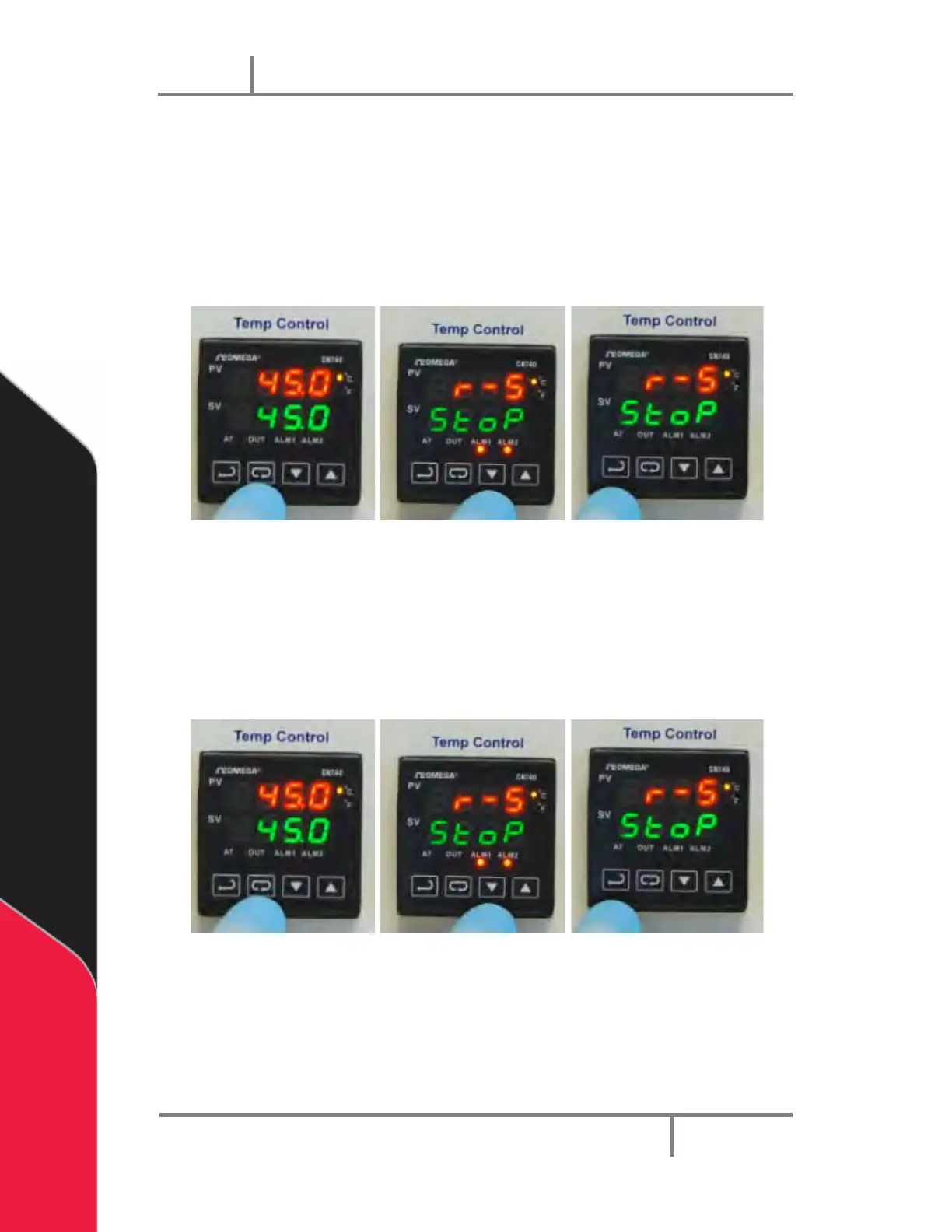
1. Press the INDEX key until you see the Run-Stop Output Control screen (r-5) on
the top line of the display.
2. Now use the arrow key to select run setting to turn ON the heater as shown by
the figure below.
3. Then press the ENTER key to save the change. Now the heater is turned ON.
4. Press ENTER key again to return to the main screen display.
Figure 35: Turn the Heater On
To turn OFF the heater 6.2.3
1. Press the INDEX key until you see the Run-Stop Output Control screen (r-5)
2. Now use the arrow key to select Stop setting to turn OFF the heater.
3. Then press the ENTER key to save the change. Now the heater is turned OFF.
4. Press ENTER key again to return to the main screen display.
Figure 36: To Turn the Heater Off


 To Next Page