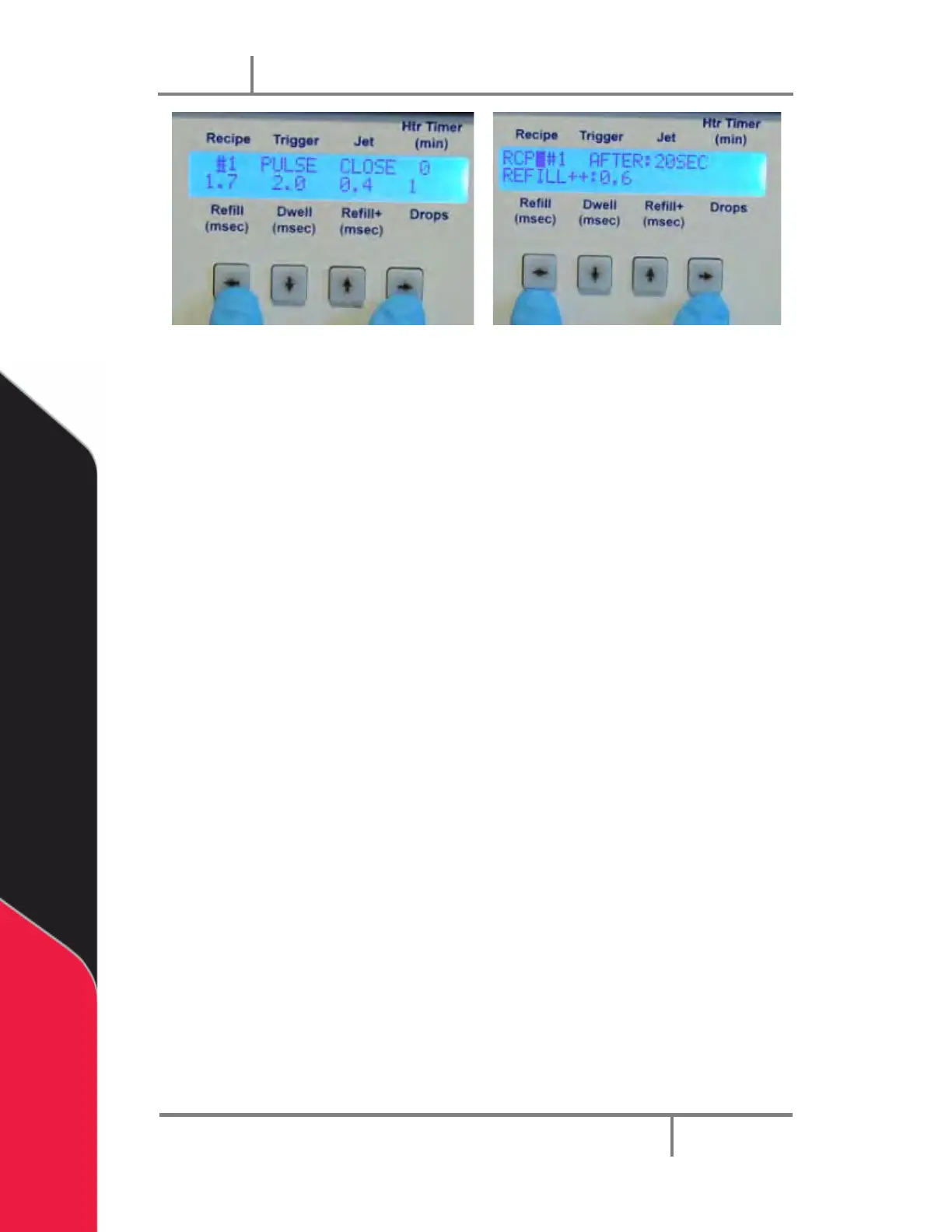
Figure 38: Additional Parameters
• The RCP: option selects the timing recipe from #1 to #6. The AFTER: and
REFILL++: values are equivalent to the Add XX msec after YY seconds in the
Timing Recipes menu.
Press the LEFT and RIGHT keys at the same time twice to accept the new settings, the
LCD display will return to the main menu.
Note: After the first press, the LDC display will change to the RS232 menu, and
then to the main menu on the second press.
Trigger Button and LED 6.4
• Trigger Button (5): Press the button to immediately trigger the current recipe #
displayed on the LCD screen. If there were multiple drops specified in the recipe
#, then multiple drops will be dispensed.
• Output (4): The Output light is on when the Jet is firing so you can verify a signal
was sent to the Jet. The light is off when the Jet is in idle state.


 To Next Page