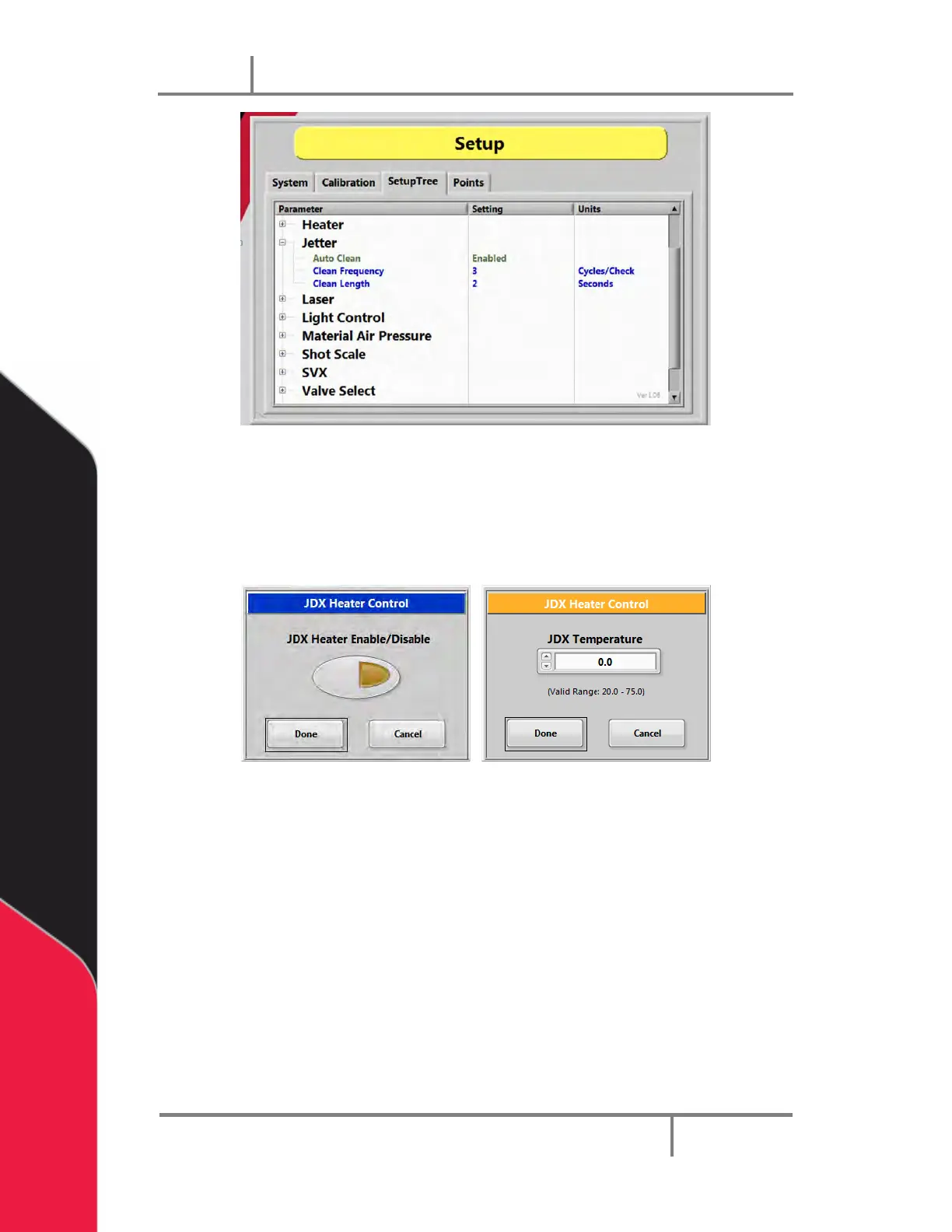
Figure 27: JDX Setup Options
4. Double click on any parameter to open an edit window.
NOTE: Most settings for the Jet Valve are set with the PVA JDX Jet Valve
Controller.
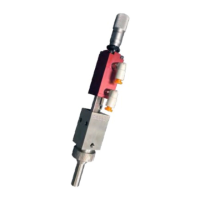
Figure 28: JDX Parameter Edit Windows
5. Select the button shown to enable or disable an option. To adjust a value, use
the arrows or type the value in the value box shown.
6. Select “Done” to keep the change or “Cancel” to exit without making any
changes.


 To Next Page