QUILTING WITH YOUR QBOT
Let’s learn the icons...
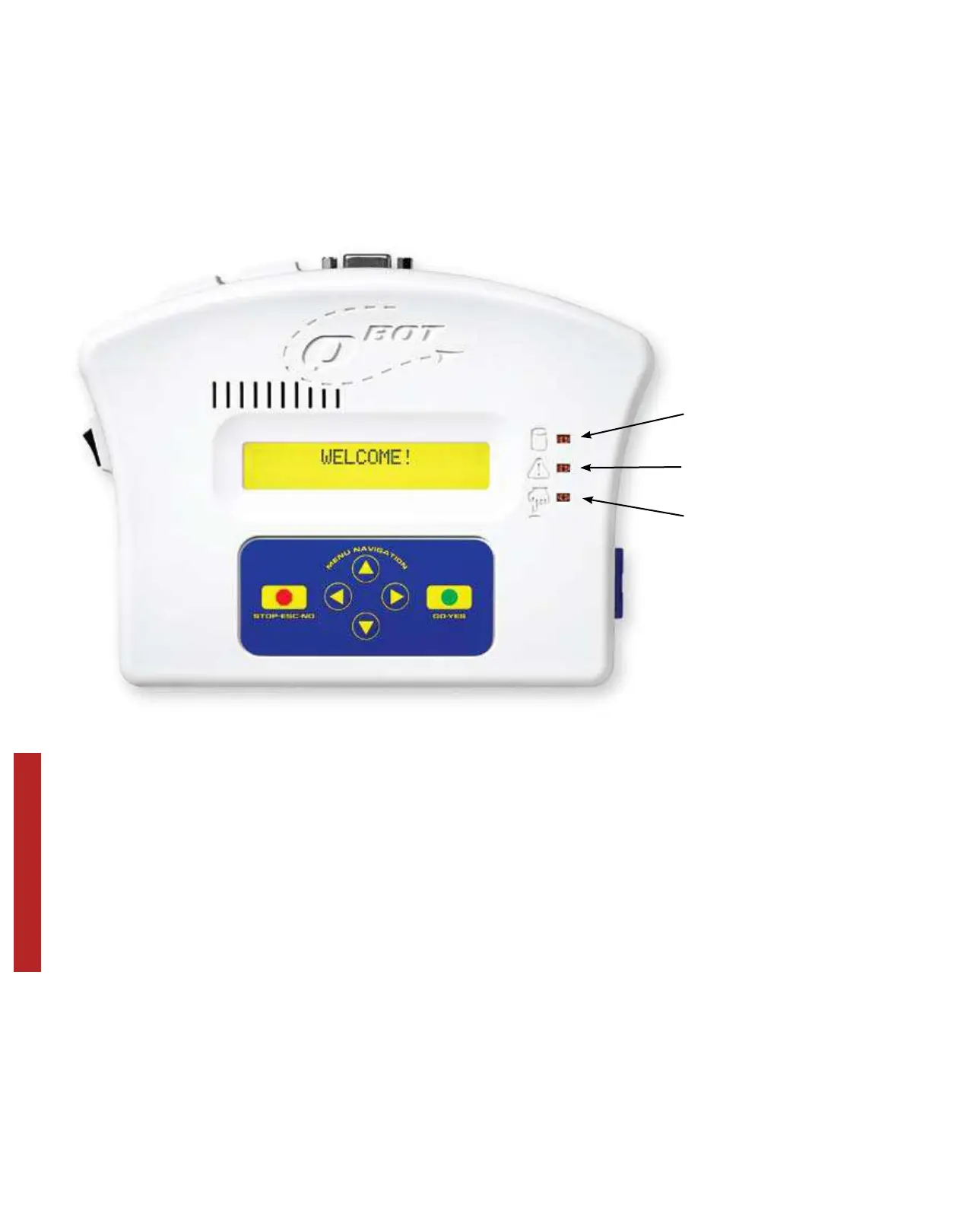
SD Card Access
Warning Indicator
Button Press
Verification
Lights:
SD Card Access - Whenever information is taken from or written to
the SD card, the access light will blink.
Warning Indicator - If the QBOT encounters an error, the warning
light will flash and an error message will show
in the main display.
Button Press Verification - This light will blink when any of the buttons
are pressed on the touch pad.
Buttons:
STOP-ESC-NO - This button stops action or returns you to the previous
menu.
GO-YES - Use this button to start quilting or confirm selections.
Navigation Arrows - use these to step through the QBOT menus.
22


 To Next Page