i
Package Contents ii
Installing the Drive System - Next Generation Quilting Frame 1-8
Lower Drive Assembly Installation 2
Upper Drive Assembly Installation 3
Upper Drive Wire Installation 4-5
Lower Drive Wire Installation 6-7
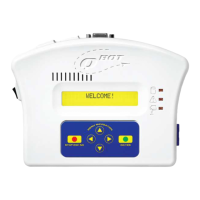
QBOT Installation 8
Installing the Drive System - INSPIRA Quilting Frame 9-14
Upper Drive Assembly Installation 9
Upper Drive Wire Installation 10-11
Lower Drive Assembly Installation 12
Lower Drive Wire Installation 13
QBOT Installation 14
Making the Connections 15-18
Wiring Harness-to-QBOT Connections 15
Wiring Harness-to-Drive Assemblies Connections 16
Wiring Harness-to-Quilter’s Cruise Control Connections 17-18
Verifying the Installation 19-20
QBOT Adjustments 21
Changing Parameters for INSPIRA Quilting Frame 21
Configuring Switch for Brother
®
/Babylock
®
Sewing Machines 21
Quilting with your QBOT 22-28
Learning the ICONS 22
Printing out the Design Collection 23
Choosing a Design to Quilt 23
Sizing a Design - Keeping Proportion 23-24
Moving to Starting Point and Starting to Quilt 25
Sizing a Design - Not Keeping Proportion 26-28
Stopping and Resuming Quilting 28-30
Troubleshooting 31
INSPIRA Drilling Templates 33-37
Tensioning Templates 39


 To Next Page