QUILTING WITH YOUR QBOT
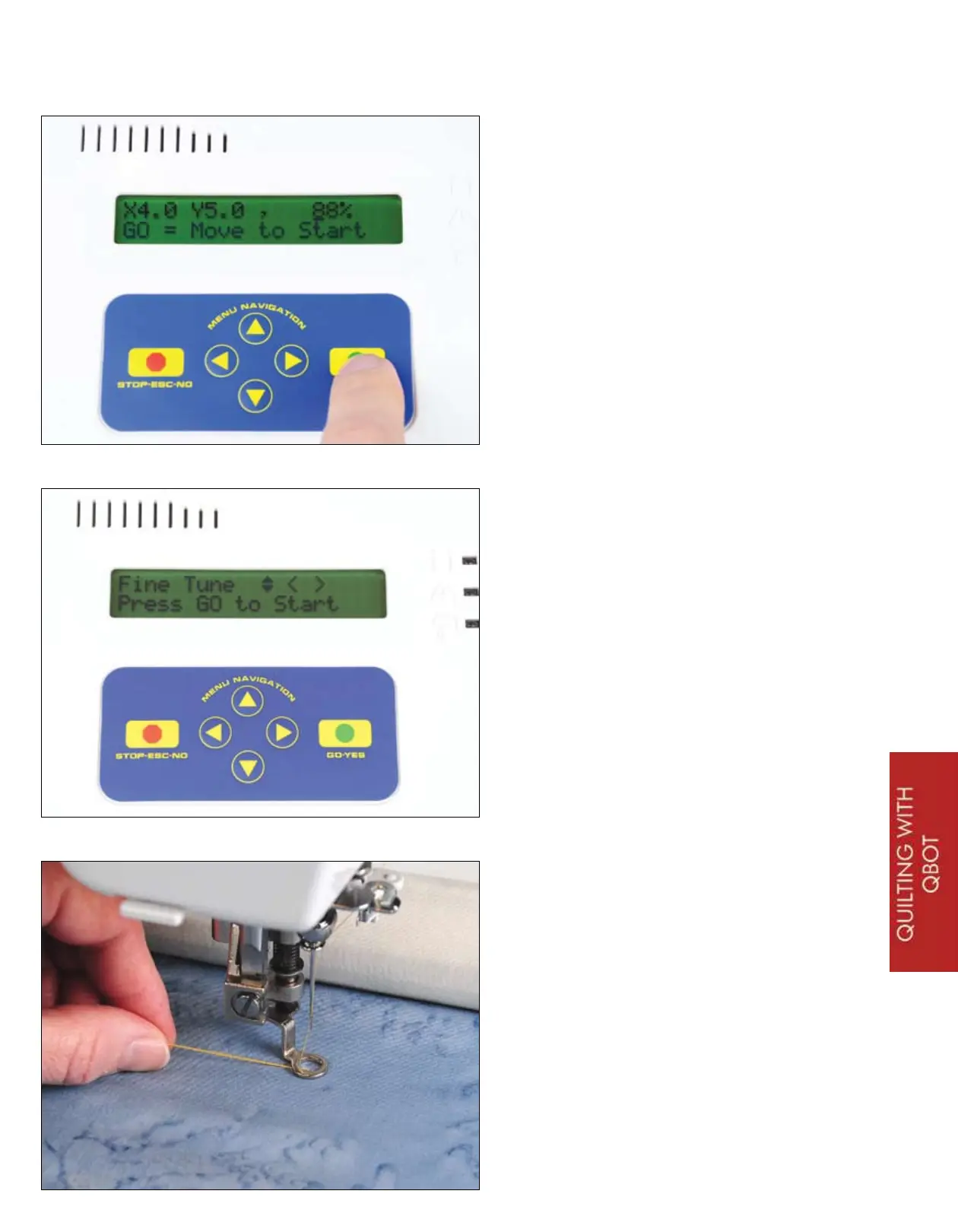
After scaling, you will see the following
display. Your scaling factor will most
likely be different. QBOT tells you the
scale relative to the stored design size.
In this case, the design is scaled to 88%
of the stored design. Your scaling factor
will most likely be different. What is
really most important is that QBOT will
make the design fit into the area you
chose by selecting the upper-right and
lower-left points of the block. Pressing
GO will move the carriages and the
sewing machine to the start point of the
design. The sewing machine will not
start yet. That will happen in the step at
the bottom of this page.
You’re almost quilting! This is the last
menu you will see before the QBOT
takes control and starts to sew your
design. This is called the ‘Fine Tune’
menu. You can fine tune the start point
by using the navigation arrows on the
QBOT. You may need to do this if you
are aligning two designs in a complex
fashion. Here, you have nothing to
align to, so you are ready to press
‘GO’... BUT WAIT
There are three very important things
that you should remember before
pressing the ‘GO’ button. First, pull up
your bobbin thread to eliminate a thread
nest at the beginning of your stitching.
Second, make sure the sewing machine
is ON. Third, be sure that your presser
foot is down to ensure proper stitch
formation. Hold on to the thread tails,
move your hand away from the needle,
press ‘GO’!
25


 To Next Page