QUILTING WITH YOUR QBOT
The QBOT will scale the file. Press ‘GO’
when you see the menu ‘GO = Move to
Start’. Remember to pull up the bobbin
thread and lower the presser foot before
pressing ‘GO’ the final time.
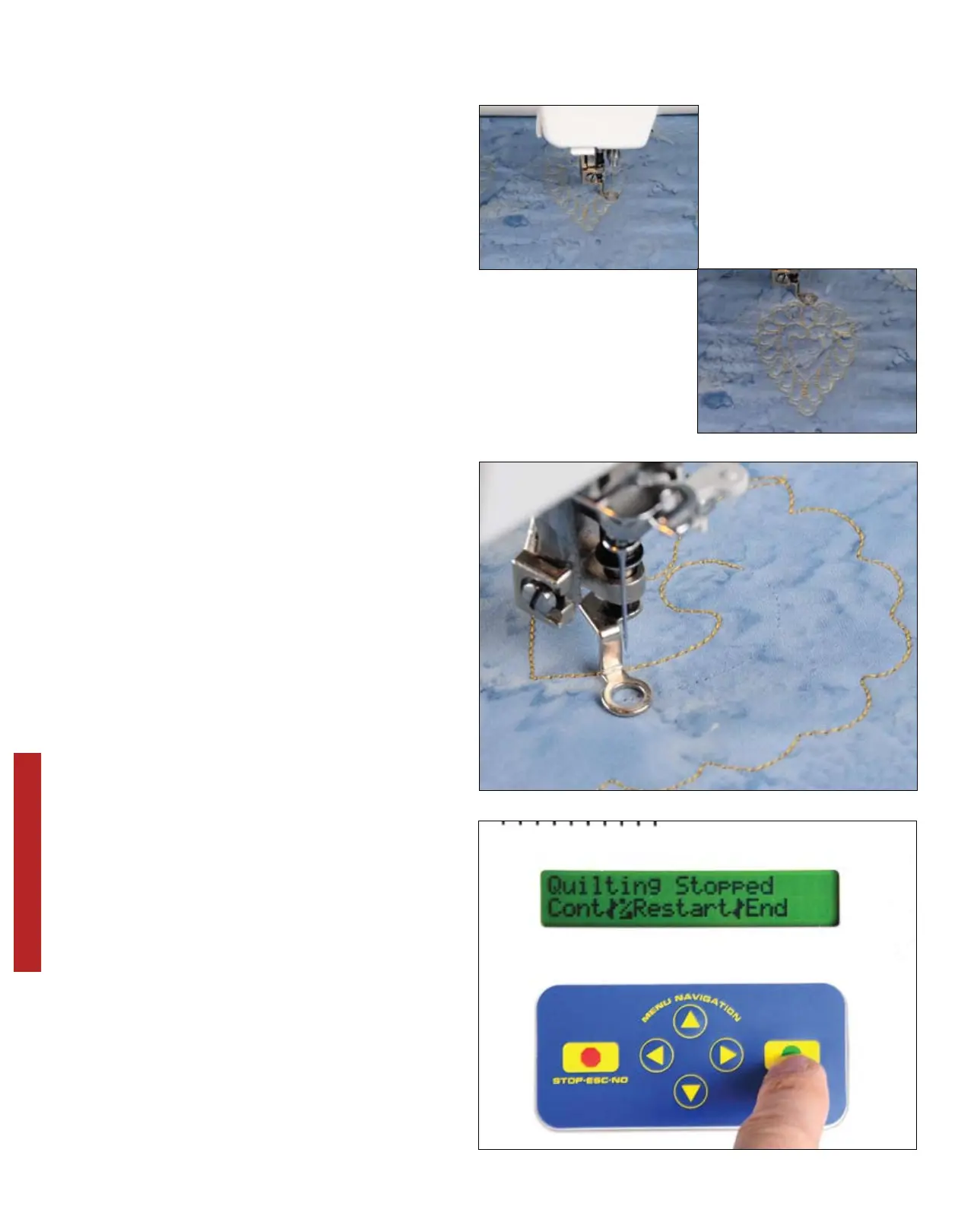
Here is pattern GTBL0050.4QB during
quilting and fully finished. Note the non-
proportional scaling because you chose
‘No’ when asked to keep proportion.
28
QUILTING WITH YOUR QBOT
During quilting, you may break or run out
of upper or bobbin thread. Your QBOT
can handle these events with ease. When
you notice that the thread is broken or you
have run out of bobbin thread during the
quilting process, press the ‘STOP’ button.
QBOT displays the ‘Quilting
Stopped’ menu. The choices are
‘Cont|%Restart|End’. If you choose
‘End’, you will end quilting the current
design. You would choose this option if
you accidentally chose the wrong design
or placed it in the wrong place on your
quilt. If you choose ‘Cont’, your QBOT
will continue quilting from the place
where it stopped. To make adjustments to
your sewing machine, choose ‘% Restart’.
Press ‘GO’.


 To Next Page