The carriages are now free to move.
The QBOT knows the position of the
carriages so you can move the carriages
to either side of the quilt to re-thread
the sewing machine or replace the
bobbin. When you are done tending to
the sewing machine, bring the carriages
back to the general area of where you
stopped your QBOT.
QUILTING WITH YOUR QBOT
QUILTING WITH YOUR QBOT
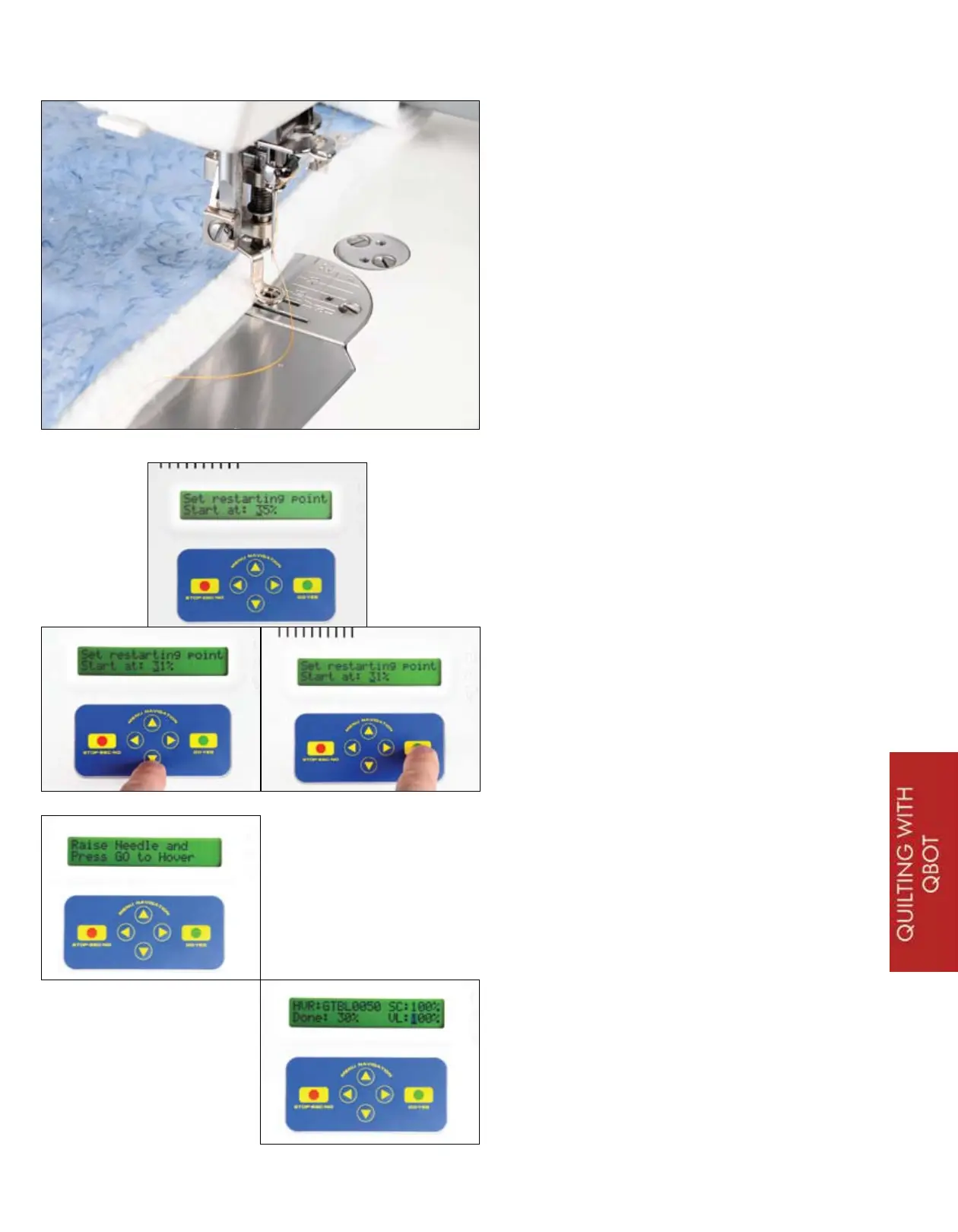
The display on the QBOT shows ‘Set
restarting point’ and ‘Start at: ___
%’. The percentage that is displayed
is the percentage of the quilting path
that has been quilted out. Change
this percentage by pressing the DOWN
navigation arrow. This will lower the
percentage. Choose a percentage that
you think best represents a couple of
inches before the stitching stopped.
This is a guess. If you were watching
the sewing machine and stopped
the QBOT immediately, choose a
percentage that is 2 or 3% lower. If
you were not watching the sewing
machine, then make your best guess at
the percentage. Press ‘GO’.
Your QBOT now displays the message
‘Raise Needle and Press GO to Hover’.
When you press go, your QBOT will
move the carriages over the already
quilted path in hover mode. The sewing
machine will not stitch. When the
sewing machine needle is about 3/4”
away from where the stitching ended
press ‘STOP’. There is a small time lag
before your QBOT will stop.
29


 To Next Page