That’s it for the basics of quilting with the QBOT. Please watch your DVD for more
in-depth instructions on joining designs, recording, and pausing the quilting process.
The instructions for these QBOT features are best shown by video so you can see the
complete process rather than try to gain an understanding through still photos.
Please make a visit to http://www.myQBOT.com where you can:
- Find a growing collection of free patterns
- Join the BOT Squad
- Watch short technique videos
- Share your questions with the QBOT support team
- Read the list of FAQ’s
- Find out more about our industry partners
- Download a current/updated electronic version of this manual.
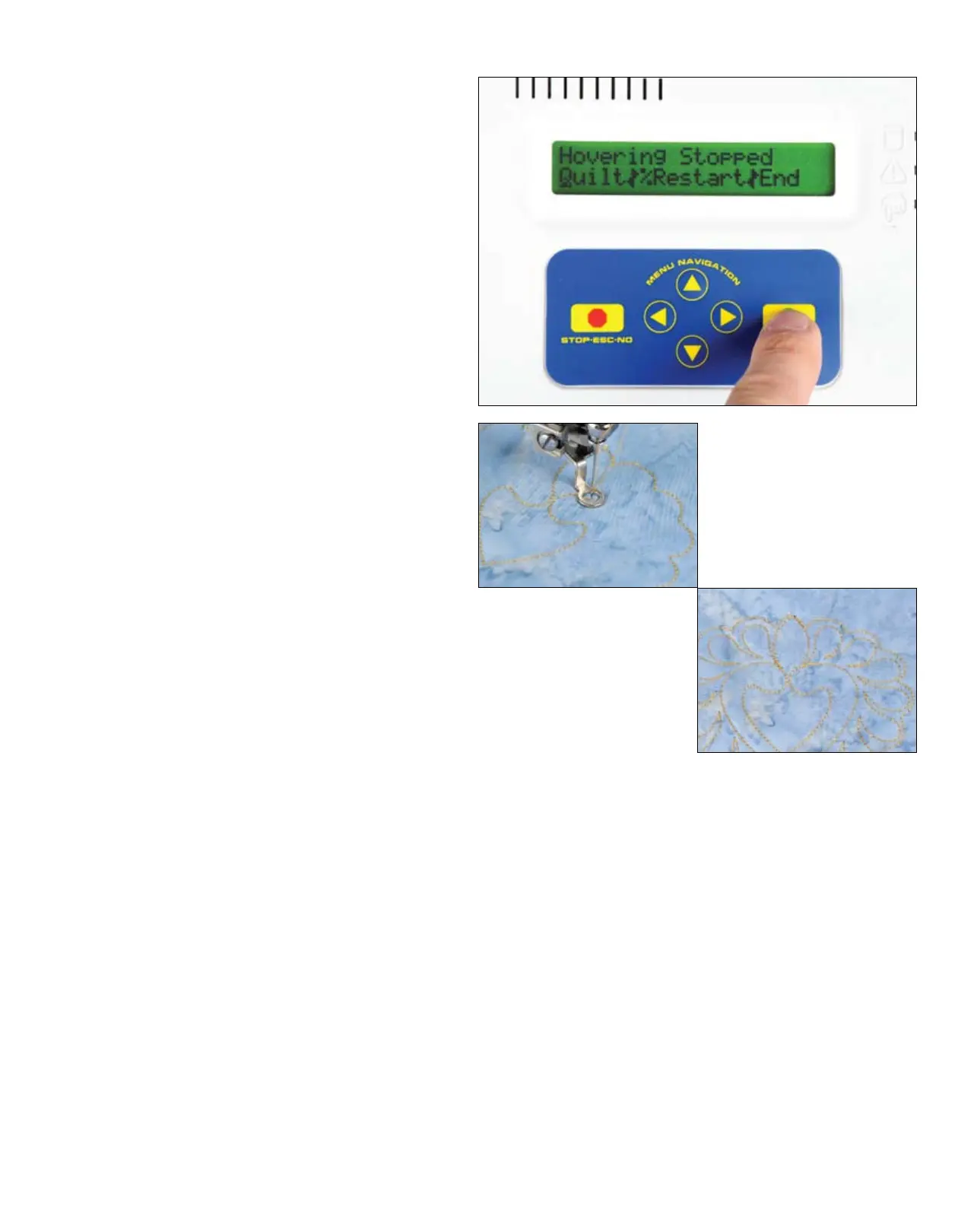
Your QBOT now displays the message
‘Hovering Stopped’ and your menu
choices are ‘Quilt|%Restart|End’. If you
picked the wrong percentage earlier, you
can choose ‘%Restart’ and repeat the
process. Otherwise choose ‘Quilt’. Press
‘GO’.
The display now shows the familiar ‘Fine
Tune’ menu. Lower the needle slightly
by turning the handwheel on the sewing
machine. You can use the navigation
arrows to fine tune the position if
necessary. Once you are satisfied with
the positioning, pull up your bobbin
thread, lower your presser foot, and press
‘GO’. Your sewing machine and QBOT
will finish quilting the design.
QUILTING WITH YOUR QBOT
QUILTING WITH YOUR QBOT
30


 To Next Page