Repairs R&S ZVA
1177.5333.02 3.38 E-11
Example:
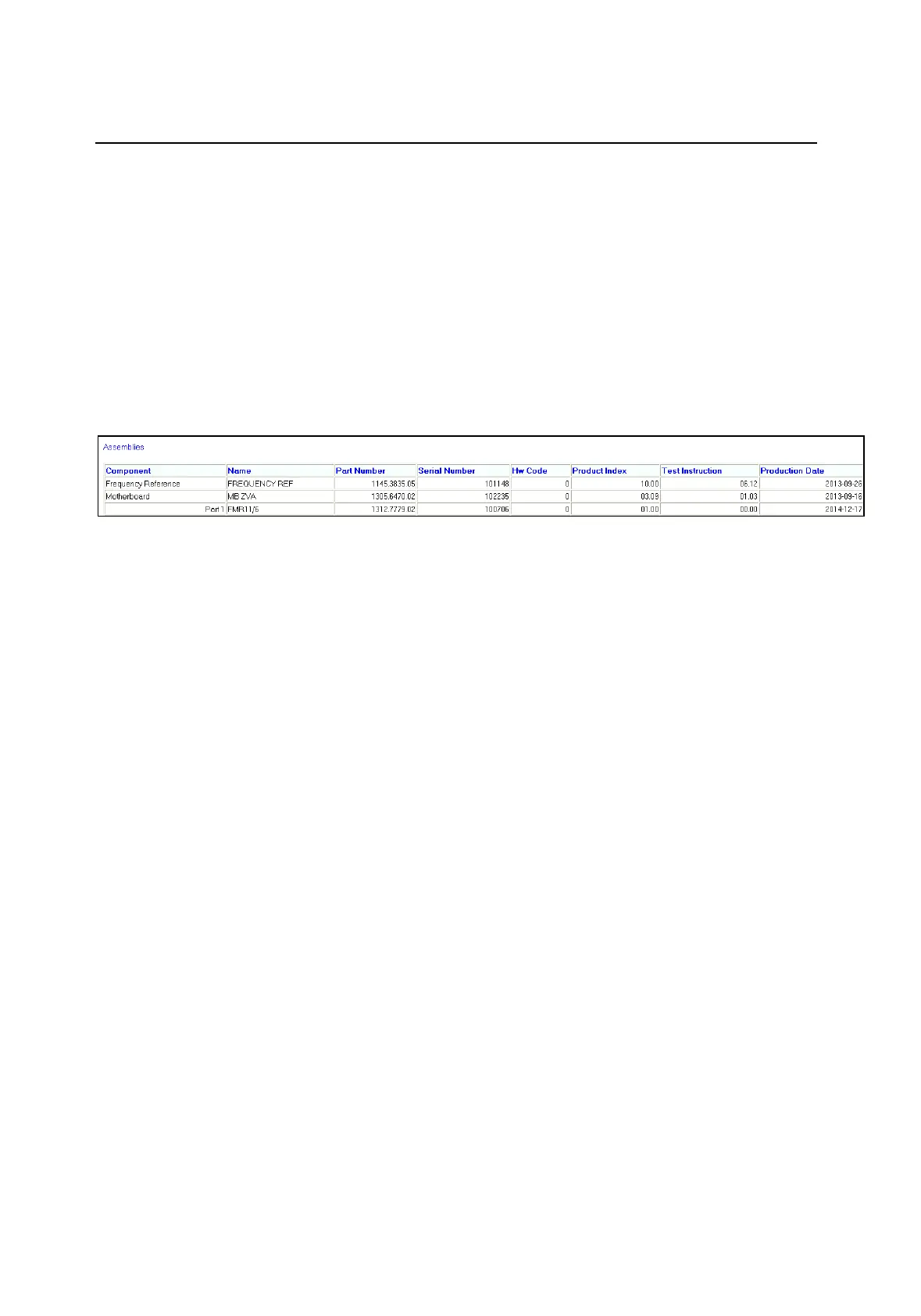
3.5.0.6.PART1.PARTNUMBER.1312.7779.02
3.5.0.6.PART1.PRODUCTINDEX.01.00
3.5.0.6.PART1.SN.100001
3.5.0.6.PART1.PRODUCTDATE.2014-12-17
3.5.0.6.PART1.NAME.FMR11/6
3.5.0.2
Close and restart the firmware
Check the hardware info about the new part FMR11/6
Set the computer name
Go to Start Menu / Control Panel / System and Security / System / Computer Name - Change
settings / Change.
Enter the computer name in the format: "[Instrument Name]-[Model]-[Serial Number]"
Example: "ZVA24-26-100123" for a ZVA24, order number 1145.1110.26, serial number 100123.
Check error log
Switch the unit off and on by pressing the “Standby” button in front
When the instrument has been started, select Service Level 2 (see Service Manual chapter 3:
Service Functions) and check the protocol file for errors:
[ INFO: Error Log ]



 To Next Page