69
Change the set point during a dive
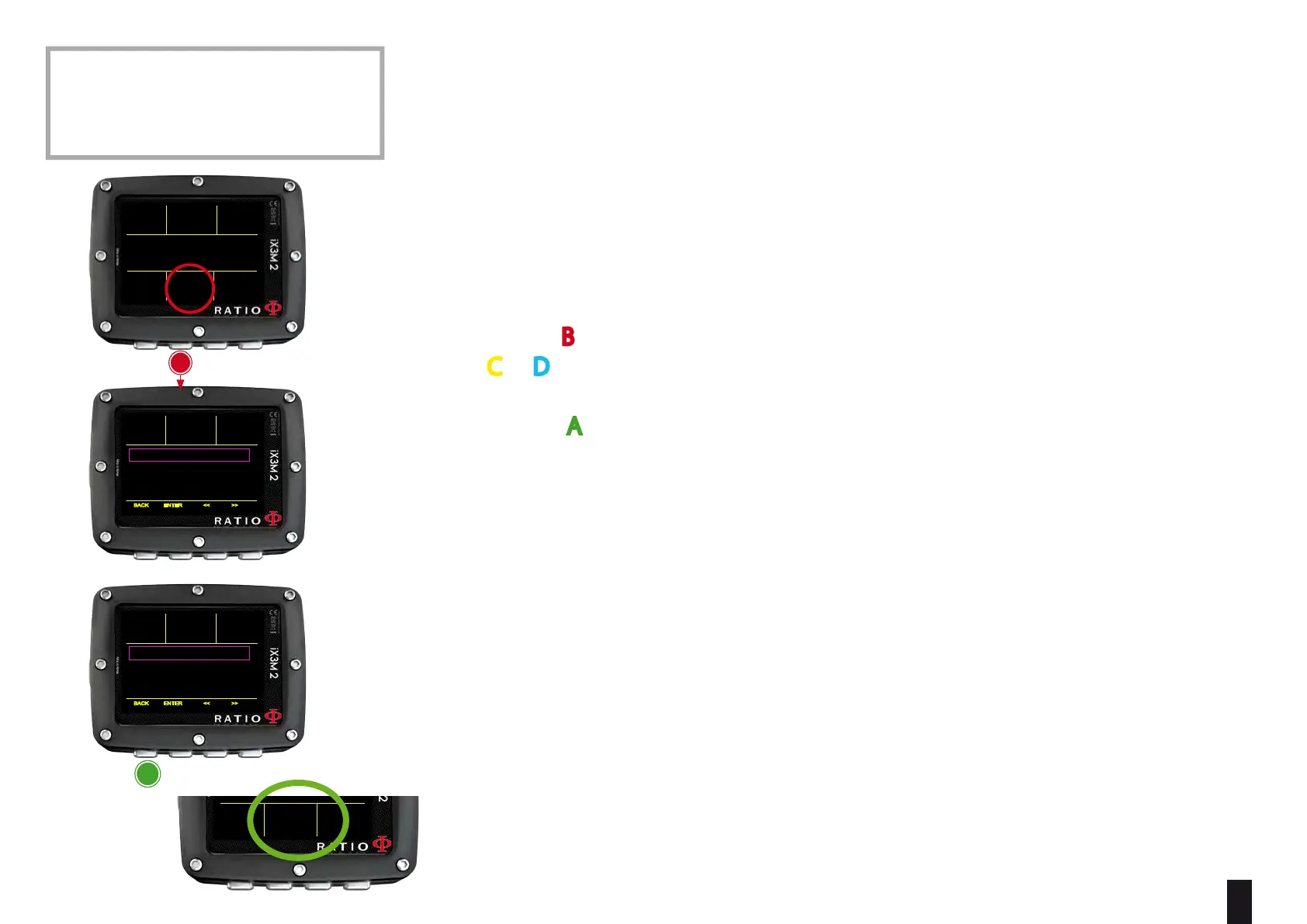
iX3M 2 Tech+ allows to manually change the SET POINT during the dive:
ATTENTION: Refer to “CCR Settings” on this manual to know how to Set the
SETPOINTS on your iX3M 2 Tech+
During the dive you can switch between SETPOINT LOW, MID and HIGH.
In order to switch the SETPOINT during a CCR dive:
Press button
B to access the Menu
Press
C or D to set the desired SETPOINT (LOW, MID or HIGH)
(the value of the SETPOINT will be shown)
Press button A at any time to save the selection and go back to the dive.
If the SETPOINT MODE was set to AUTO, it will be switched to MAN (manual) once
you manually switch a SET POINT during the dive. (see CCR SET on this manual)
Attention: Enable the Rebreather mode (CCR) only for dives with rebreather.
The CCR mode is not suitable for dives in open circuit!
Attention: Diving with Rebreather requires a specic training !
Diving with Rebreather without a suitable training or without the due caution
can cause injuries or death.
Refer to your Rebreather instructor to get instructions on how to set the SET
POINTS
ATTENTION: In order to use CCR and
Set Point a proper training is required!
If you have not received that special
training DO NOT use CCR mode !!!
CCR MIX
MAX
21%
DEPTH RUNTIME NDL
PPO2
40
0.70
2:
7
.2
.2
m
:10
40
DEPTH RUNTIME NDL
40
2:
7
.2
m
:10
BACK ENTER << >>
SET POINT 0.70
GLF / GLH:
MODE:
20/70
OC
DILUENT:
21/0
DEPTH RUNTIME NDL
40
2:
7
.2
m
:10
BACK ENTER << >>
SET POINT 1.00
GLF / GLH:
MODE:
20/70
OC
DILUENT:
21/0
CCR MIX
MAX
21%
DEPTH RUNTIME NDL
PPO2
40
1.00
2:
7
.2
.2
m
:10
40
b
a
save anD
eXit



 To Next Page