4.1.2 Charging the Integrated Power Pack Page 12
4.1.2 Charging the Integrated Power Pack
The Rayocomp PS 10 posseses an integrated battery pack to enable the
application of the device without needing to connect it to the mains supply.
As a matter of principle, the Rayocomp PS 10 should never be used while
it is still being charged.
The Rayocomp PS 10 is charged in the quickest way when switched off. An
empty battery pack requires approx. 4 hours for complete charging.
In order to avoid unnecessary electro-magnetic pollution, please unplug the
charging unit when it is not being used.
And this is how you charge the Rayocomp PS 10:
1. Switch off the device
2. Connect the charging unit to the mains supply
3. Plug the charging cable into the rear of the device
(see chapter 3.6.2)
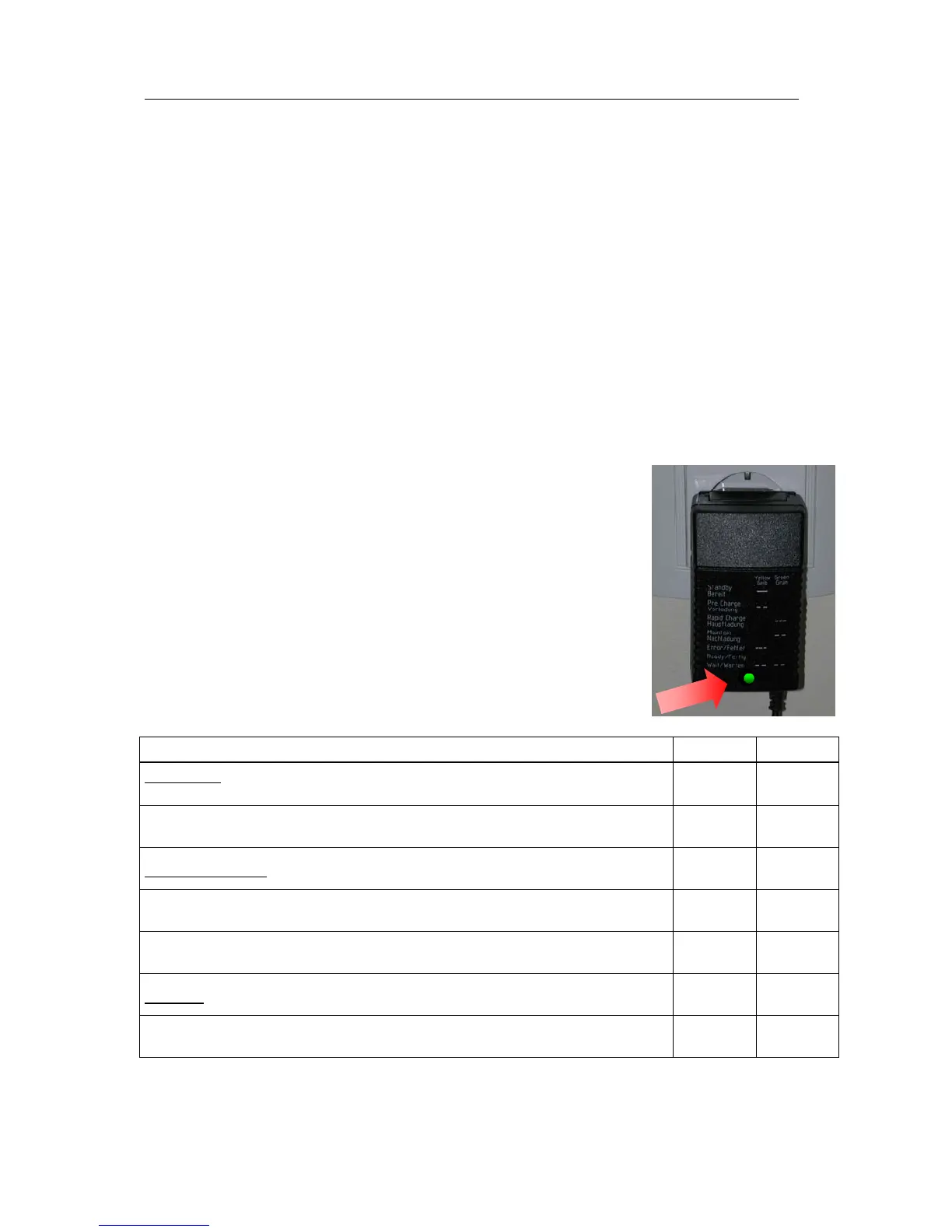
4. The charging unit indicates the various charging
processes. When the LED turns green, the charging
process is complete and you can use the device
again.
5. Please disconnect both the plug from the rear
panel of the device and the charging set from the
electrical outlet.
Function yellow green
Standby: charging device in stand-by mode, ready
to charge
glows
Pre-charge: tests whether charging is required
blinks
slowly
Rapid charge: power pack is charged with constant current
blinks
rapidly
Maintain: charging power is reduced
blinks
slowly
Error: charging cannot start
blinks
rapidly
Ready: the Rayocomp PS 10 is ready for use
glows
Wait: charging device is not ready yet
blinks
slowly
blinks
slowly
Note: The charging status of the power pack is always displayed. This bar
indicator allows you to estimate the length of time left for operation before it
becomes necessary to recharge the device.


 To Next Page