4.5.7 Storing Fundamental Frequency Values on Memory Cards Page 54
4.5.7 Storing Fundamental Frequency Values on Memory Cards
Setup Number: 30
A great advantage for anyone working with the Rayocomp PS 10 is the use of
memory cards. They allow you to store individual frequency compilations
which can be used for testing in the menu “Test” or for harmonising in the
“F1-BnPS” menu. Generate your own memory cards with this setup function.
The frequency compilations can be stored on a normal memory card or a
‘Green Card’.
Insert the memory card in your device and enter the setup number 30. Every
entered fundamental frequency number will now be stored on your memory
card as soon as you have confirmed it with the OK-key.
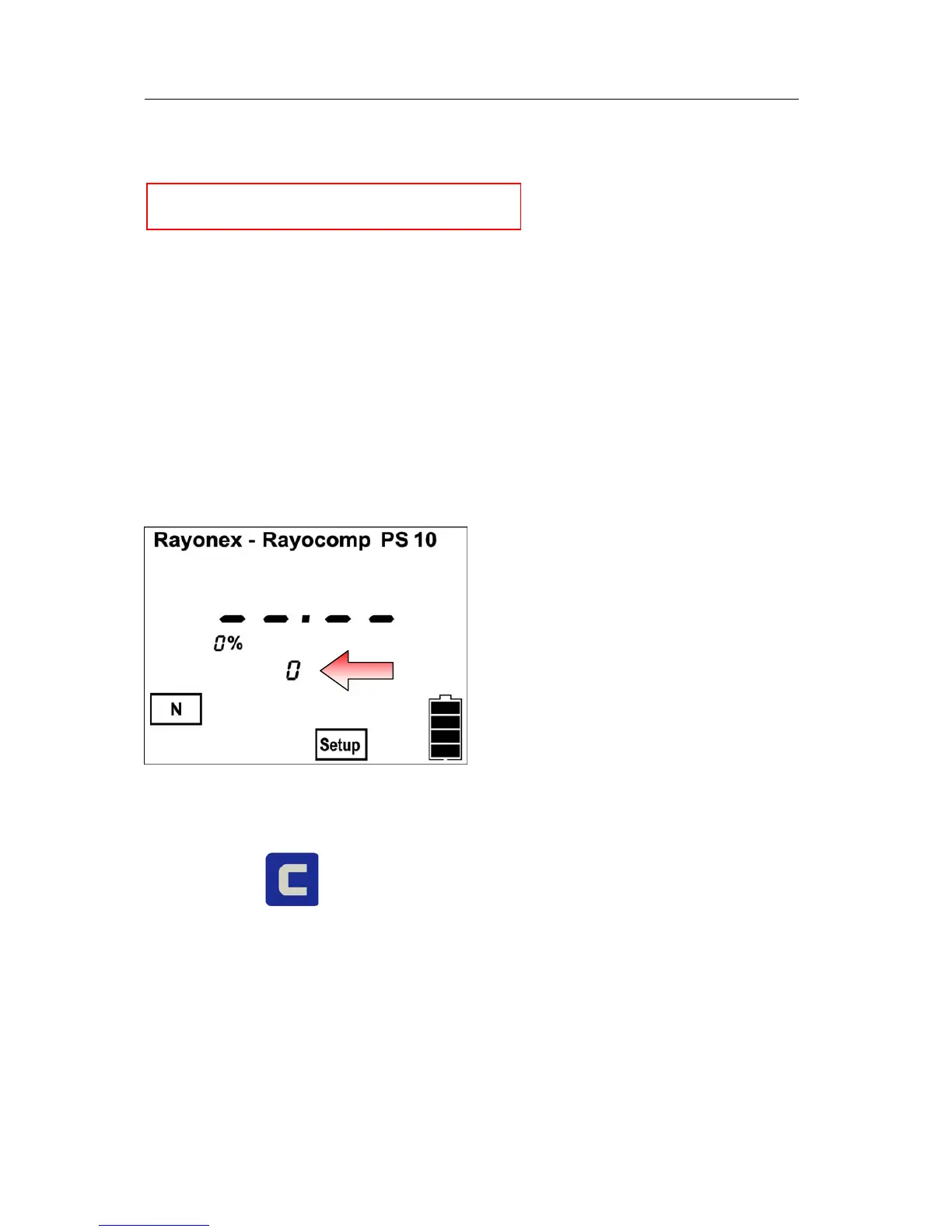
The display shows:
The red arrow points to the numeral which indicates the number of the
currently stored values on your memory card.
With the key , you can delete the last value entered on the card.
Should the card contain left-over values which you want to delete, please use
the setup number 43 (see also chapter 4.5.10) to delete memory card
completely.


 To Next Page