4.8 Special Function Keys Page 61
4.8 Special Function Keys
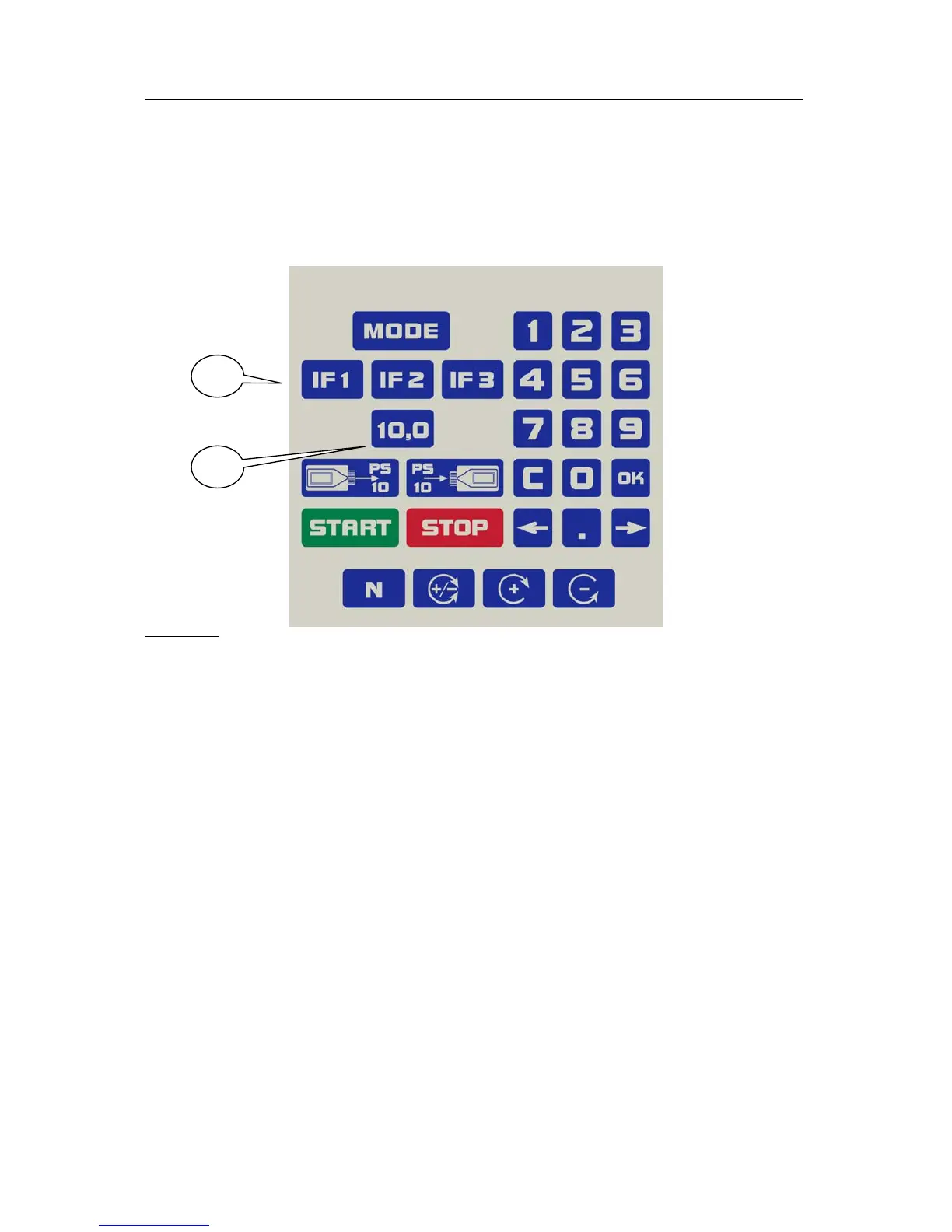
The Rayocomp PS 10 has a total of four special keys equipped with certain
functions.
Important: These four keys can only be operated in the menu “Direct”.
Caption:
2
1
1: three IF-keys, IF1, IF2 and IF3
2. the 10.0-key
4.8.1 Using the IF-Keys
You can use the IF-keys (Individual Fundamental Frequency Value) to store
often used fundamental frequency values. They work like the station
selection buttons of a radio. First you tune in to the radio station, then you
keep the key pressed for a while until the station is stored. The function of
the IF-keys is exactly the same. Enter the desired fundamental frequency
value in the menu item “Direct”. Confirm the entry with OK. Then press the
desired IF-key until you hear a signal. Set the desired fundamental frequency
value in the menu item “Direct”. Then press the desired IF-key until you hear
a signal. Now the value is stored and can be called up at any time by pressing
this IF-key. You can store three different fundamental frequency values in
this way (IF1, IF2 and IF3).
4.8.2 Using the 10.0-Key
The key 10.0 is permanently linked to this fundamental frequency value.
This often needed fundamental frequency value (allergen harmonising,
energy, duplicating, ...) is called up rapidly with the special key whenever you
want. Furthermore, this key has a special function in the module M10.



 To Next Page