4.5.1 Set-Up of Background Illumination Page 50
4.5.1 Set-Up of Background Illumination
Setup Number: 10
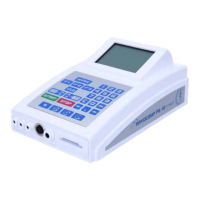
For reasons of improved legibility, the display of the Rayocomp PS 10 was
provided with background illumination. Because of this feature, the display
remains perfectly visible, even if the light is dim. You can select one of three
different types of background illuminations. Enter the setup number 10 and
you can add one of the following numbers:
0: Background illumination is permanently switched off.
1: Background illumination is permanently switched on.
2: Background illumination is set to automatic. 30 seconds after the last
keyboard action, the background illumination is switched off. The
background illumination turns on again as soon as the keyboard is
used. This saves energy, the battery pack lasts longer. With this setup,
the background illumination is switched off at night if you are
harmonising while you are resting. Your sleep is not disturbed by the
bright light of the illumination in the background.
On delivery, the standard setup of the Rayocomp PS 10 is number 2.
4.5.2 Deleting Double Values in the F1 Programs
Setup Number: 11
If you are arranging different BnPS programs, it is inevitable that several of
the fundamental frequency values are repeated. If you prefer not to
harmonise fundamental frequency values twice, you can set this up here.
This is also valid for RAH-programm compilation. Here, double entered
programmes are disregarded and are not considered multiply during
harmonisation. While testing the RAH programmes, double values ( e.g. from
the memory card) are always rejected and are only selected once.
Enter the setup number 11 and you can add one of the following numbers:
0: Do not delete double values when loading the F1 programmes respectively
RAH-programmes!
1: Delete double values when loading the F1 programmes respectively RAH
programmes
On delivery, the standard setup of the Rayocomp PS 10 is number 0.



 To Next Page