4.1.7 Error Display Page 21
4.1.7 Error Display
Operation of the Rayocomp PS 10 is very simple indeed. Still, you may
accidently press a button which has no function for this particular part of the
program. In this case, the user will receive an acoustic signal.
The Rayocomp PS 10 has three different error messages or acoustic signals:
1. One long sound: With this signal, the device confirms a successfully
completed action, i.e. an entry or storage.
2. Two short sounds: The key you are pressing has no current function.
3. Two long sounds: This signals a severe error. The device will supply
an error code. In the appendix (chapter 5.8), you can look up the
current error.
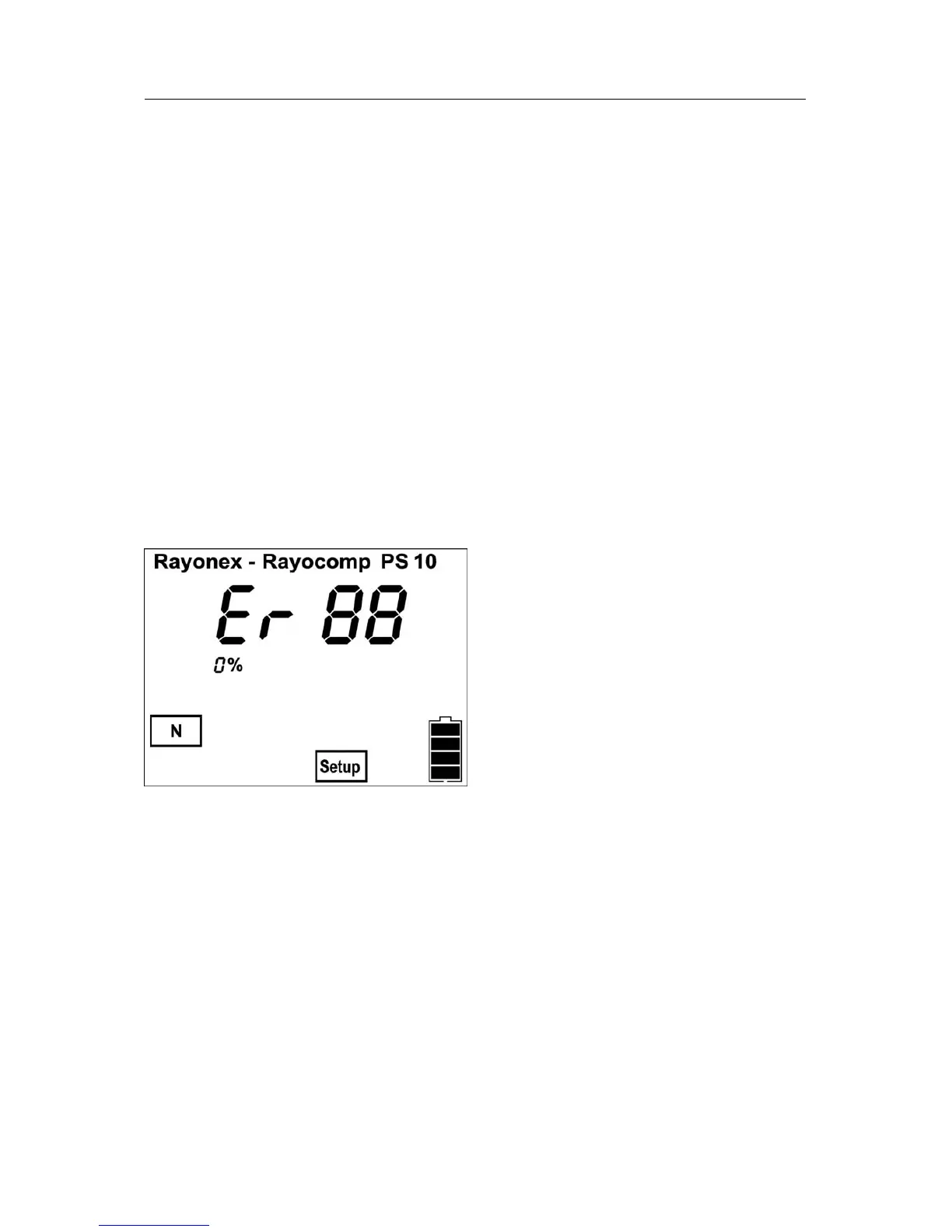
For example, if an error has been detected, the device might indicate the
following:
If you look into the list in chapter 5.8, you will find the following information
for the indicated error “Er 88“ (“Er” is the abreviation for error): you have tried
to read in a memory card which has not been inserted.
Note: The acoustic signal can be switched on or off in the menu item
“Setup” (see chapter 4.5.3).


 To Next Page