3.6 Understanding the device Page 7
3.6 Understanding the Device
In the chapters of this user manual, you will often find instructions referring
to keys or segments of the Rayocomp PS 10. In the following, you can see
pictures of the device accompanied by short descriptions in order to simplify
the assignment.
3.6.1 Front View
1
2
4
3
6
7
5
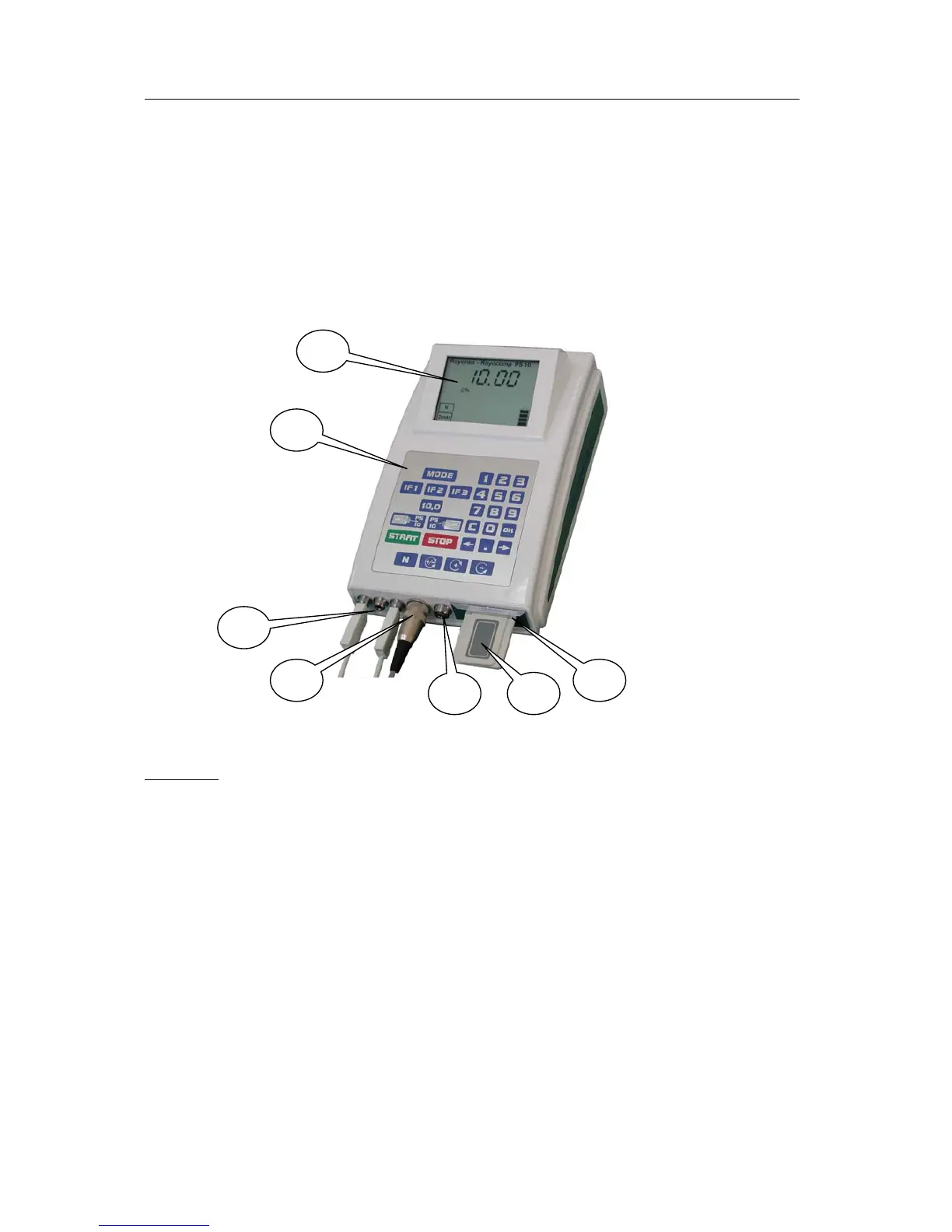
Front view of the Rayocomp PS 10
Caption:
1: Display
2: Keyboard
3: Three exit hubs for connecting the hand, foot or Velcro detectors and the
measuring and protection cups
4: Sensor connection. For a correct connection, please insert the sensor plug
and then fasten it by twisting the knurled screw.
5: Entry hub
6: Memory card
7: Memory card insert


 To Next Page