4.3.5 Utilising the Harmonising Programs of the new RAH Page 30
4.3.5 Utilising the Harmonising Programs of the new Rayonex Analysis
and Harmonising System (RAH)
An example illustrates the use of the RAH module. We chose the programs
“Vitalisation, complete” and “Upper respiratory system” for our example.
The RAH module can be found in the menu item “F1-BnPS”, together with the
bio-resonance programs according to Paul Schmidt. Two separate submenu
items (BnPS and RAH) were set to simplify the identification of the menus for
the user. These submenu items are selected with the mode key. You can take
the current program descriptions and program numbers from the special
brochures.
Actuate the mode key several times until you see the menu item “F1-BnPS” in
the display.
Note: The Analysis and
Harmonising system (RAH) will
only work when there is no
memory card in the memory card
slot before starting the
harmonising. In case this is
forgotten occasionally, the user
will be adverted by the error
message “Er 40”. If the card is
extracted then, the transmission
starts automaticall
.
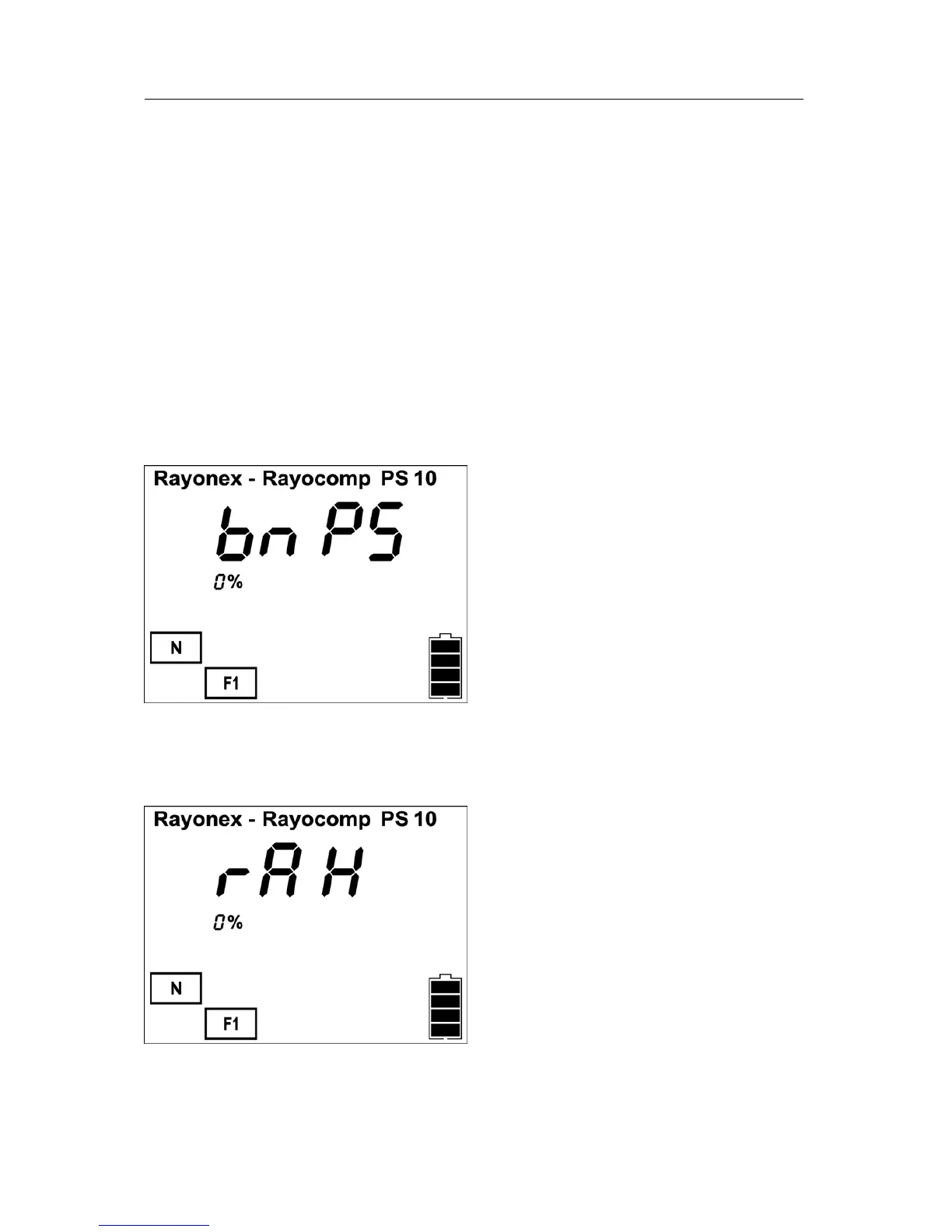
The submenu item “BnPS” is indicated by the prompt “BnPS” in the upper part
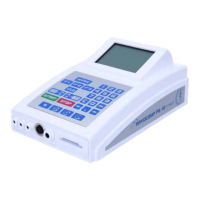
of the display. Now the mode key is actuated once more to select the RAH
module. The display will show the following image:
“rAH” is the short index for “RAH”, and means in this case the harmonisation
with the Analysis and Harmonising system. If the mode key is not pressed
again, the display changes over to the input mask of the RAH module.


 To Next Page