4.3.2 Composing and Harmonising Various Harmonising Programs Page 27
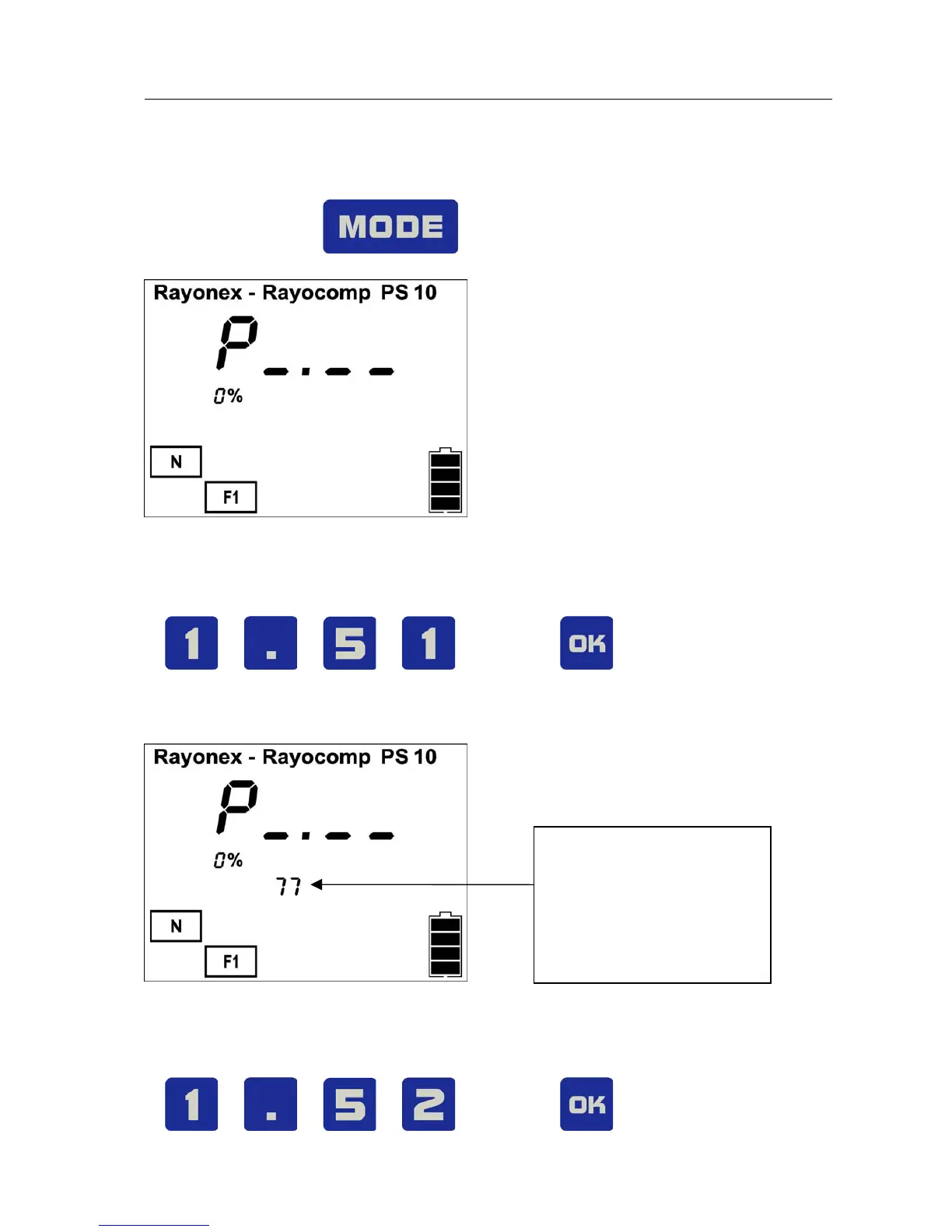
The following example will show you how to combine the harmonising
program 1.51 (pre-control) with the harmonising program 1.52 (immune
system) in “F1” and then harmonise.
Activate the key for , until the menu item “F1“ appears:
Now you can enter the first number of the harmonising program (1.51). Press
the following keys:
The display shows:
Note: Here you can see
the number of funda-
mental frequency values
already stored; in this
case there are 77.
After this, the Rayocomp PS 10 is ready for the entry of the next harmonising
program, in this example it is the program 1.52. Press the following keys:


 To Next Page