Naming the Channels (Labeling)
You can name at least 20 channels with eight characters in each name. Full appears beside Label when the memory is
used up. Fixed appears when a channel number cannot be named. Below are the characters that can be used in a name.
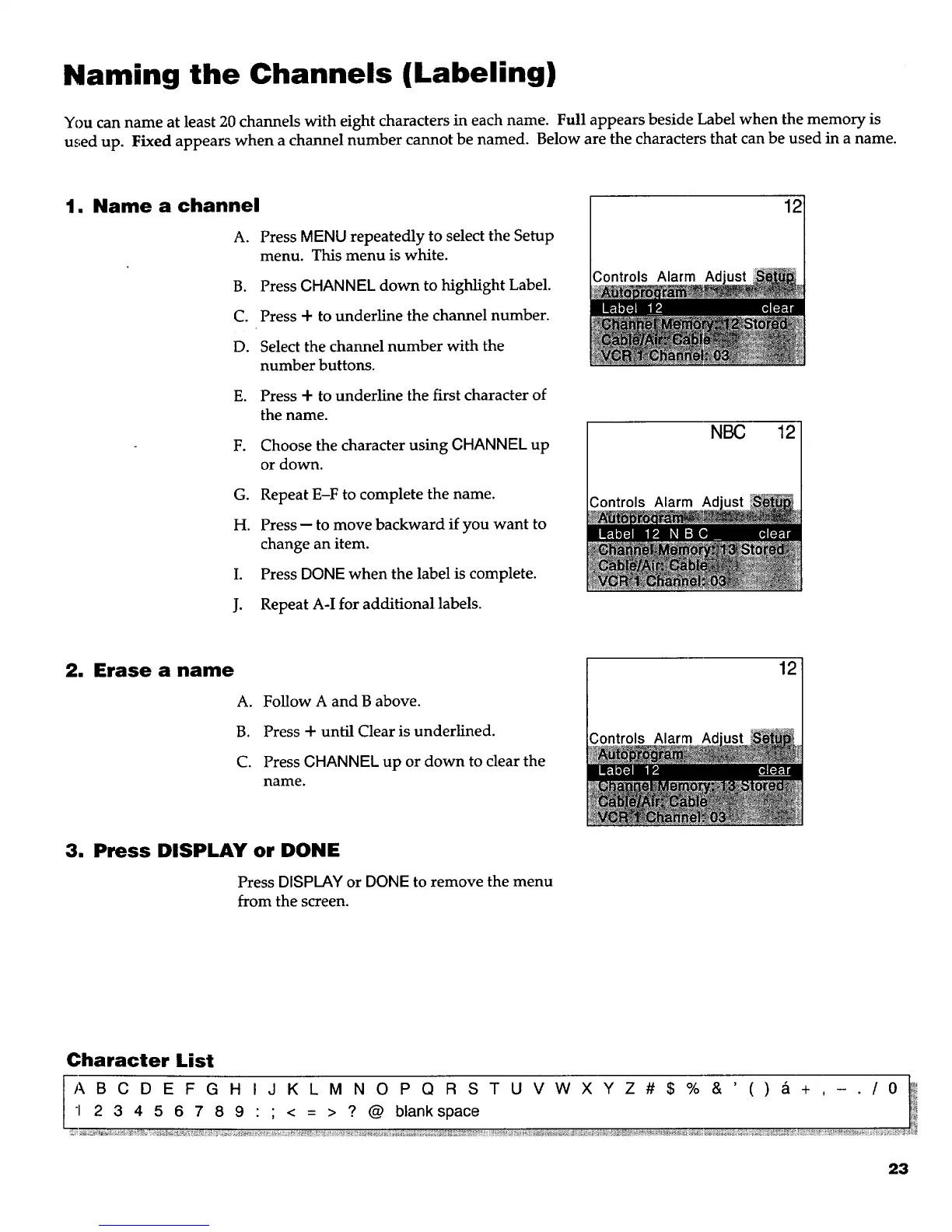
1. Name a channel
A. Press MENU repeatedly to select the Setup
menu. This menu is white.
B. Press CHANNEL down to highlight Label.
C. Press + to underline the channel number.
D. Select the channel number with the
number buttons.
E. Press + to underline the first character of
the name.
F. Choose the character using CHANNEL up
or down.
G. Repeat E-F to complete the name.
H. Press -- to move backward if you want to
change an item.
I. Press DONE when the label is complete.
J. Repeat A-I for additional labels.
Controls Alarm Ad
NBC
;ontrols Alarm Ad
12
12
2, Erase a name
A.
B.
C.
Follow A and B above.
Press + until Clear is underlined.
Press CHANNEL up or down to clear the
name.
Controls Alarm Ad
12
3. Press DISPLAY or DONE
Press DISPLAY or DONE to remove the menu
from the screen.
Character List
LA B C D E F G H I J K L M N O P Q R S T U V W X Y Z # $ % & ' ( ) ,-5 + , - . / 0 _
I 2 3 4 5 6 7 8 9 : ; < = > ? @ blank space I_
23



 To Next Page