Listening to the FM Radio
This TV includes a built-in FM radio that can be controlled with or without the remote. The radio uses signal-seek tuning
to automatically seek and tune the next active station. If the TV is connected to a cable system, the radio only receives FM
stations if they are offered by the cable company. If the TV is connected to an antenna, the radio receives FM stations
broadcast in the area.
You can program up to nine of your favorite stations into memory when using the remote. See page 21 for details.
The radio can be also be used with the sleep timer or alarm dock. See pages 25-26 for details.
1. Turn on the Radio
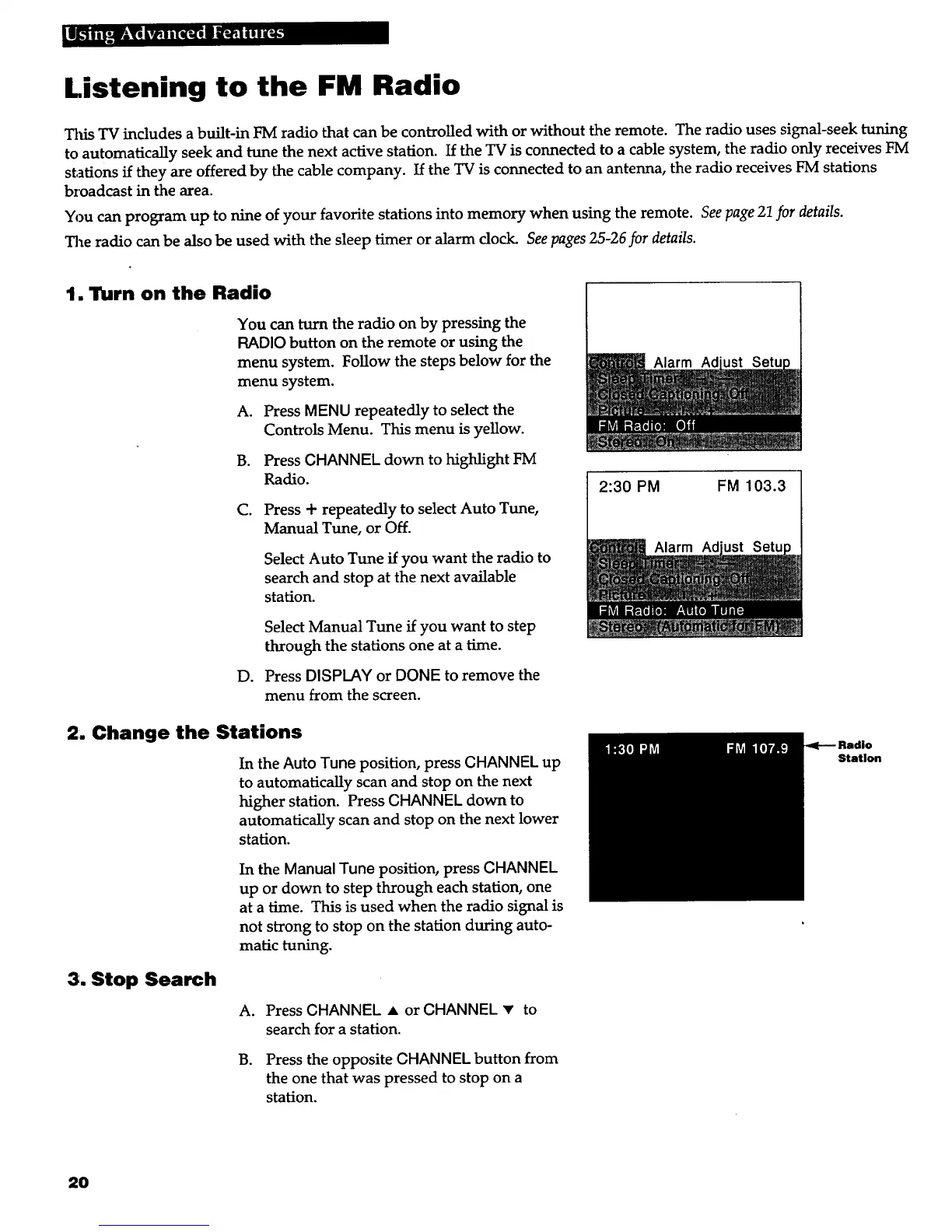
You can turn the radio on by pressing the
RADIO button on the remote or using the
menu system. Follow the steps below for the
menu system.
A. Press MENU repeatedly to select the
Controls Menu. This menu is yellow.
B. Press CHANNEL down to highlight FM
Radio.
C. Press + repeatedly to select Auto Tune,
Manual Tune, or Off.
Select Auto Tune if you want the radio to
search and stop at the next available
station.
D.
Select Manual Tune if you want to step
through the stations one at a time.
Press DISPLAY or DONE to remove the
menu from the screen.
2. Change the Stations
In the Auto Tune position, press CHANNEL up
to automatically scan and stop on the next
higher station. Press CHANNEL down to
automatically scan and stop on the next lower
station.
In the Manual Tune position, press CHANNEL
up or down to step through each station, one
at a time. This is used when the radio signal is
not strong to stop on the station during auto-
matic tuning.
3. Stop Search
A. Press CHANNEL • or CHANNEL • to
search for a station.
B. Press the opposite CHANNEL button from
the one that was pressed to stop on a
station.
2:30 PM
Alarm Ad
Alarm Ad
FM 103.3
Station
20



 To Next Page