4. Component Buttons
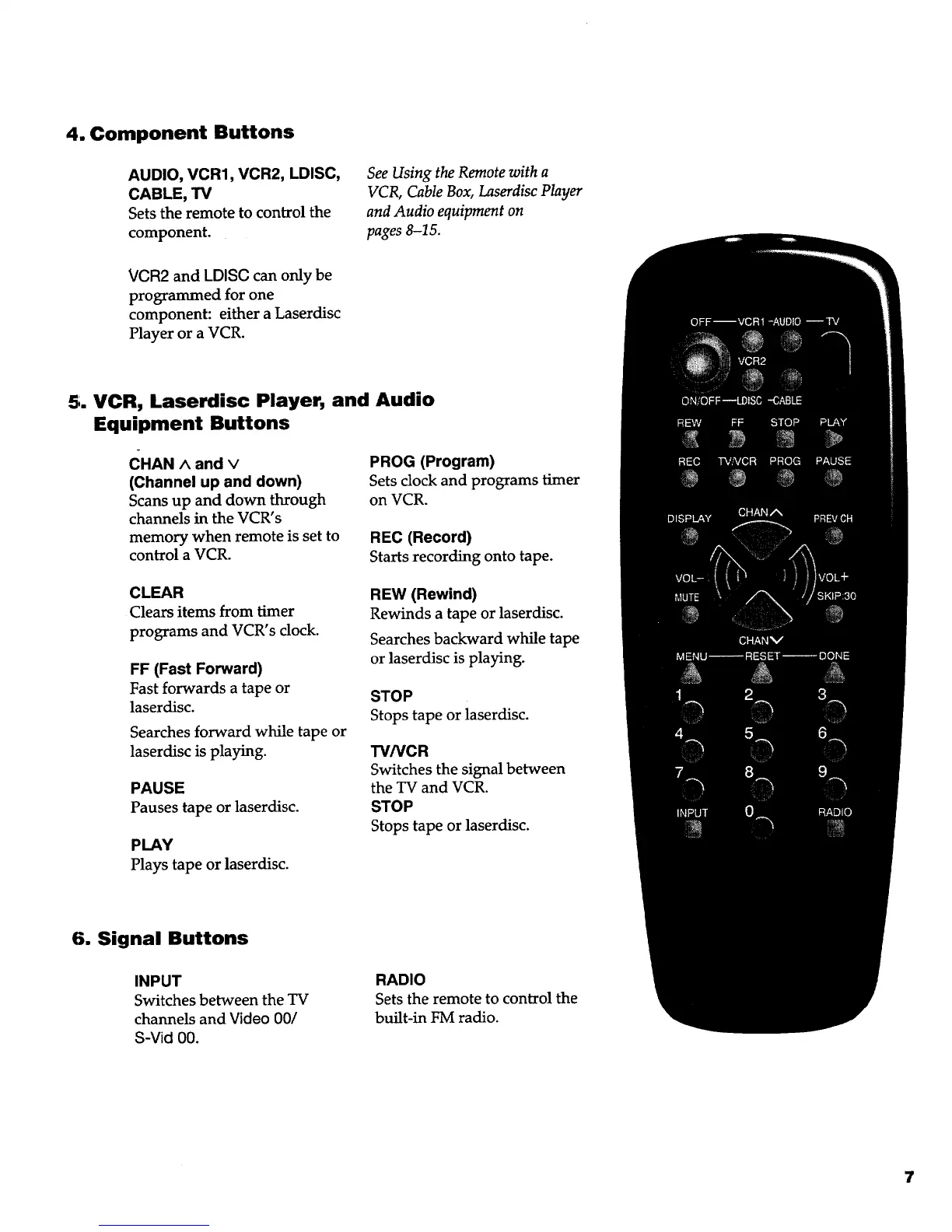
AUDIO, VCR1, VCR2, LDISC,
CABLE, TV
Setsthe remote to control the
component.
See Using the Remote with a
VCR, Cable Box, Laserdisc Player
and Audio equipment on
pages 8-15.
VCR2 and LDISC can only be
programmed for one
component: either a Laserdisc
Player or a VCR.
5. VCR, Laserdisc Player, and Audio
Equipment Buttons
CHAN ^ and v
(Channel up and down)
Scans up and down through
channels in the VCR's
memory when remote is set to
control a VCR.
PROG (Program)
Sets clock and programs timer
on VCR.
REC (Record)
Starts recording onto tape.
CLEAR
Clears items from timer
programs and VCR's clock.
FF (Fast Forward)
Fast forwards a tape or
laserdisc.
Searches forward while tape or
laserdisc is playing.
PAUSE
Pauses tape or laserdisc.
PLAY
Plays tape or laserdisc.
REW (Rewind)
Rewinds a tape or laserdisc.
Searches backward while tape
or laserdisc is playing.
STOP
Stops tape or laserdisc.
TV/VCR
Switches the signal between
the TV and VCR.
STOP
Stops tape or laserdisc.
6. Signal Buttons
INPUT
Switches between the TV
channels and Video 00/
S-Vid 00.
RADIO
Sets the remote to control the
built-in FM radio.
7



 To Next Page