9. Play back what you have recorded.
A. Press thumb trigger to stop recording.
B. Place CAM/OFF/VCR in VCR.
C. Press REW/REVIEW to rewind the tape.
D. Press PLAY to play back the tape in the viewfinder.
E. Press STOP when you are finished.
F. Details on viewfinder or LCD playback are on page 51.
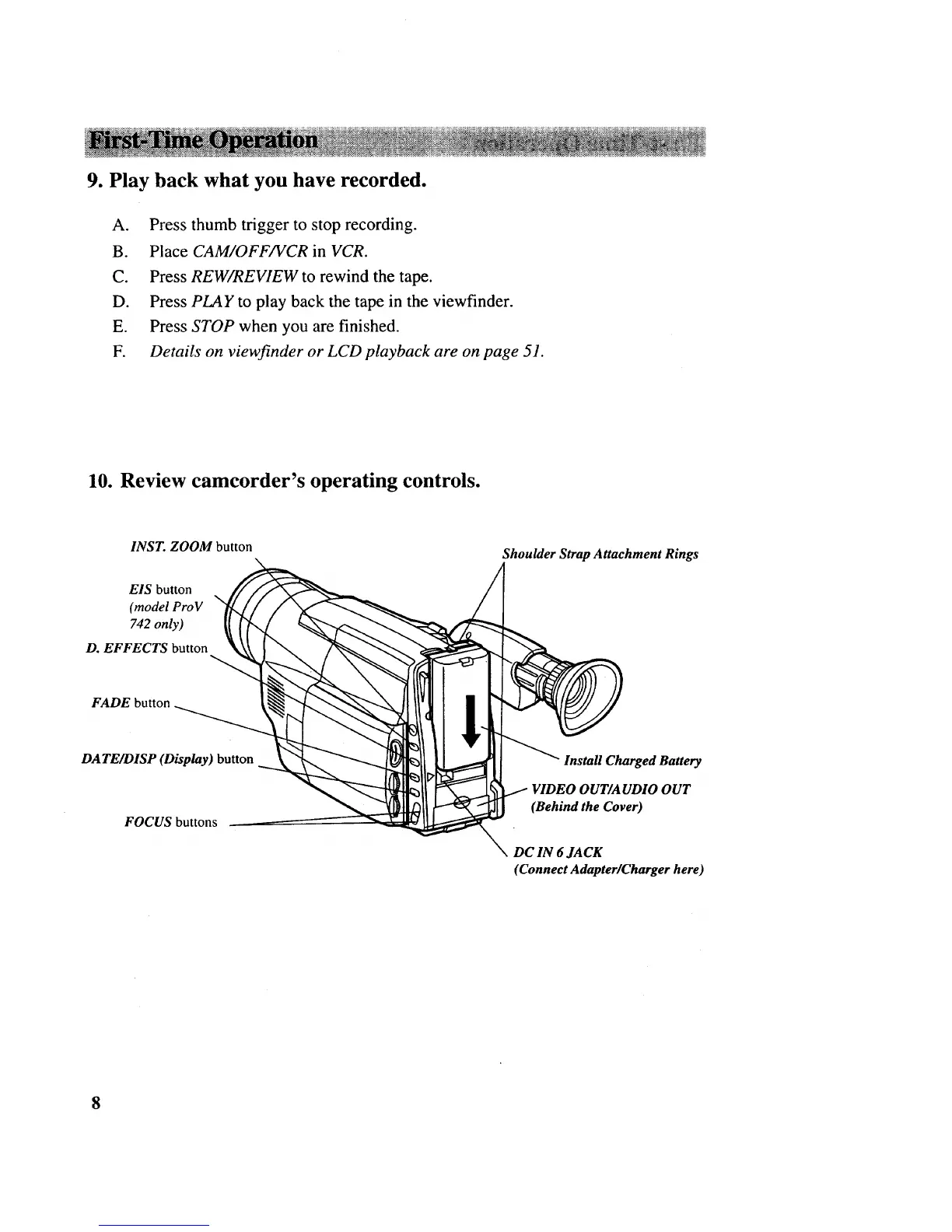
10. Review camcorder's operating controls.
INST. ZOOM button
EIS button
\
(model ProV
742 only)
D. EFFECTS button
Shoulder Strap Attachment Rings
FADE button
DATE/DISP (Display) button
FOCUS buttons
Install Charged Battery
(Behind the Cover)
DC IN 6 JACK
(Connect Adapter/Charger here)
8



 To Next Page