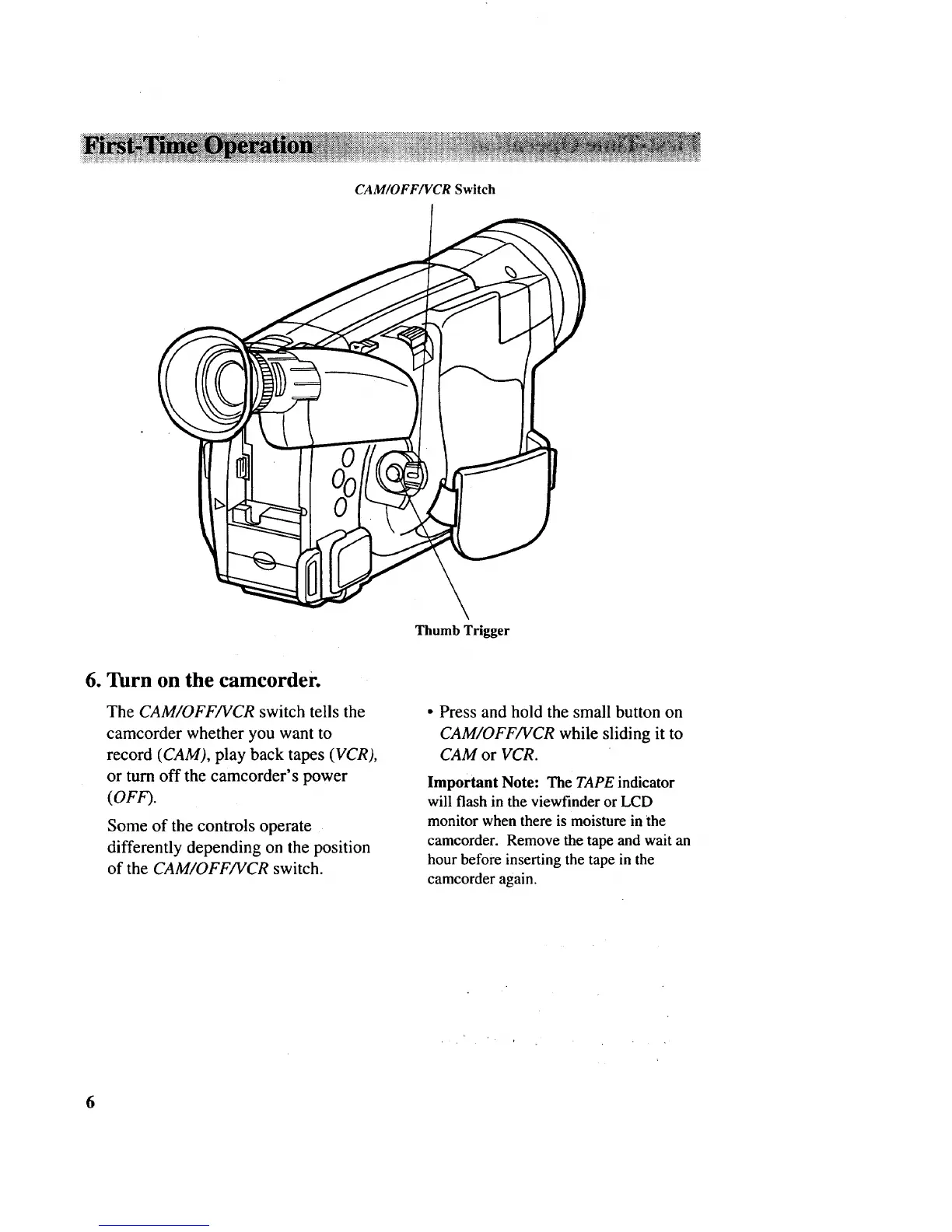
CAM/OFF/VCR Switch
Thumb Trigger
6. Turn on the camcorder.
The CAM/OFF/VCR switch tells the
camcorder whether you want to
record (CAM), play back tapes (VCR),
or turn off the camcorder's power
(OFF).
Some of the controls operate
differently depending on the position
of the CAM/OFF/VCR switch.
• Press and hold the small button on
CAM/OFF/VCR while sliding it to
CAM or VCR.
Important Note: The TAPE indicator
will flash in the viewfinder or LCD
monitor when there is moisture in the
camcorder. Remove the tape and wait an
hour before inserting the tape in the
camcorder again.
6



 To Next Page