Using the Rechargeable Battery to Power Your Camcorder
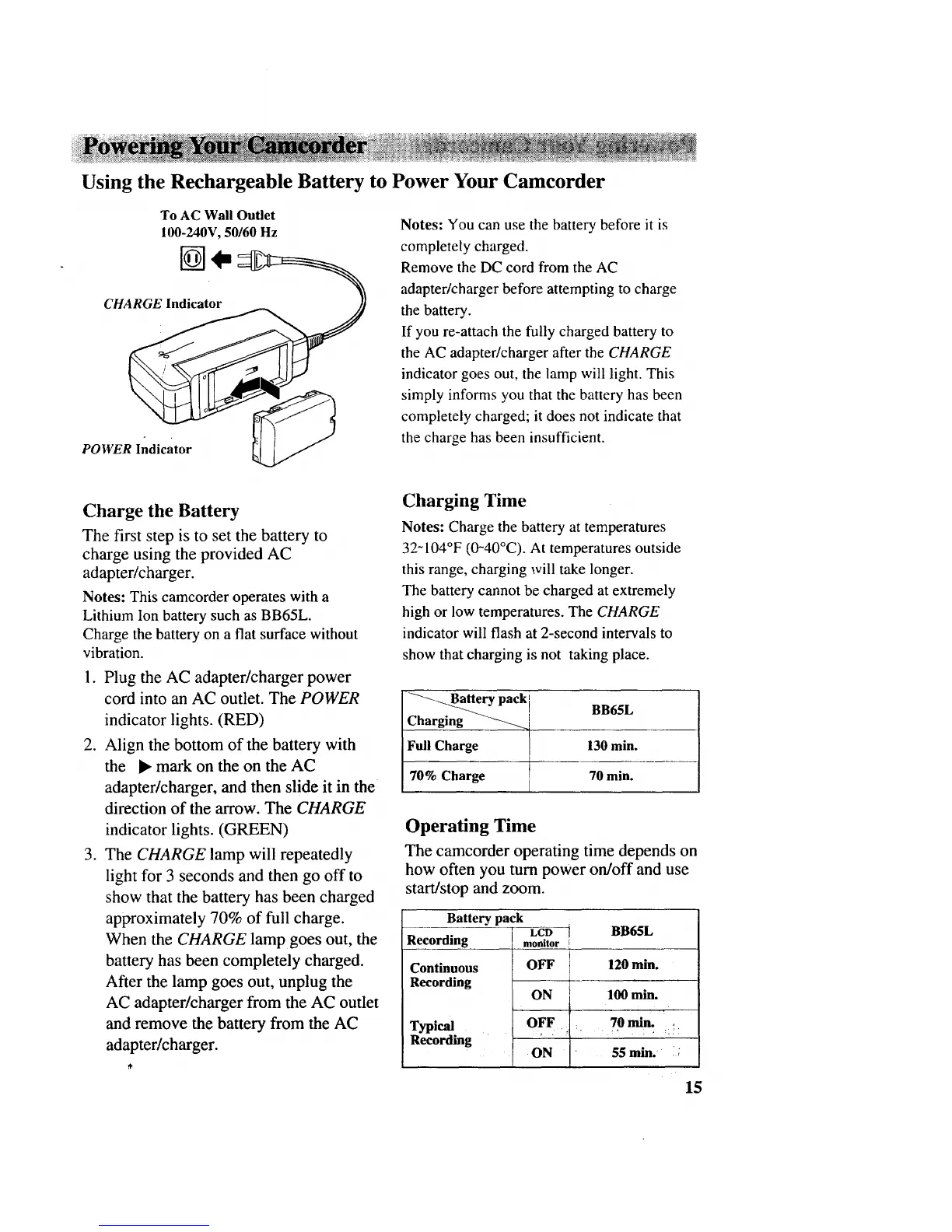
To AC Wall Outlet
100-240V, 50/60 Hz
C
POWER Indicator
Notes: You can use the battery before it is
completely charged.
Remove the DC cord from the AC
adapter/charger before attempting to charge
the battery.
If you re-attach the fully charged battery to
the AC adapter/charger after the CHARGE
indicator goes out, the lamp will light. This
simply informs you that the battery has been
completely charged; it does not indicate that
the charge has been insufficient.
Charge the Battery
The first step is to set the battery to
charge using the provided AC
adapter/charger.
Notes: This camcorder operates with a
Lithium Ion battery such as BB65L.
Charge the battery on a flat surface without
vibration.
.
.
.
Plug the AC adapter/charger power
cord into an AC outlet. The POWER
indicator lights. (RED)
Align the bottom of the battery with
the • mark on the on the AC
adapter/charger, and then slide it in the
direction of the arrow. The CHARGE
indicator lights. (GREEN)
The CHARGE lamp will repeatedly
light for 3 seconds and then go off to
show that the battery has been charged
approximately 70% of full charge.
When the CHARGE lamp goes out, the
battery has been completely charged.
After the lamp goes out, unplug the
AC adapter/charger from the AC outlet
and remove the battery from the AC
adapter/charger.
Charging Time
Notes: Charge the battery at temperatures
32-104°F (0-40°C). At temperatures outside
this range, charging will take longer.
The battery cannot be charged at extremely
high or low temperatures. The CHARGE
indicator will flash at 2-second intervals to
show that charging is not taking place.
_-_Battery pack I
BB65L
Charging
Full Charge [ 130 min.
70% Charge 70 min.
Operating Time
The camcorder operating time depends on
how often you turn power on/off and use
start/stop and zoom.
Battery pack
LCD t
Recording
Continuous
Recording
Typical
Recording
BB65L
monitor r
OFF 120 min.
ON 100 min.
OFF : 70 min. ,
ON 55 rain. i;
15



 To Next Page