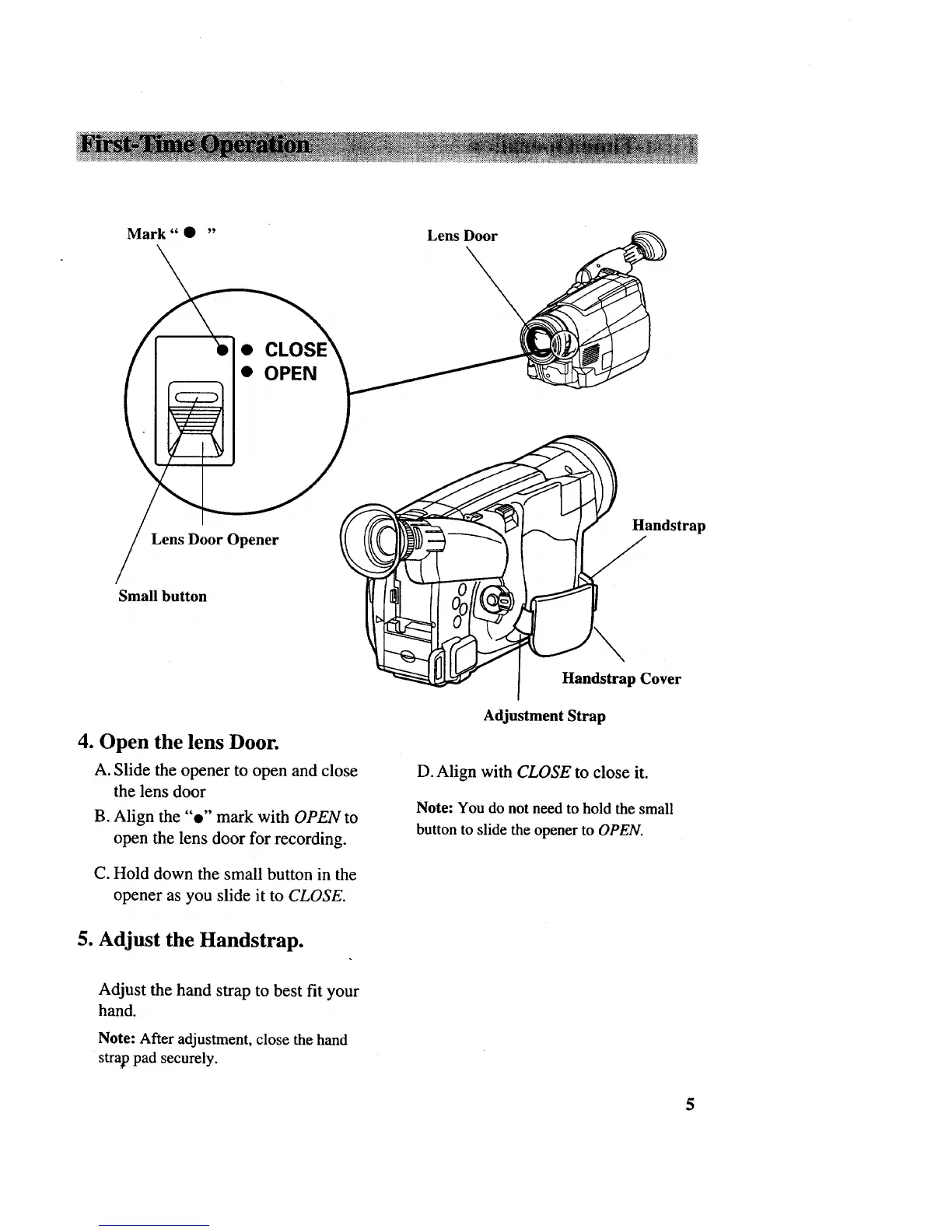
Mark" • "
Lens Door
• OPEN
Lens Door Opener
Handstrap
Small button
4. Open the lens Door.
A. Slide the opener to open and close
the lens door
B. Align the "e" mark with OPEN to
open the lens door for recording.
C. Hold down the small button in the
opener as you slide it to CLOSE.
5. Adjust the Handstrap.
Adjust the hand strap to best fit your
hand.
Note: After adjustment, close the hand
strap pad securely.
Handstrap Cover
Adjustment Strap
D. Align with CLOSE to close it.
Note: You do not need to hold the small
button to slide the opener to OPEN.
5



 To Next Page