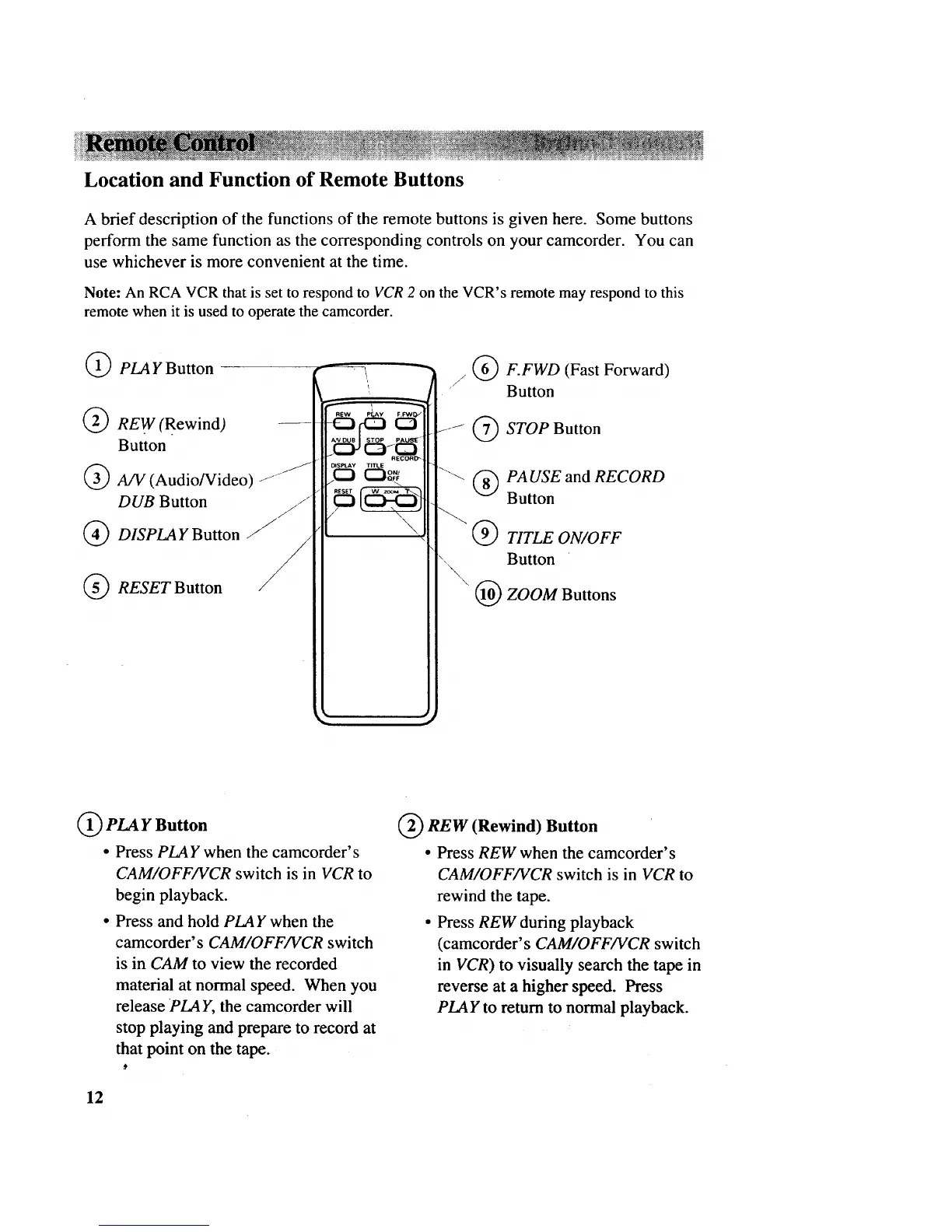
Location and Function of Remote Buttons
A brief description of the functions of the remote buttons is given here. Some buttons
perform the same function as the corresponding controls on your camcorder. You can
use whichever is more convenient at the time.
Note: An RCA VCR that is set to respond to VCR 2 on the VCR's remote may respond to this
remote when it is used to operate the camcorder.
PLA Y Button
@ REW(Rewind)
Button
A/V (Audio/Video) z"J
DUB Button z/z"
(_ DISPLAY Button
RESET Button
/ @ F.FWD (Fast Forward)
Button
STOP Button
'"_ @ PA USE and RECORD
Button
TITLE ON/OFF
Button
\ @ ZOOM Buttons
PLA Y Button
• Press PLAY when the camcorder's
CAM/OFF/VCR switch is in VCR to
begin playback.
• Press and hold PLAY when the
camcorder's CAM/OFF/VCR switch
is in CAM to view the recorded
material at normal speed. When you
release PLAY, the camcorder will
stop playing and prepare to record at
that point on the tape.
REW (Rewind) Button
• Press REW when the camcorder's
CAM/OFF/VCR switch is in VCR to
rewind the tape.
• Press REW during playback
(camcorder's CAM/OFF/VCR switch
in VCR) to visually search the tape in
reverse at a higher speed. Press
PLAY to return to normal playback.
12



 To Next Page