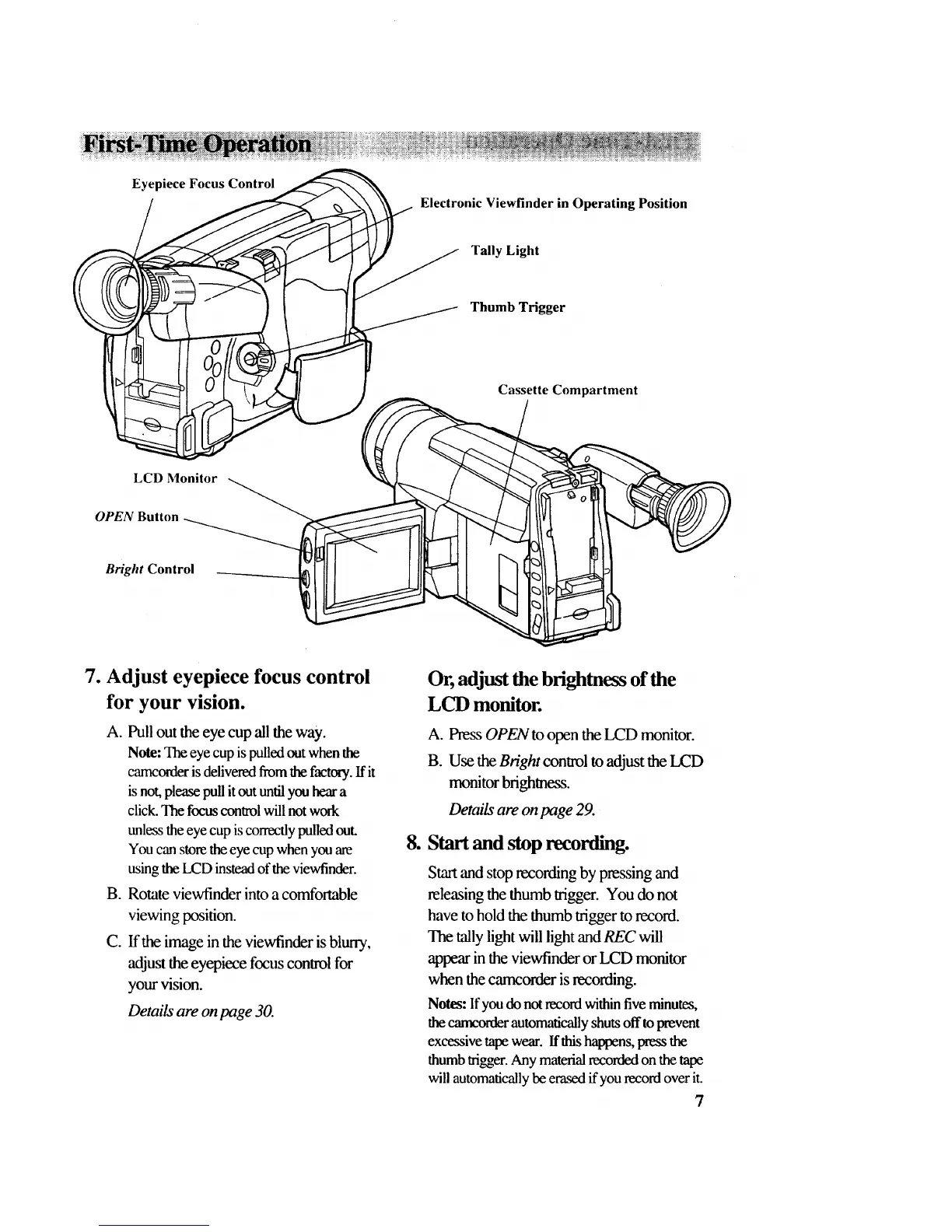
Eyepiece Focus Control
Electronic Viewfinder in Operating Position
Tally Light
Thumb Trigger
Cassette Compartment
LCD Monitor
OPEN Button
Bright Control
7. Adjust eyepiece focus control
for your vision.
A. Pull out the eye cup all the way.
Note: The eye cup is pulled out when the
camcorder is delivered from the factory. If it
is not, please pull it out until you hear a
click. The focus control will not work
unless the eye cup is correctly pulled out.
You can store the eye cup when you are
using the LCD instead of the viewfinder.
B. Rotate viewfinder into a comfortable
viewing position.
C. If the image in the viewfinder is blurry,
adjust the eyepiece focus conwol for
your vision.
Details are on page 30.
Or, adjust the brightnessof the
LCD monitor.
A. Press OPEN to open the LCD monitor.
B. Use the Bright control to adjust the LCD
monitor brightness.
Details are on page 29.
8. Start and stop recorfflng.
Start and stop recording by pressing and
releasing the thumb trigger. You do not
have to hold the thumb trigger to record.
The tally light will light and REC will
appear in the viewfinder or LCD monitor
when the carncorder is recording.
Notes: Ifyou do notrecord withinfiveminutes,
thecarm'orderautomaticallyshutsoff toprevent
excessivetapewear. Ifthishappens,pressthe
thumbtrigger.Any materialrecordedon the tape
willautomaticallybeerasedif yourecordover it.
7



 To Next Page