Using the Rechargeable Battery to Power Your Camcorder
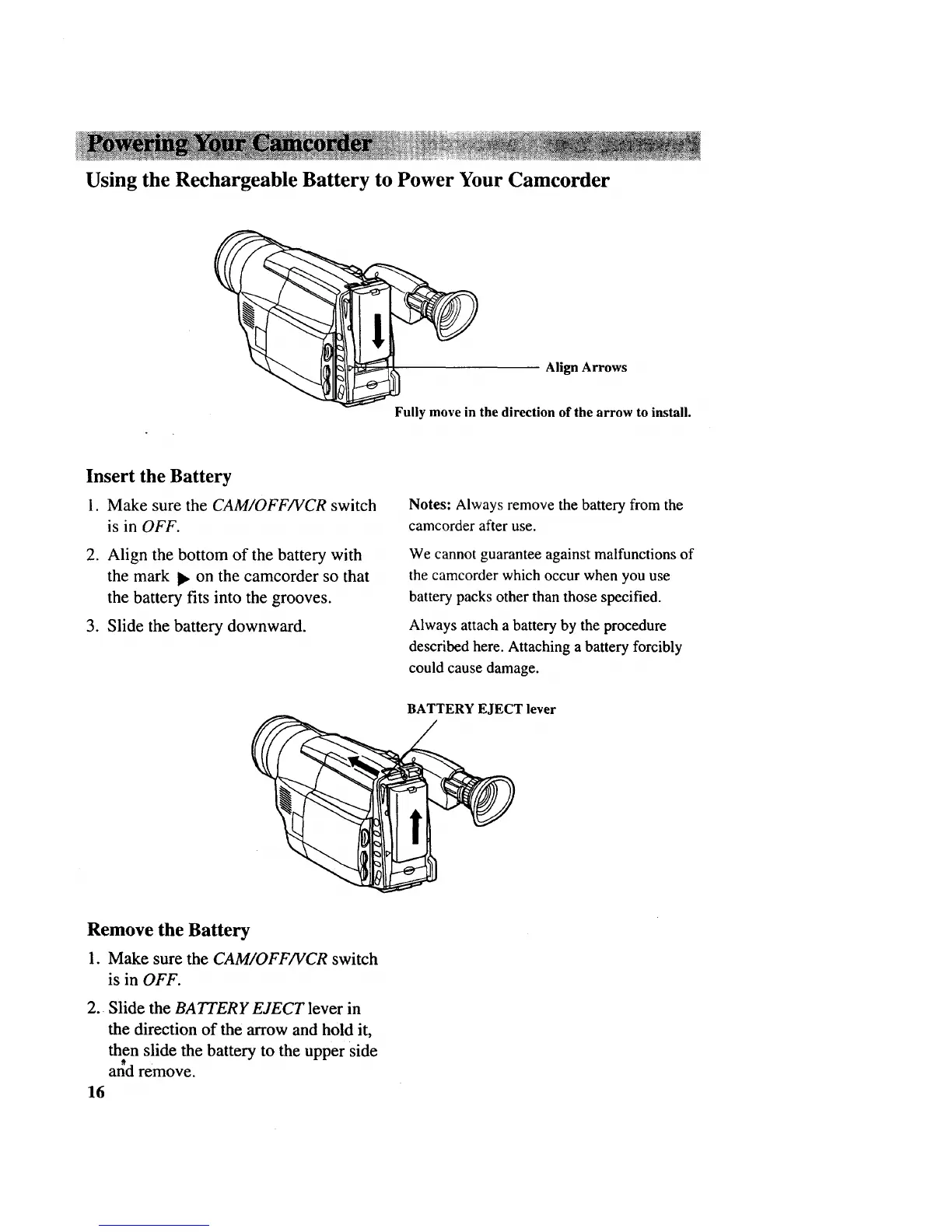
Align Arrows
Fully move in the direction of the arrow to install.
Insert the Battery
1. Make sure the CAM/OFF/VCR switch
is in OFF.
2. Align the bottom of the battery with
the mark I_ on the camcorder so that
the battery fits into the grooves.
3. Slide the battery downward.
Notes: Always remove the battery from the
camcorder after use.
We cannot guarantee against malfunctions of
the camcorder which occur when you use
battery packs other than those specified.
Always attach a battery by the procedure
described here. Attaching a battery forcibly
could cause damage.
BATTERY EJECT lever
Remove the Battery
1. Make sure the CAM/OFF/VCR switch
is in OFF.
2. Slide the BATTERY EJECT lever in
the direction of the arrow and hold it,
then slide the battery to the upper side
al_d remove.
16



 To Next Page