Install the Clock Lithium Cell
1. Make sure camcorder is turned off, and
remove any power supply attached to
the camcorder.
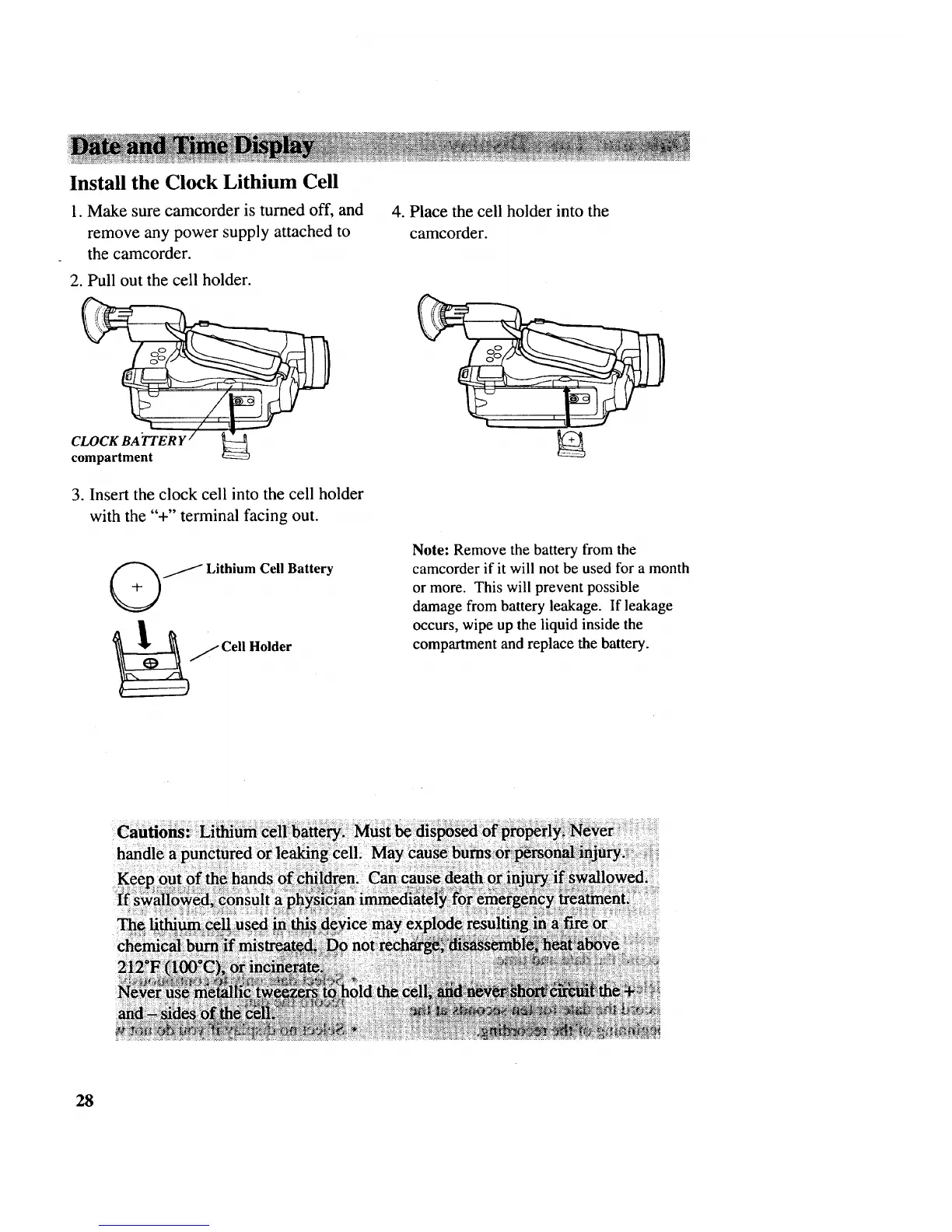
2. Pull out the cell holder.
CLOCK BA'TTER Y
compartment
3. Insert the clock cell into the cell holder
with the "+" terminal facing out.
/Lithium Cell Battery
j Cell Holder
4. Place the cell holder into the
camcorder.
Note: Remove the battery from the
camcorder if it will not be used for a month
or more. This will prevent possible
damage from battery leakage. If leakage
occurs, wipe up the liquid inside the
compartment and replace the battery.
chemical
28



 To Next Page