Recording Date and Time, Date, or Date and Title on Your Tape
The time and date, date only, or date and title can be recorded on your tape. Whenever
one of the displays appears in the viewfinder or LCD monitor, it will be recorded. The
camcorder also has auto date and auto title features.
The clock cell must be installed and the clock set.
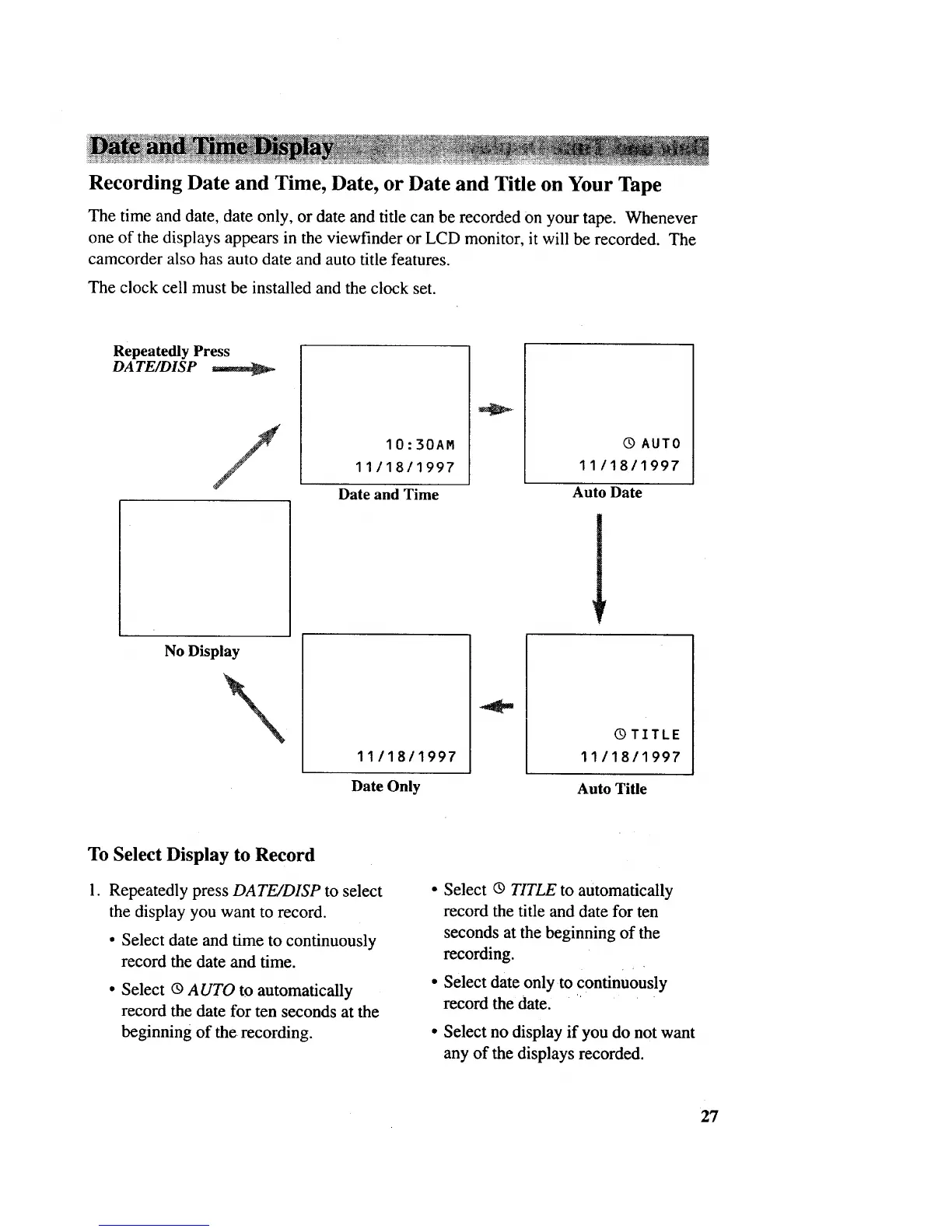
Repeatedly Press
DATE/DISP
/
10:30AM
11/18/1997
Dateand Time
Q AUTO
11118/1997
Auto Date
No Display
11/18/1997
Date Only
Q TITLE
11/18/1997
Auto Title
To Select Display to Record
1. Repeatedly press DATE/DISP to select
the display you want to record.
• Select date and time to continuously
record the date and time.
• Select ® AUTO to automatically
record the date for ten seconds at the
beginning of the recording.
• Select ® TITLE to automatically
record the title and date for ten
seconds at the beginning of the
recording.
• Select date only to continuously
record the date.
• Select no display if you do not want
any of the displays recorded.
27



 To Next Page