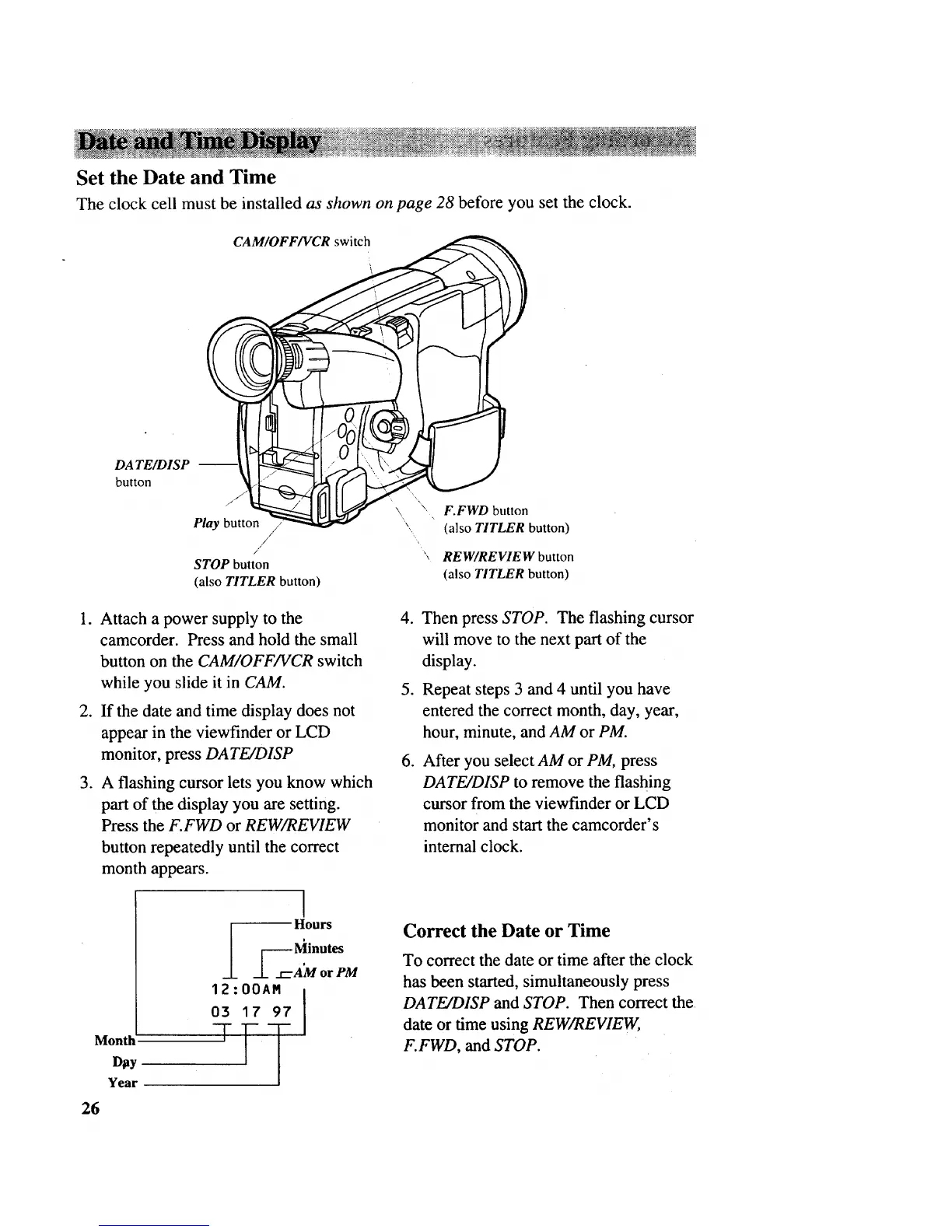
Set the Date and Time
The clock cell must be installed as shown on page 28 before you set the clock.
DATE/DISP --
button
CAM/OFF/VCR switch
"J_ _ \ F FWD button
Play button \, (also TITLER button)
/
/ "_ REW/REVIEW button
STOP button
(also TITLER button) (also TITLER button)
1. Attach a power supply to the
camcorder. Press and hold the small
button on the CAM/OFF/VCR switch
while you slide it in CAM.
2. If the date and time display does not
appear in the viewfinder or LCD
monitor, press DATE/D1SP
.
A flashing cursor lets you know which
part of the display you are setting.
Press the F.FWD or REW/REVIEW
button repeatedly until the correct
month appears.
Month
D_y
Year
l
Hours
__k _--_, "nutes
_.L __AM or PM
12:00AM ]
03 17 97
.
.
.
Then press STOP. The flashing cursor
will move to the next part of the
display.
Repeat steps 3 and 4 until you have
entered the correct month, day, year,
hour, minute, and AM or PM.
After you select AM or PM, press
DATE/D1SP to remove the flashing
cursor from the viewfinder or LCD
monitor and start the camcorder's
internal clock.
Correct the Date or Time
To correct the date or time after the clock
has been started, simultaneously press
DATE/DISP and STOP. Then correct the
date or time using REW/REVIEW,
F.FWD, and STOP.
26



 To Next Page