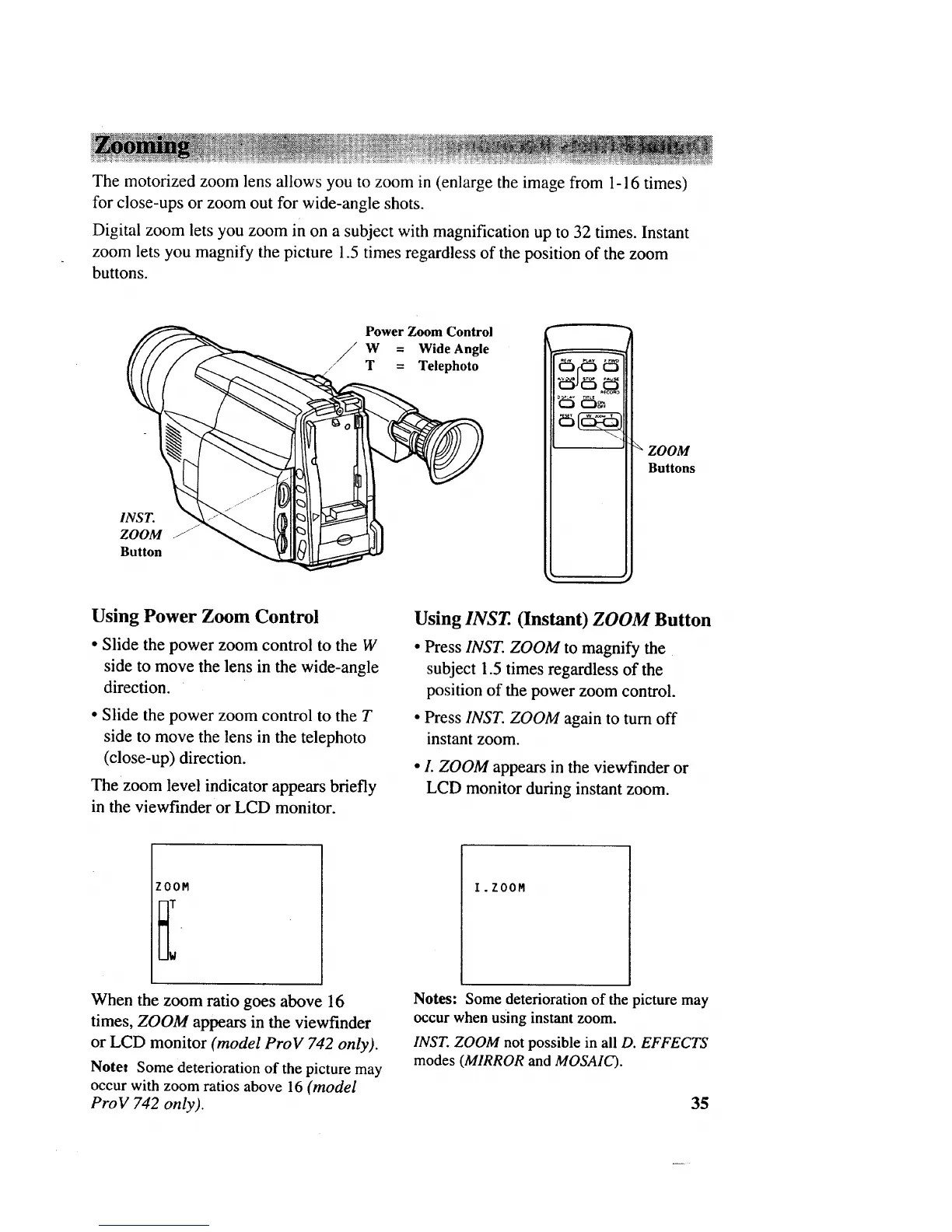
The motorized zoom lens allows you to zoom in (enlarge the image from 1-16 times)
for close-ups or zoom out for wide-angle shots.
Digital zoom lets you zoom in on a subject with magnification up to 32 times. Instant
zoom lets you magnify the picture 1.5 times regardless of the position of the zoom
buttons.
INST.
ZOOM .J_
Button
Power Zoom Control
i W Wide Angle
T Telephoto
• L
ZOOM
Buttons
Using Power Zoom Control
• Slide the power zoom control to the W
side to move the lens in the wide-angle
direction.
• Slide the power zoom control to the T
side to move the lens in the telephoto
(close-up) direction.
Thezoom level indicator appears briefly
in the viewfinder or LCD monitor.
Using INST. (Instant) ZOOM Button
• Press INST. ZOOM to magnify the
subject 1.5 times regardless of the
position of the power zoom control.
• Press INST. ZOOM again to turn off
instant zoom.
• L ZOOM appears in the viewfinder or
LCD monitor during instant zoom.
ZOOM
I.ZOOM
When the zoom ratio goes above 16
times, ZOOM appears in the viewfinder
or LCD monitor (model ProV 742 only).
Notet Some deterioration of the picture may
occur with zoom ratios above 16 (model
ProV 742 only).
Notes: ;ome deterioration of the picture may
occur when using instant zoom.
INST. ZOOM not possible in all D. EFFECTS
modes (MIRROR and MOSAIC).
35



 To Next Page