16X9 Mode
The new 16 X 9 TV format provides a 30% wider picture than conventional TVs of the
same height. The 16 X 9 recording mode lets you make recordings compatible with
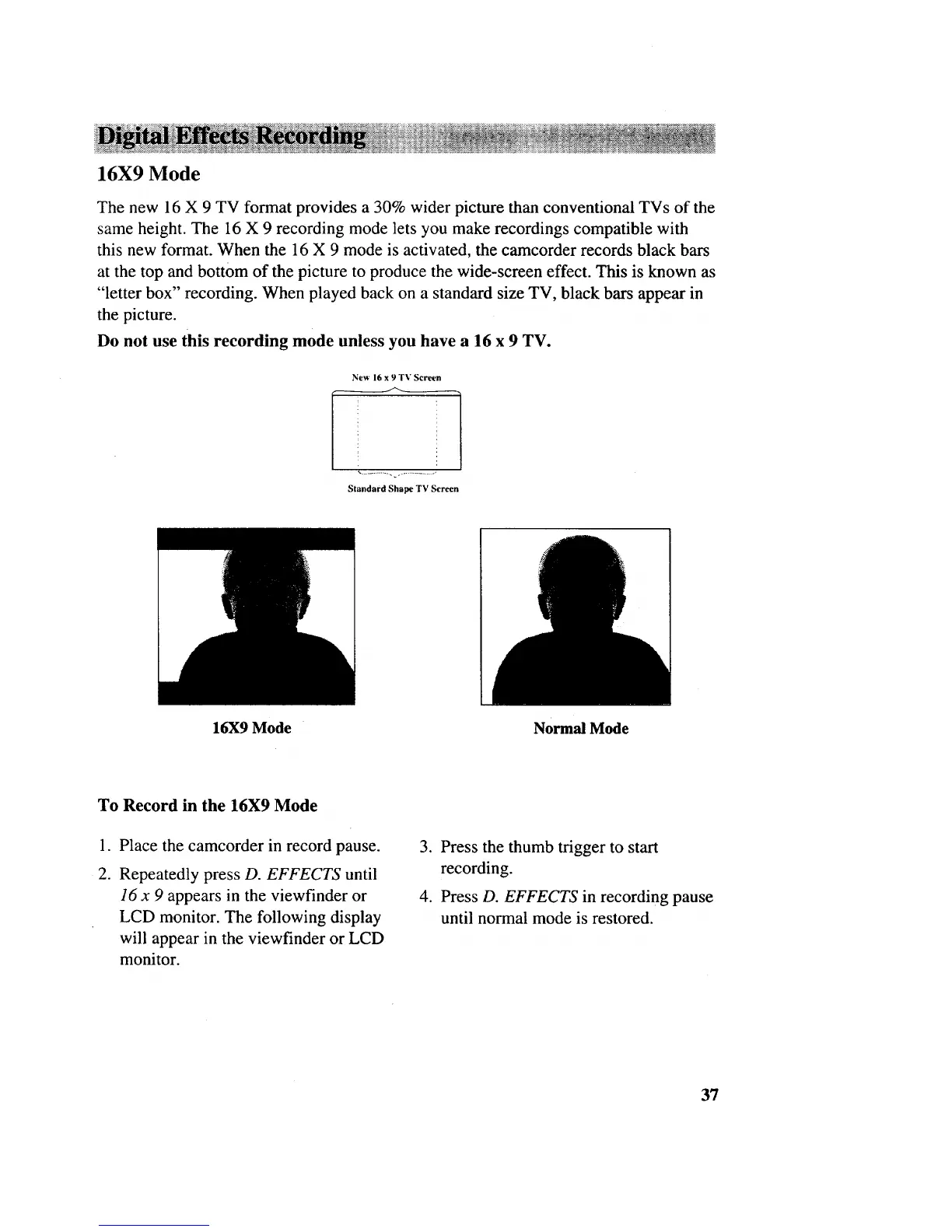
this new format. When the 16 X 9 mode is activated, the camcorder records black bars
at the top and bottom of the picture to produce the wide-screen effect. This is known as
"letter box" recording. When played back on a standard size TV, black bars appear in
the picture.
Do not use this recording mode unless you have a 16 x 9 TV.
New 16 x 9TV Screen
Standard Shape TV Screen
16X9 Mode Normal Mode
To Record in the 16X9 Mode
.
2.
Place the camcorder in record pause.
Repeatedly press D. EFFECTS until
16 x 9 appears in the viewfinder or
LCD monitor. The following display
will appear in the viewfinder or LCD
monitor.
3. Press the thumb trigger to start
recording.
4. Press D. EFFECTS in recording pause
until normal mode is restored.
37



 To Next Page