Playback and Playback Features
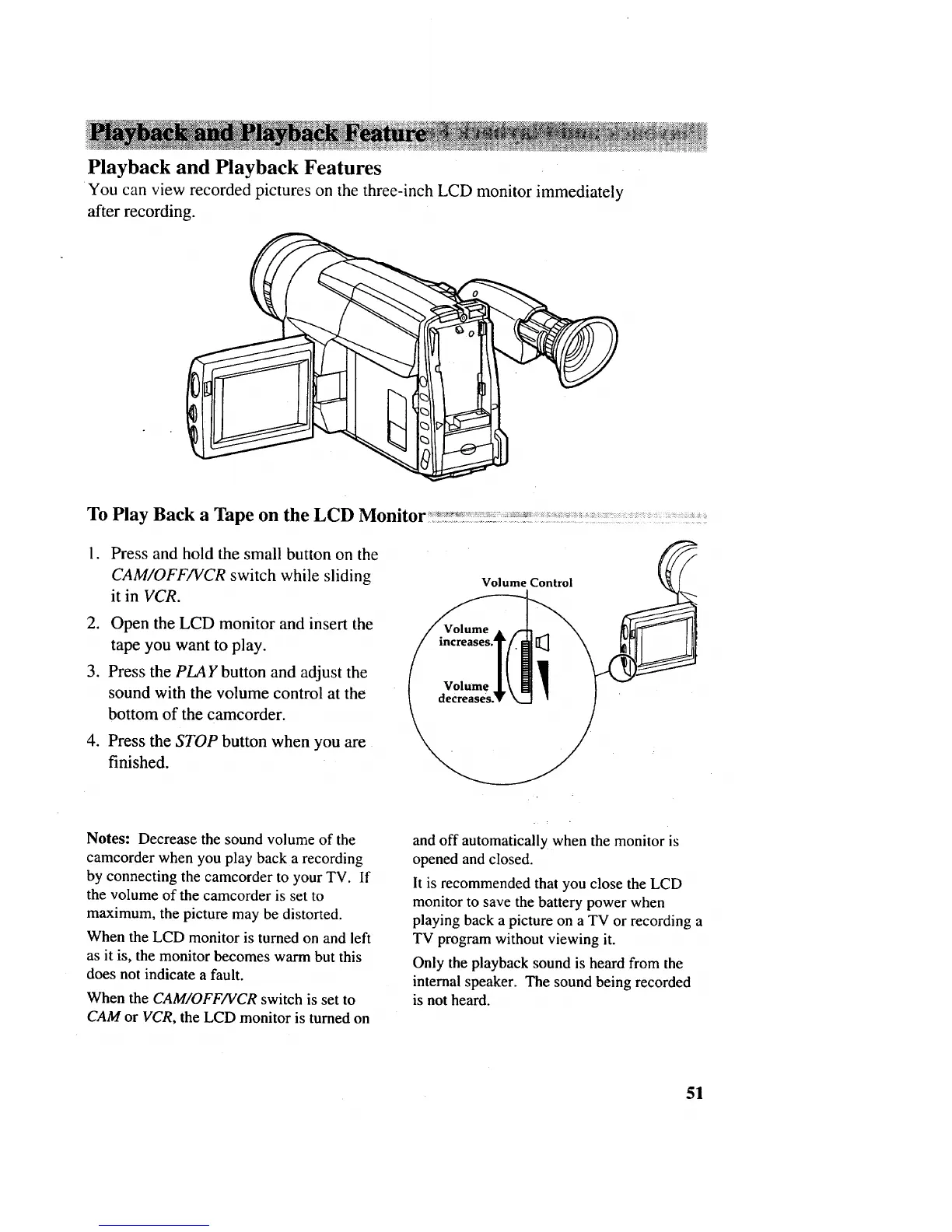
You can view recorded pictures on the three-inch LCD monitor immediately
after recording.
To Play Back a Tape on the LCD Monitor::_:::_:_:::_:_:_.:_:_.:,_'_::_:::_::::_:_:_::_:_:_::::::- : .: : • _:::.
. Press and hold the small button on the
CAM/OFF/VCR switch while sliding
it in VCR.
2. Open the LCD monitor and insert the
tape you want to play.
3. Press the PLAY button and adjust the
sound with the volume control at the
bottom of the camcorder.
.
Press the STOP button when you are
finished.
Volume Control
Notes: Decrease the sound volume of the
camcorder when you play back a recording
by connecting the camcorder to your TV. If
the volume of the camcorder is set to
maximum, the picture may be distorted.
When the LCD monitor is turned on and left
as it is, the monitor becomes warm but this
does not indicate a fault.
When the CAM/OFF/VCR switch is set to
CAM or VCR, the LCD monitor is turned on
and off automatically when the monitor is
opened and closed.
It is recommended that you close the LCD
monitor to save the battery power when
playing back a picture on a TV or recording a
TV program without viewing it.
Only the playback sound is heard from the
internal speaker. The sound being recorded
is not heard.
51



 To Next Page