PELLET STOVES Chapter 4
red
INSTALLATION AND USE MANUAL
page 50
Operation Technical service - Rights reserved - Reproduction prohibited
SET
TURBO
1
2
64
3
5
!
- - - -
set
SET
TURBO
1
2
64
3
5
!
+ 3
set
PROGRAMME 4 (7:30 a.m. - 10:30 p.m. Saturday and
Sunday)
DESCRIPTION ACTIVATION STEP DISPLAY CONFIRMATION
Programme 4: stove lighting time 7:30 a.m. (hot at 8:00 a.m.) Button 1 or Button 2 UT 14 7 : 30 Button 3
Programme 4: stove shutdown time 10:30 p.m. (cold at 11:00
p.m.)
Button 1 or Button 2 UT 15 22 :30 Button 3
Programme 4: inactive day Monday Button 2 UT 16 ON 1 or OFF 1
Programme 4: inactive day Monday Button 1 UT 16 OFF 1
Programme 4: inactive day Tuesday Button 2 UT 16 ON 2 or OFF 2
Programme 4: inactive day Tuesday Button 1 UT 16 OFF 2
Programme 4: inactive day Wednesday Button 2 UT 16 ON 3 or OFF 3
Programme 4: inactive day Wednesday Button 1 UT 16 OFF 3
Programme 4: inactive day Thursday Button 2 UT 16 ON 4 or OFF 4
Programme 4: inactive day Thursday Button 1 UT 16 OFF 4
Programme 4: inactive day Friday Button 2 UT 16 ON 5 or OFF 5
Programme 4: inactive day Friday Button 1 UT 16 OFF 5
Programme 4: Active day Saturday Button 2 UT 16 ON 6 or OFF 6
Programme 4: Active day Saturday Button 1 UT 16 ON 6
Programme 4: Active day Sunday Button 2 UT 16 ON 7 or OFF 7
Programme 4: Active day Sunday Button 1 UT 16 ON 7
Programme 4: CONFIRM Button 3
If a programme is not used, all days of the week relating to that programme must
be set to "OFF"
DESCRIPTION ACTIVATION STEP DISPLAY CONFIRMATION
Programme 4: stove lighting time - NOT USED UT .. ANY Button 3
Programme 4: stove shutdown time - NOT USED UT .. ANY Button 3
Programme 4: inactive day Monday Button 2 UT .. ON 1 or OFF 1
Programme 4: inactive day Monday Button 1 UT .. OFF 1
Programme 4: inactive day Tuesday Button 2 UT .. ON 2 or OFF 2
Programme 4: inactive day Tuesday Button 1 UT .. OFF 2
Programme 4: inactive day Wednesday Button 2 UT .. ON 3 or OFF 3
Programme 4: inactive day Wednesday Button 1 UT .. OFF 3
Programme 4: inactive day Thursday Button 2 UT .. ON 4 or OFF 4
Programme 4: inactive day Thursday Button 1 UT .. OFF 4
Programme 4: inactive day Friday Button 2 UT .. ON 5 or OFF 5
Programme 4: inactive day Friday Button 1 UT .. OFF 5
Programme 4: inactive day Saturday Button 2 UT .. ON 6 or OFF 6
Programme 4: inactive day Saturday Button 1 UT .. OFF 6
Programme 4: inactive day Sunday Button 2 UT .. ON 7 or OFF 7
Programme 4: inactive day Sunday Button 1 UT .. OFF 7
Programme 4: CONFIRM UT .. Button 3
4.10.1. Memorization of recipe on stove.
THE PROCEDURE FOR SELECTING THE RECIPE IS
ACTIVE ONLY WHEN THE STOVE IS NOT LIT.
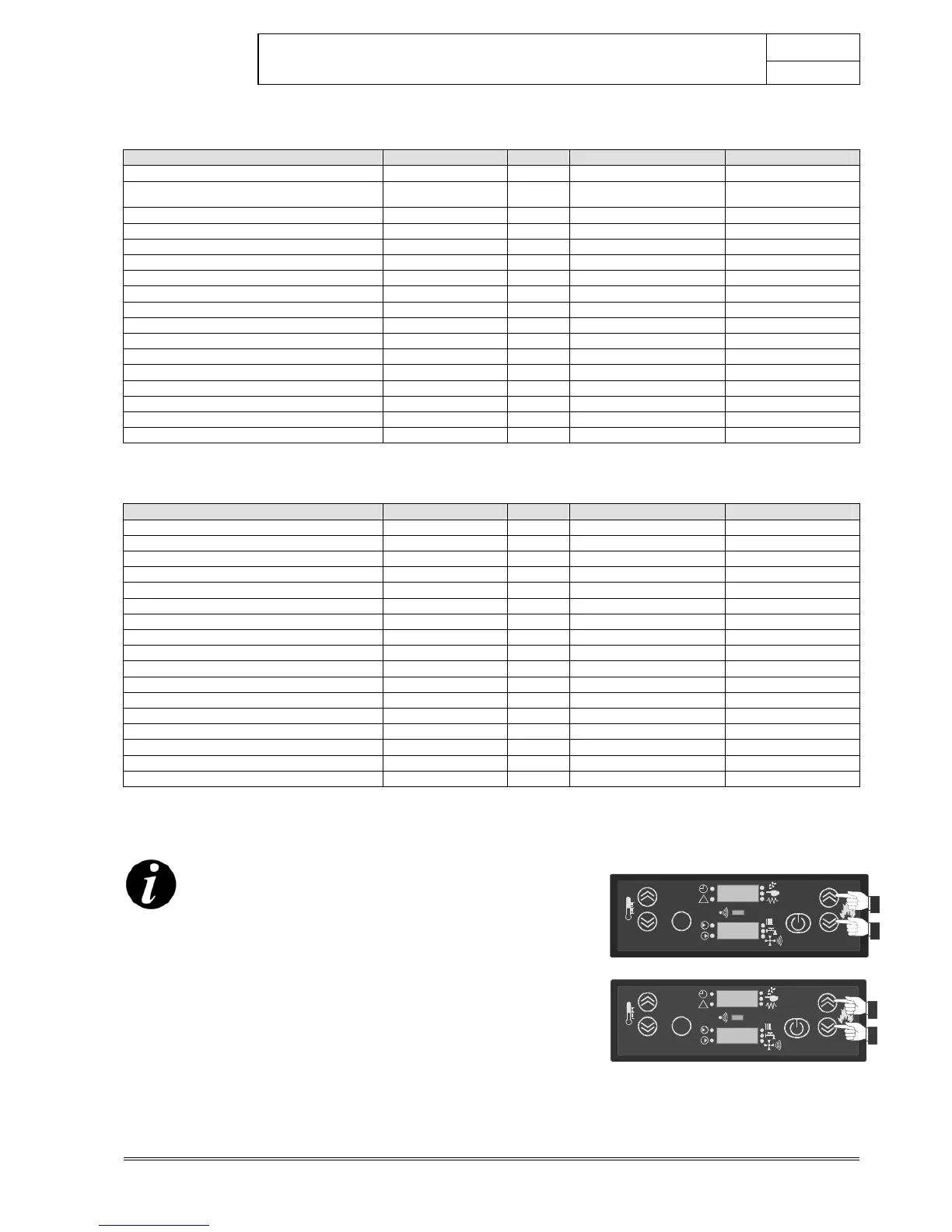
Press in rapid succession, or simultaneously, the buttons and .
“SET” will appear on the display, alternatingly with the recipe number.
The recipes are +3;+2;+1;0;-1;-2;-3.
To exit from the menu without making changes, press key
or key
, or wait 120 seconds without pressing a key.
To change or set a new recipe, press the buttons
or in order to
create the desired recipe
First access to recipe selection menu
Phase 1: Example of access to recipe menu
and display of previous setting



 To Next Page