COPYRIGHT © 2012 RED Digital Cinema 955-0003_v3.2, Rev-A1
124
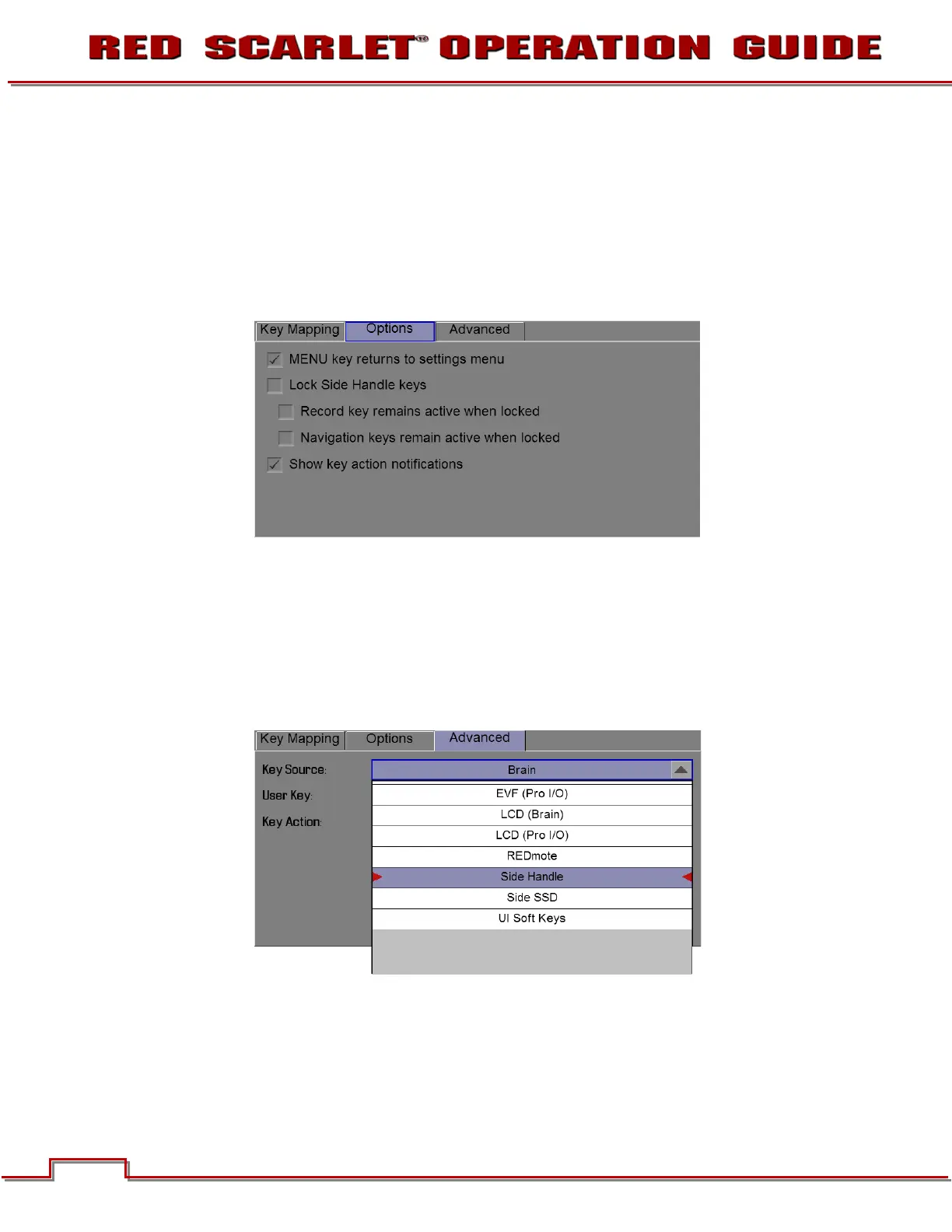
OPTIONS
• Select the desired option
• Press menu or a blank area of the touchscreen to save the setting
ADVANCED
• The advanced tab allows you to set key functions using a series of pull down menus
• Select Key Source (Brain, REDMOTE, Side SSD, etc.)
• Select the key you wish to change
• Select the desired key action
Key Source



 To Next Page