955-0003_v3.2, Rev- A1 COPYRIGHT © 2012 RED Digital Cinema
215
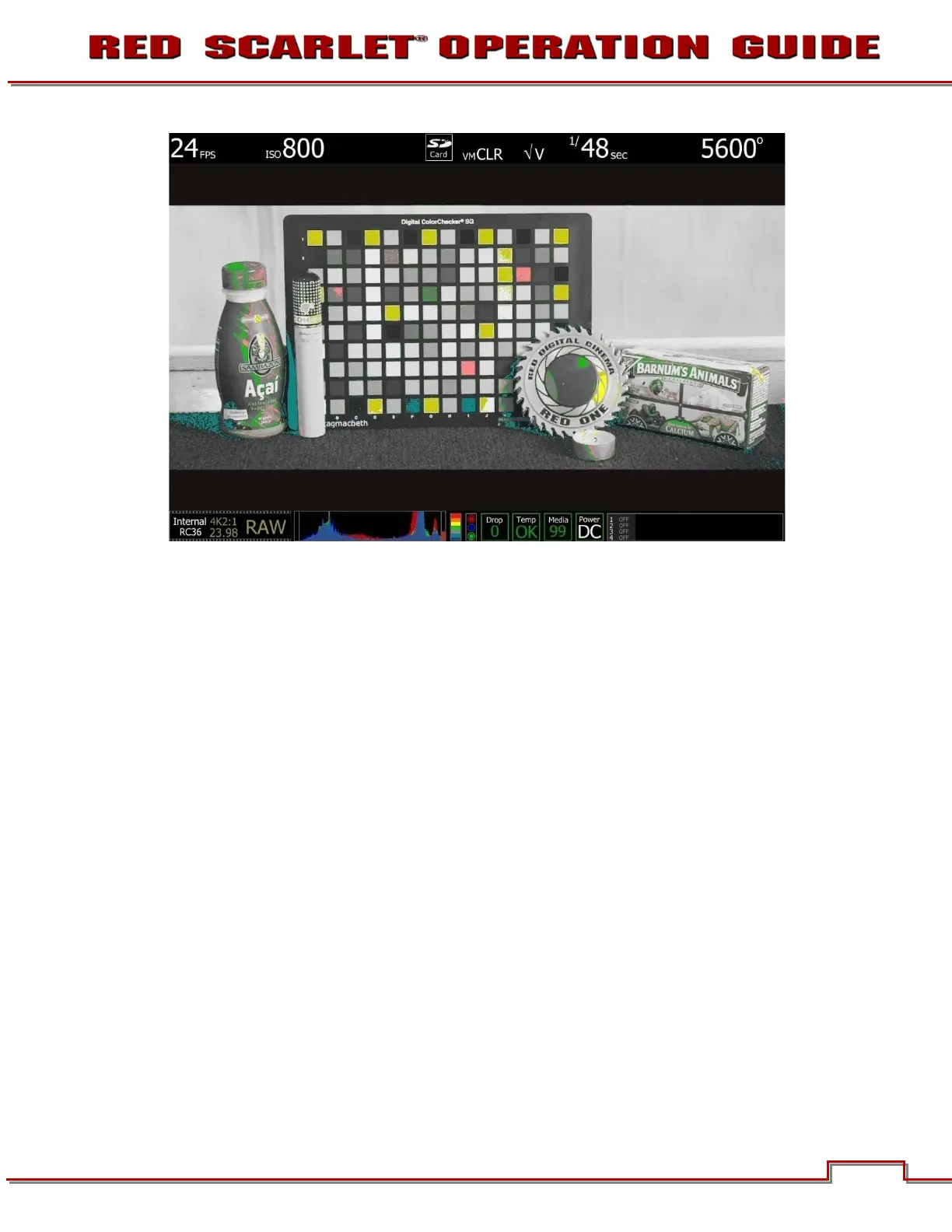
ISO 800 - False Color: Video
Select False Color – Video: note the √ V icon in the GUI when active. This mode allows us to check the
RGB video levels of the scene. As all the white chips on the test chart are Yellow, this suggests that a
significant portion of the monitor path video is at the maximum legal 100 IRE value.
Because the scene is over exposed, when the recorded .R3D file is color corrected in post-production,
the scene’s highlight information will almost certainly be clipped, however the shadow information will
probably display cleanly once pulled back down to an acceptable brightness.



 To Next Page