COPYRIGHT © 2012 RED Digital Cinema 955-0003_v3.2, Rev-A1
218
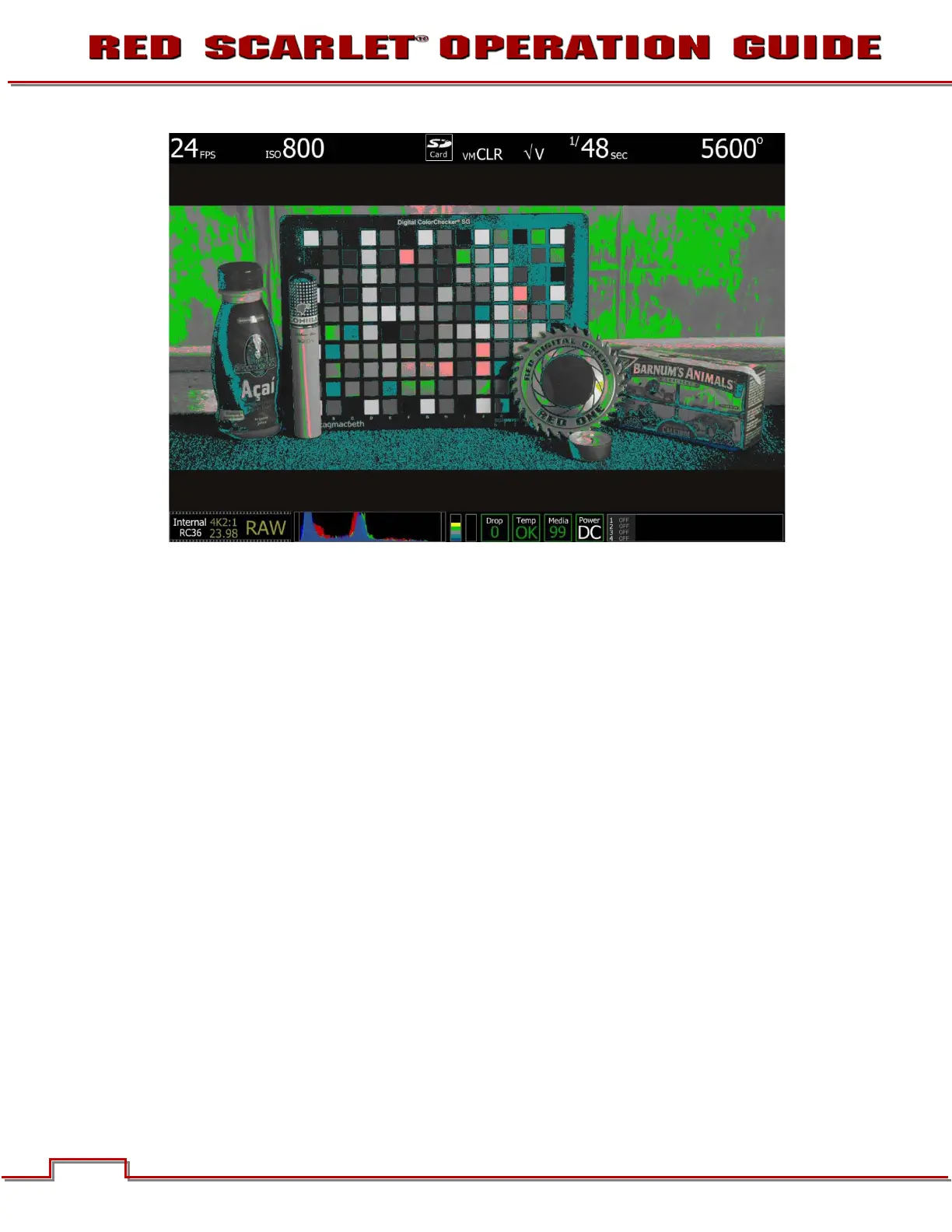
ISO 800 - False Color: Video
Select False Color – Video: note the √ V icon in the GUI when active. This mode allows us to check the
RGB video levels of the scene. The two green squares in the upper right corner of the color chart and
green in the background indicate that the scene’s mid grey and skin tone elements, plus peak white and
blacks are all at appropriate levels.
Because the scene was well exposed, when the recorded clip is color corrected in post-production,
sufficient headroom exists for the scene’s highlight information to be displayed without clipping, and the
shadow information can be displayed without significant noise, even if the brightness of the shadow
information is pulled up.



 To Next Page