1.10
ENG_UD69955_6
Principes d’utilisation (XNX - Renault)
– “Suggestions & notifications”: in-
forms you of events by category:
Navigation, Multimedia, Phone etc.
Note: depending on the equipment,
some menus may not be available.
OPERATING PRINCIPLES (3/4)
– “Music”: manage the playing of audio
files;
– “Phone”: used to pair the system with
one or more mobile phones and to
use hands-free mode
– “Applications”: used to manage your
photos, videos and apps;
– “Car info”: covers information related
to the multimedia system
– “Settings”: manage some vehicle
equipment, such as MULTI-SENSE,
the driving assistance systems, the
reversing camera, Driving Eco and
adjust various settings on the mul-
timedia system, e.g. display, lan-
guage, etc. ;
– Use “Help”: to contact call centres
as required (breakdown, healthcare,
services);
For safety reasons, carry
out these operations when
the vehicle is stationary.
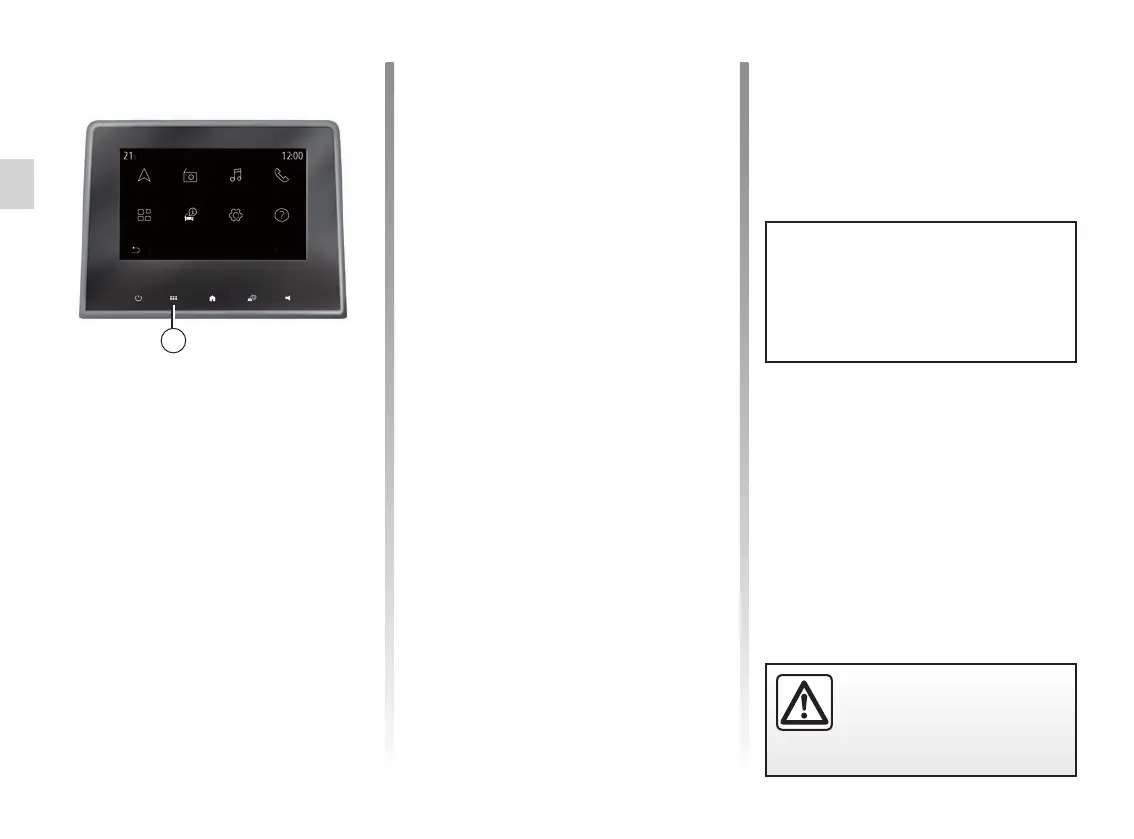
Introduction to the main
menu
To access the main menu, press the 2
button on the screen, from the central
control or from the remote control.
The system has several menus, all of
which can be accessed from the main
menu:
– “Navigation”: includes all of the satel-
lite guidance functions, road maps
and traffic information
– “Radio”: used to manage the radio and
audio playback
2
Menu
Navigation Radio Music
SettingsCar infoApplications
Phone
Help
Some settings have to be modi-
fied while the engine is running in
order for them to be stored by the
multimedia system.



 To Next Page