cleaning => cleaning..................................
(current page)
1.11
ENG_UD69955_6
Principes d’utilisation (XNX - Renault)
OPERATING PRINCIPLES (4/4)
4
3
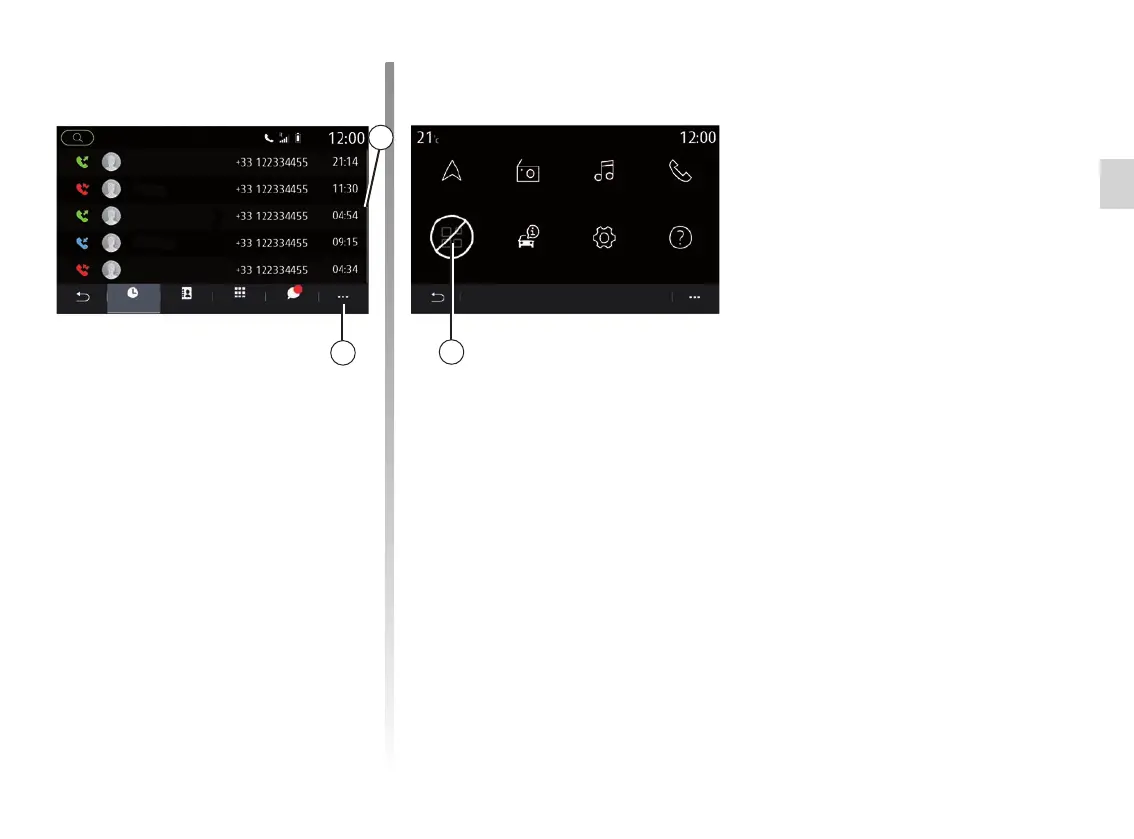
Functions unavailable
While driving, functions such as “Video”,
“Photo”, access to the tutorial and some
settings may be unavailable, according
to country-specific regulation.
Unavailable functions can be identified
by the icon 5.
To access unavailable functions, stop
your vehicle.
Note: in some countries, regulation re-
quires that the hand brake be applied
in order to access the applications. For
further information, please contact an
Authorised Dealer of brand.
Scroll bar
The bar 3 shows the position of the
current screen in the page. Swipe the
multimedia screen up or down to scroll
through the list and move around the
page.
Pop-up menu
There is a pop-up menu 4 available
from most system menus that gives
access to sub-menus (delete favour-
ites, change current route, settings etc.)
and to the user manual for your multi-
media system.
Navigation
Menu
Radio Music
Settings
Phone
Help
Car infoApplications
5
SMSDialPhonebookHistory



 To Next Page