7.5
ENG_UD68557_6
Réglages système (XNX - Renault)
SYSTEM SETTINGS (2/10)
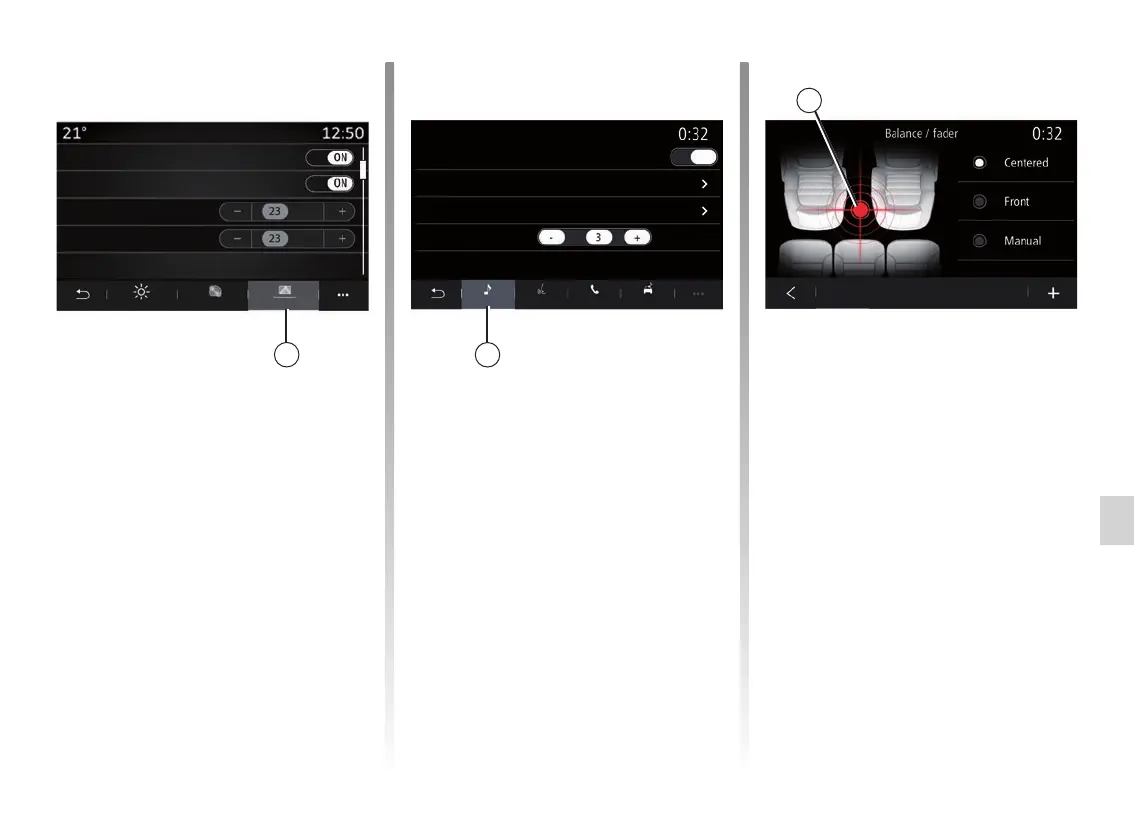
From the “Head-up display” tab 3, you
can configure:
– activate/deactivate the head-up dis-
play;
– the automatic brightness;
– the daytime brightness setting for the
screen;
– the night-time brightness setting for
the screen;
– the image position on the head up
display.
Note: the “Central screen day bright-
ness” settings are deactivated at night
and the “Central screen night bright-
ness” settings are deactivated during
the day.
“Sound”
This menu allows you to configure the
different sound settings.
From the “Audio” 4 tab, you can set the
following sound equaliser settings:
– activate/deactivate the bass;
– adjust the “Balance / Fader”;
– adjust the values of the “Bass /
Medium / Treble” sounds;
– adjust the volume according to vehi-
cle speed by pressing “+” or “-”.
– ...
“Balance / Fader”
This function sets the sound distribu-
tion balance. Press “Centred” or “Front”
in order to optimise the sound distribu-
tion for all the vehicle occupants or for
the comfort of rear passengers (audio
muted in the rear and moderate volume
at the front of the vehicle).
When you touch the screen or when
“Manual” mode is selected, you can
then change the settings by moving the
target location 5.
3
5
4
Bass boost
Head-up display
Sound settingsDisplays
ON
Bass / Medium / TrebleDay brightness
Balance / FaderAuto brightness
Volume / SpeedNight brightness
Image position
Audio
Brightness
PhoneVoice
Style
Other
Head-up dis-
play



 To Next Page