7.6
ENG_UD68557_6
Réglages système (XNX - Renault)
SYSTEM SETTINGS (3/10)
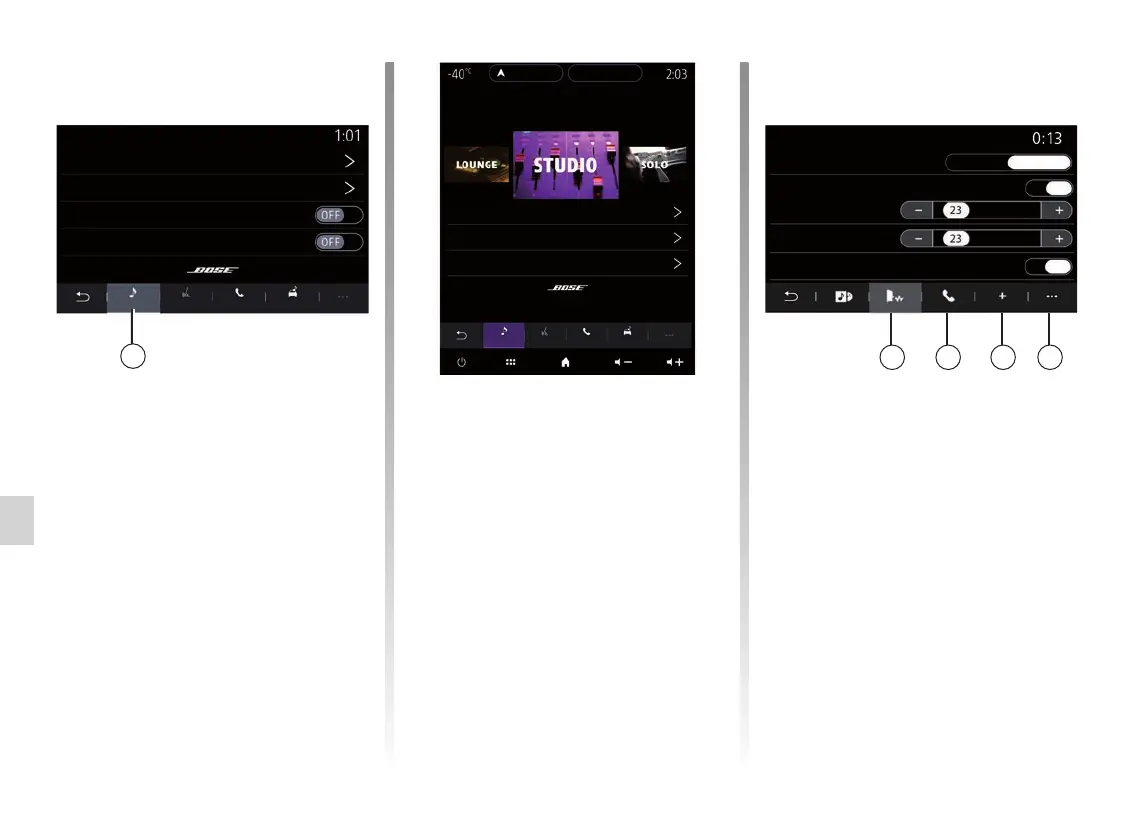
From the “Voice” 6 tab, you can set the
following options:
– choose the voice type for the navi-
gation guidance instructions;
– activate/deactivate the navigation
guidance voice;
– adjust the navigation guidance voice
volume;
– adjust the voice recognition volume;
– activate/deactivate the voice recog-
nition button sounds;
– activate/deactivate the voice com-
mand by voice (Voice command
auto-barge in);
– ...
6 7 8 9
Bose audio system
If the Bose audio system is fitted, the
“Audio” 4 tab provides additional set-
tings:
– adjust the “Balance / Fader”;
– set the “Bass / Medium / Treble”
tones;
– activate/deactivate volume level de-
pending on speed;
Note: the Bose audio system varies the
volume automatically according to ve-
hicle speed.
– activate/deactivate “Surround”.
Tone control
Centred
Bose sound settings
Surround
Balance / Fader
Volume / Speed
Audio PhoneVoice Other
4
“Surroundˮ mode processes different
sounds so that all parts of the vehicle
are at the heart of the sound broadcast.
Depending on the equipment, you can
set one of the following pre-set musical
atmospheres:
– Lounge;
– Studio;
– Solo;
– ...
Audio PhoneVoice Other
Bose sound settings
Tone control
Centred
Balance / Fader
Volume / Speed
Guidance voice
Female
ON
ON
Male
Sound
Voice recognition beep only
Voice type
Voice recognition
Audio
PhoneVoice Other



 To Next Page