7.7
ENG_UD68557_6
Réglages système (XNX - Renault)
SYSTEM SETTINGS (4/10)
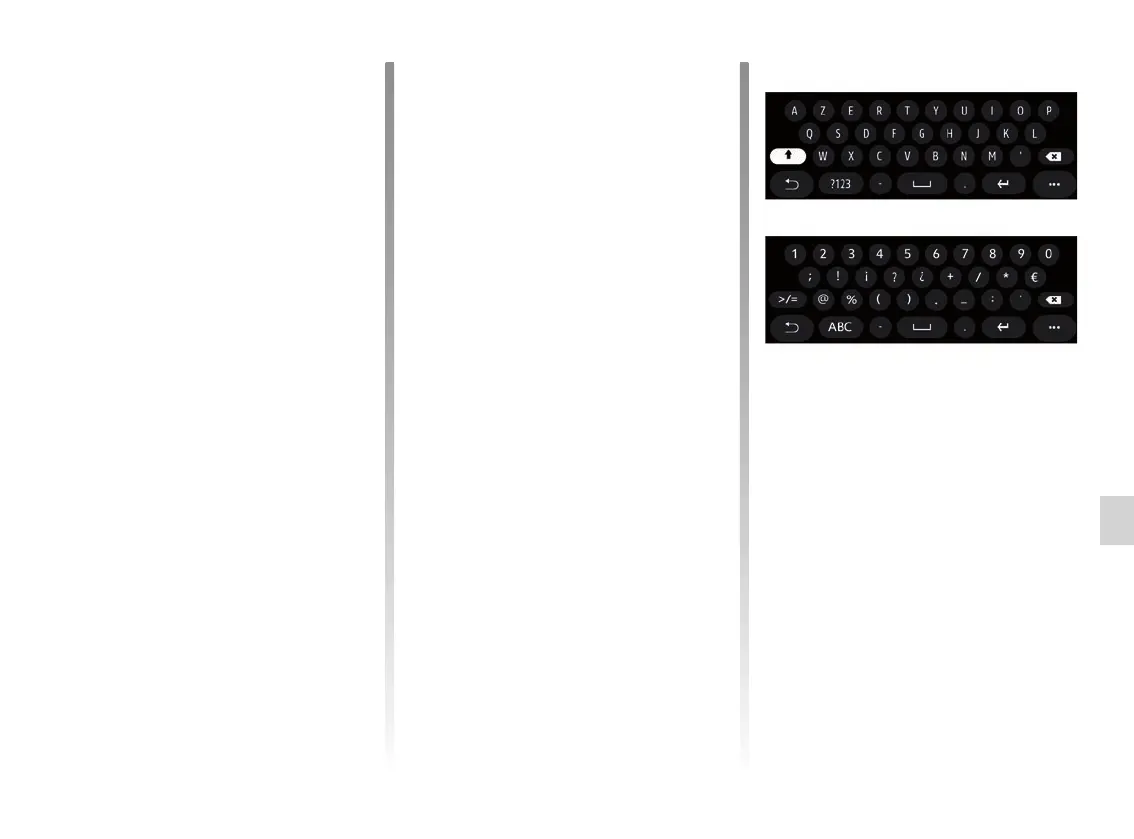
“Keyboard”
Use this menu to choose one of the fol-
lowing virtual keypads:
– “Alphabetic”;
– “Azerty”;
– “Qwerty”;
– “Cyrillic”;
– “Greek”;
– ...
When you start entering your text the
multimedia system may suggest asso-
ciated words to you.
You can select the keypad type from
the keypad pop-up menu.
“Language”
This menu lets you select a language
to be applied to the vehicle. Select the
desired language.
You will be informed of voice command
availability for each language.
From the “Phone” 7 tab, you can set the
following options:
– adjust the volume of the telephone
ringtone;
– adjust the volume of the telephone
call.
From the “Other” 8 tab, you can set the
following options:
– adjust the Park Assist sound:
– activate/deactivate the sound;
– chooser the type of sound;
– adjust the sound volume.
– set the indicator sound level;
– activate/deactivate the interior wel-
come sound effects;
– activate/deactivate the button sound
effects;
From the 9 pop-up menu, you can reset
to the default settings.



 To Next Page