7.8
ENG_UD68557_6
Réglages système (XNX - Renault)
SYSTEM SETTINGS (5/10)
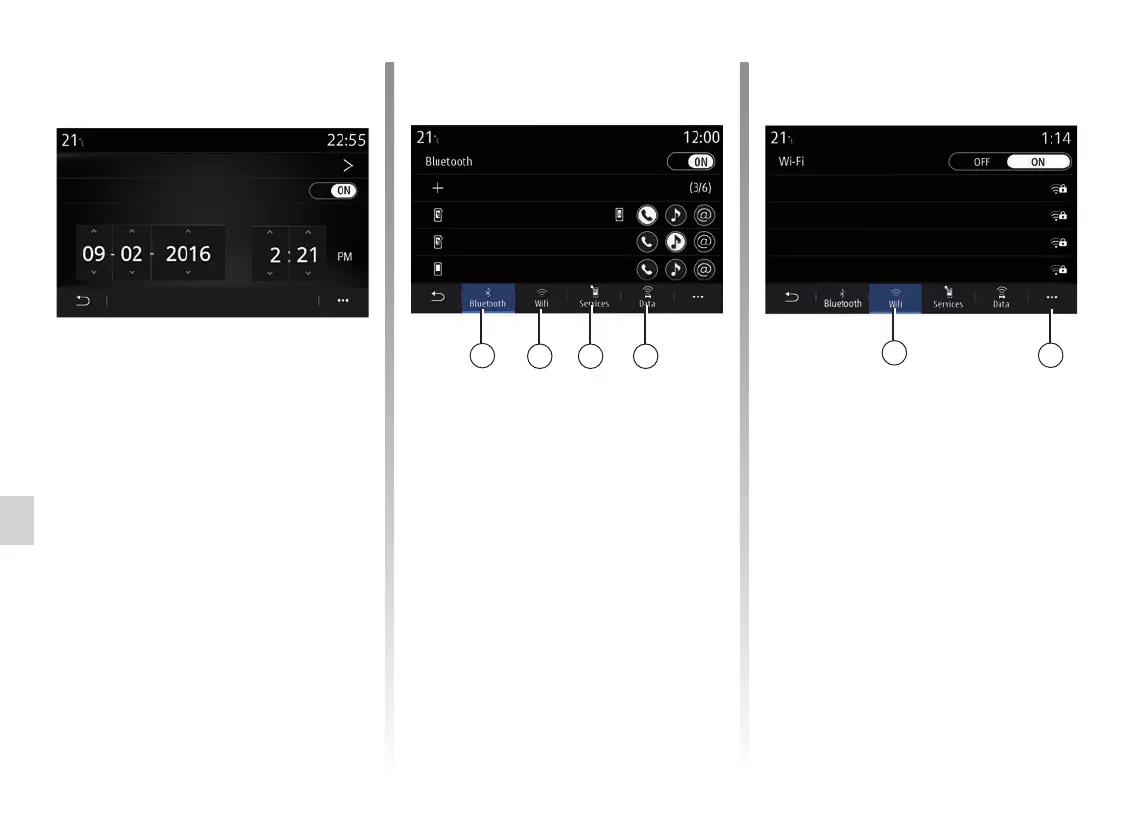
“Date and time”
This menu enables you to adjust:
– the display mode;
– the date;
– the time (12 hours or 24 hours);
– the “Analogue” or “Digital” clock;
– automatic adjustment;
– adjustment of time and date.
Note: it is recommended to keep the
automatic setting.
From the Wifi 11 tab, you can use the
internet connection provided by an ex-
ternal device (hotspot) in a shop, res-
taurant, dwelling or by a telephone etc.
Use the pop-up menu 14 to:
– delete hotspots;
– use a hidden hotspot;
– access the connection procedure.
“Devices manager”
Use this menu to configure different
connections to your multimedia system:
– “Bluetooth®” 10;
– “Wifi” 11;
– “Services” 12;
– “Data sharing” 13.
From the "Bluetooth®" 10 tab, you can
pair/connect your telephone(s) to the
multimedia system. For more informa-
tion, please refer to the “Pairing, unpair-
ing a telephone” section.
Note: the list of settings may vary ac-
cording to the equipment.
10
11 12 13
11
14
Devices
Devices
Add new device
Access point 1
Access point 2
Access point 3
Access point 4
phone 6 Nathalie
Elodie
Nicolas
Date and time
Date format
Set automatically
Date



 To Next Page